
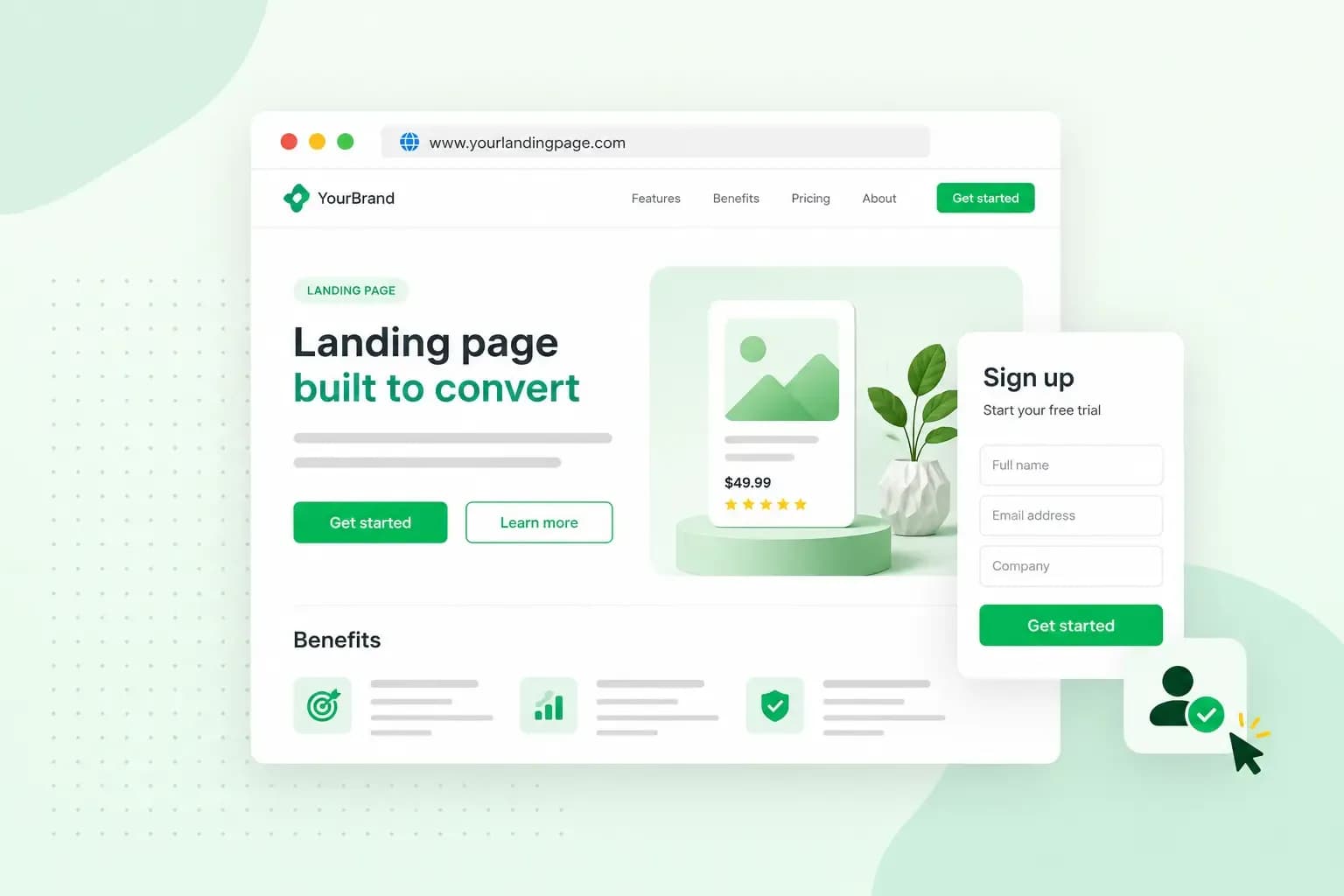
A landing page is a single web page built around one goal, such as getting visitors to sign up, book or buy. People usually reach it through an email, a social media post or an ad, and everything on the page points them towards that one action. For a wine tasting evening at your family restaurant, that could be a page at yourrestaurant.co.uk/wine-tasting with the date, the menu and a booking button.
How is a landing page different from a homepage?
A homepage gives your visitors many choices, and a landing page gives them one. Your homepage serves everyone who visits your website, so it is less focused on a single task.
| Homepage | Landing page | |
|---|---|---|
| Goal | Several: introduce your business and point visitors to the rest of the site | One: a single action, such as booking a table |
| Menus and links | A full navigation menu | No menu where you can hide it, so nothing leads visitors away |
| How visitors arrive | They type your address or follow a link | They click a link in one of your campaigns |
What is a landing page used for?
A landing page is used for any campaign where you want visitors to do one thing. Typical uses include:
- Product launches: show a new product or service.
- Events: collect sign-ups for an event or a webinar.
- App downloads: send visitors on to the page where they download your app.
- Guides and e-books: give visitors a download in return for their email address.
- Newsletters: grow your list of newsletter subscribers.
- Special offers: put a time-limited offer in front of the people it's meant for.
A landing page is the wrong place to present your whole business or your full range of products and services. That kind of detail, and the menus that help visitors browse it, belong on your homepage and the other pages of your website.
The two main types of landing page
A landing page is usually either a lead generation page or a click-through page. What sets them apart is what they ask the visitor to do: leave their details on the page itself, or click on to another page to finish. The wine tasting page takes bookings through its own form, so it's a lead generation page.
Lead generation pages
A lead generation landing page asks visitors for their contact details, such as their name, email address or phone number, so you can get back in touch with them. In return it offers something they want, for example an e-book, a guide or a place on a webinar. The page needs a form and a headline that says plainly what the visitor gets for their details.
Click-through pages
A click-through page doesn't ask for any details. It explains the offer and sends visitors on to another page, often a checkout or a sign-up page, where they buy something, start a trial or register for an event. It needs a sharp headline, short, persuasive copy and one clear button. Choose this type when visitors finish the action somewhere else, such as the checkout of your online shop.
Why use a landing page?
Use a landing page when you want more of your visitors to do one particular thing. Each time a visitor does it, such as booking a table for the wine tasting, that counts as a conversion. On a page full of other options, visitors are easily distracted from that action, and a landing page gives them nothing else to look at, which makes achieving conversions easier.
The other benefit of landing pages is that your results are easy to measure. With one page and one goal, an analytics tool such as Google Analytics shows how many people arrived, how many took the action and what your bounce rate was. That tells you quickly whether the campaign is working.
Because the page stands on its own, it's also a safe place to try things out. In an A/B test, you show visitors two versions of the page, for example with a different headline, button or image, and see which one gets more bookings, all without changing anything on the rest of your website.
What makes a good landing page?
A good landing page makes one offer and gives visitors one clear way to take it. On the wine tasting page, that offer is a table at the tasting evening, and each element below points visitors towards booking it. For the same reason, it's worth hiding the navigation menu on this page if your website builder or WordPress theme lets you, since every extra link is a way off the page.
A clear headline
The headline tells visitors what the offer is and why it's worth their time. On the wine tasting page, "You're invited to our wine tasting evening" does that in one line. Keep it short and concrete.
A hero image or video
A hero image is the large picture at the top of the page. It sets the mood and shows the offer before visitors read a word. For the wine tasting, choose a photo of the sommelier pouring white wine into a row of glasses rather than a general shot of the dining room. A short video can take its place.
One call to action
Write CTAs (calls to action) that say what the visitor does next: "Book a table for the wine tasting" rather than "Submit". Put the button near the top of the page and repeat it further down, so it's there when visitors have read enough to decide.
Social proof
Social proof means reviews, ratings or a few words from people who have already tried what you offer. Add a quote from guests who enjoyed last year's tasting, since a simple testimonial can win over visitors who are still unsure. Don't make reviews up, and skip this part while your offer is too new to have any.
Short, persuasive copy
Write about what the visitor gets rather than about your business. For the wine tasting, what guests get is the wines, the food and the sommelier hosting the evening, so give them those along with the date and time. A little storytelling, such as how you chose the wines, makes those details more inviting, and one of the effective copywriting formulas can give the text its structure. Keep it short, though, because long blocks of text pull attention away from the button.
A short form
If the page collects bookings or leads, it needs a form. Ask only for what you need to take the booking, such as a name, the number of guests, an email address and a phone number. In Aida AI Website Builder, you can add a contact form or set up our online booking system, so guests book a table in a few clicks. On a WordPress website, a form plugin lets you add a form.
Before you send marketing emails to the people who leave their details in the form, make sure you have their consent. According to guidance from the ICO, which oversees data protection in the UK, you may only send marketing emails to individuals who have specifically agreed to receive them, for example by ticking an opt-in box. Existing customers are the exception: if someone has bought a similar product or service from you, or talked to you about buying one, you can email them, provided you clearly offered them a way to opt out when you took their details and offer it again in each email.
A layout that works on mobile
Some of your visitors will click through from your campaign on a phone, so the page needs to work on a small screen as well as a large one. A single column, a button that's easy to tap and a short form all help. Before the campaign starts, open the page on a phone and on a computer, and try the button and the form on both.
What does landing page mean in SEO?
In search engine optimisation (SEO) and web analytics, the landing page is the page a visitor arrives on, often after clicking a search result. In that sense any page of your website can be a landing page, your homepage and blog posts included. A campaign landing page is the narrower meaning: a page made for one campaign, separate from the rest of your website, with one goal and one call to action.
Most visitors reach a campaign landing page through the campaign itself. If you also want people to find it through search, optimise it as you would any other page, with SEO copy written around the words your visitors search for and kept as short as the page allows.
How do you create a landing page?
You create a landing page by adding a new page to the website you already have, so you don't need a separate landing page tool. On a WordPress website, you add it as a new page in your dashboard, and in Aida AI Website Builder, you tell Aida in the chat to add the page.
Give the page a short address that says what it's for, such as yourrestaurant.co.uk/wine-tasting. A new page can appear in your main menu by itself, so check the menu and take the landing page out of it. That way, the people who reach it are the ones who clicked your campaign.
Choosing a domain for your landing page
Your landing page doesn't need its own domain. Put it on the domain you already have to keep your restaurant's name in the address where visitors can see it. A separate domain is also one more address to register and keep renewing.
Our advice: register a separate domain only when the campaign is for something that differs clearly from what you offer today, such as a new product with its own name.
Don't have a website yet? Tell Aida AI Website Builder about your business, and Aida builds your pages, text and images from a short chat. Change anything you like, then add your landing page whenever you need one.
Build my websiteTurn your next campaign into a landing page
Pick the campaign you're planning next, whether it's a tasting evening, a product launch or a newsletter, and decide on the one thing you want visitors to do. Then turn that campaign into a landing page: one headline, one offer and one button, with every link in the campaign pointing straight to it. If you'd rather not build the website yourself, you can have your website designed by us, and our designers build and launch it for you.
Recommended reading
 Website Builder19 Oct 2026
How to get your website ready for Black Friday (with checklist)
Get your website ready for Black Friday with this practical guide and checklist. Website Builder31 Aug 2026
Website redesign: How to modernise your website with AI
Discover how Aida AI can redesign your existing site in minutes, add new features, and help you create a site that's ready for business. Website Builder11 Aug 2026
How to prompt an AI website builder
Learn how to prompt an AI website builder to create a professional website for your business. Get examples for shops, salons, clinics, and more.