
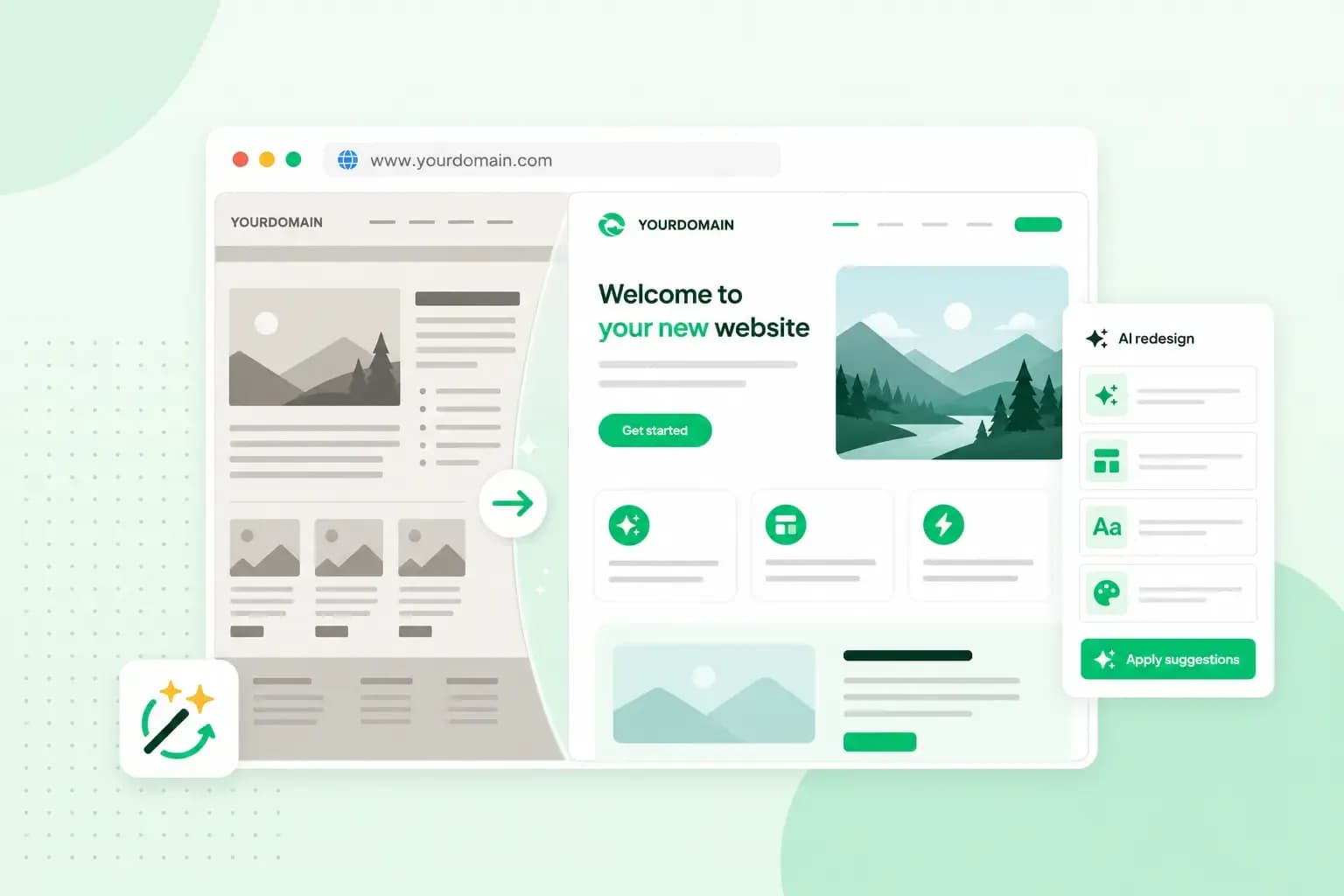
A step-by-step guide to a website redesign that lifts your business and drives more conversions.
Is your website a real dinosaur that looks like it belongs to a different era? Maybe the design feels dated, the layout is difficult to navigate, or your site simply no longer mirrors the quality of your business.
Whatever the reason, a website redesign can give your online presence a much-needed glow-up without changing what already works.
First impressions are formed in just 50 milliseconds, making solid website design the ultimate make-or-break factor for keeping visitors on your site.
You don't have to start from zero
With Aida AI Website Builder from one.com, you don't have to start from scratch. Simply share the URL of your existing website with Aida, so AI can analyse your site and create a modernised version with a fresh design, improved structure, and a more user-friendly layout. Your existing text, images, and videos can be carried over, so you can focus on improving your website rather than rebuilding everything from scratch.
Want entirely new content? Aida can help you with that too!
In this guide we take you through the process of going from an outdated website to a website that looks more modern and is easier for visitors to navigate. If you start after or while reading this guide, you can have your new website live later today. Let's do this!
See the difference?
Here's an example of how Aida can transform an outdated website into a modern, professional website in minutes.

How to redesign a website with Aida AI Website Builder
Redesigning a website with Aida is straightforward. You don't need to know anything about web design or coding, and your existing website stays online while you work on the new version.
1. Copy your existing website URL
Start by copying the URL of the website you want to redesign. Then open the Aida AI Website Builder page and paste your URL into the redesign prompt.
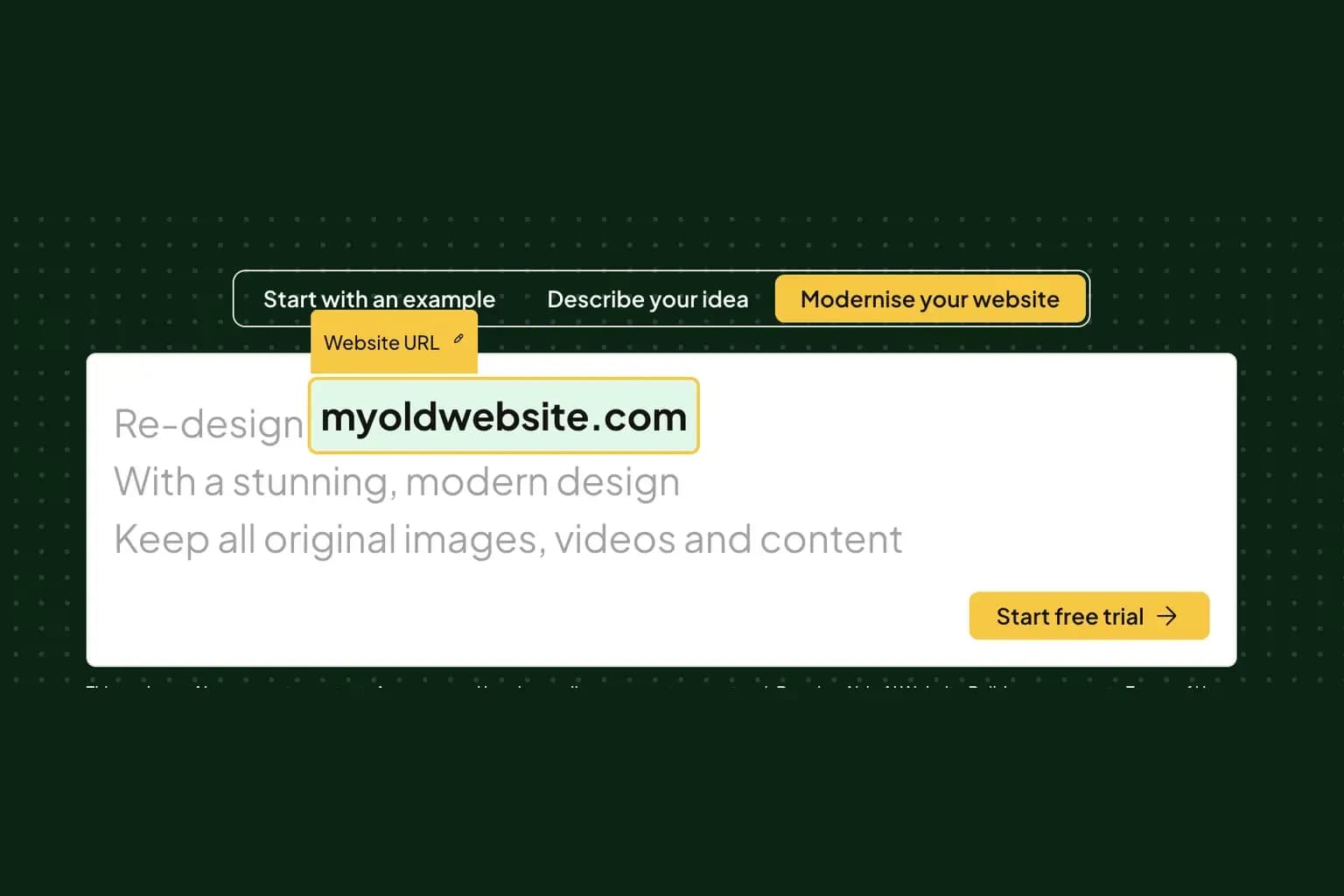
Aida will use your existing website to understand your business, content and structure. You can also tell Aida what kind of redesign you want, for example by asking it to create a more modern, professional or conversion-focused design.
2. Let Aida create your redesign
Once you start the process, Aida creates a new version of your website with a modernised design, updated layout and improved structure.
Your original website isn't replaced. Instead, the redesigned version is created inside Aida AI Website Builder, where you can review it and make changes before you publish. Your existing text, images, videos, and branding can be retained as part of the redesign. Want to refresh these too? Just ask Aida.
3. Review and customise your new website
Your first redesign doesn't have to be the final version. Chat with Aida to change the design, rewrite content, add pages, or make other improvements. You remain in control of what stays and what changes.
This is also where the editing tools in Aida AI Website Builder come in. You can fine-tune your redesigned website until the design, content and functionality are right for your business.
Flash guide to customising your website in Aida AI Website Builder
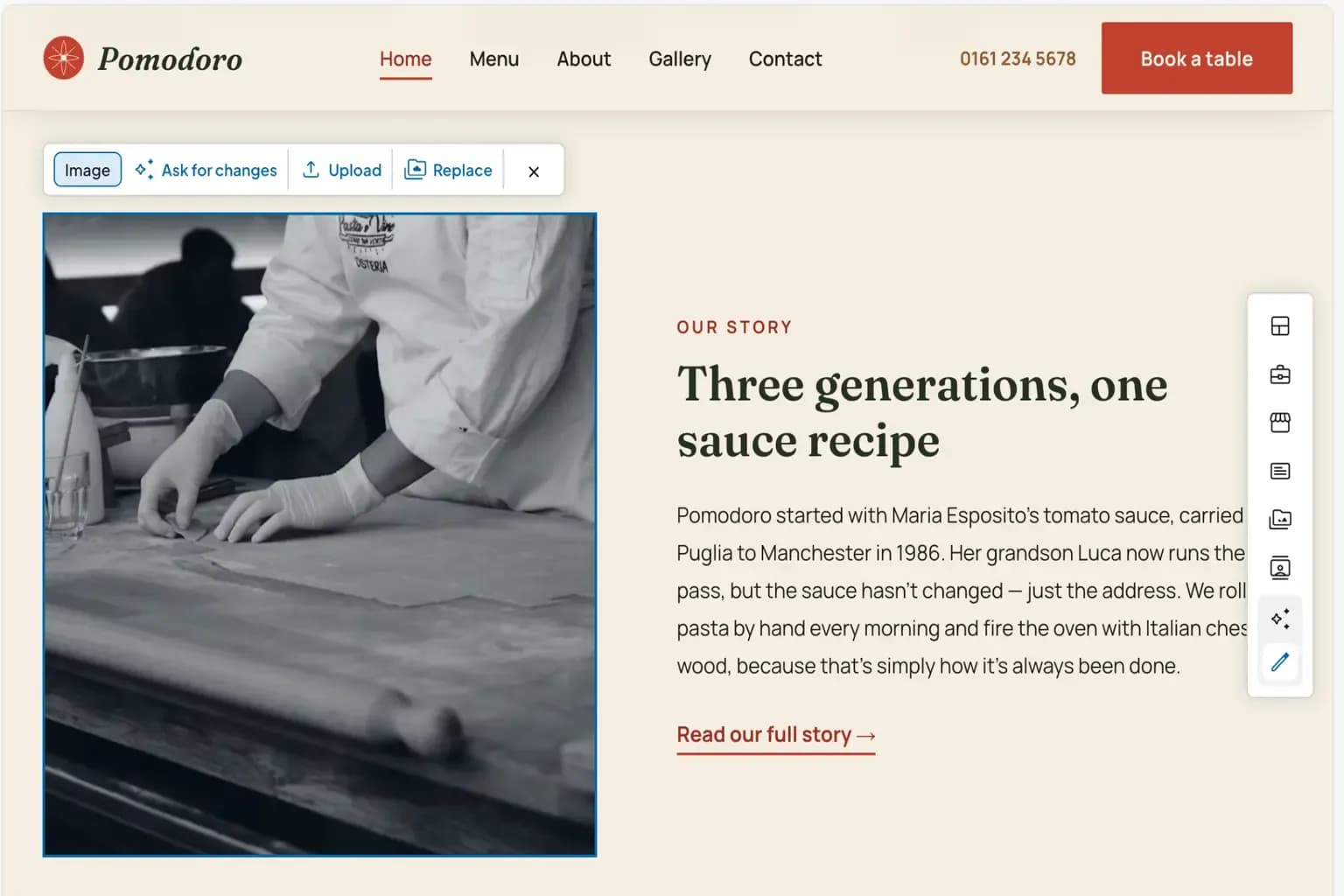
Replace images
If you want to replace an image on your website, you can click on Manual edit in the chat and select the image you want to change.
This gives you three options:
- Ask for changes: Simply tell Aida which type of image you'd like instead, for instance: "Please replace with an image showing a plate of pasta."
- Upload: Here, you can upload your own image, which will then replace the existing image selected by Aida.
- Replace: This option lets you replace the image with an image you have previously uploaded. If this is the first time, you're editing images, no images will be available to select.
Edit texts
You can edit any text on your website by clicking on Manual edit in the chat window and then selecting the text you want to edit. Here, you get two options:
- Ask for changes: Tell Aida what to mention in the text, what tone to use, or whether you want the text to be shorter or longer.
- Edit: Make edits directly in the text yourself by typing or pasting in the text you want to use.
Add pages and sections
Aida will include your old website's pages and sections on the redesigned site, but if your business' needs have changed, you can easily add new sections by asking Aida or clicking on Essential sections in bar in the right side of the screen.
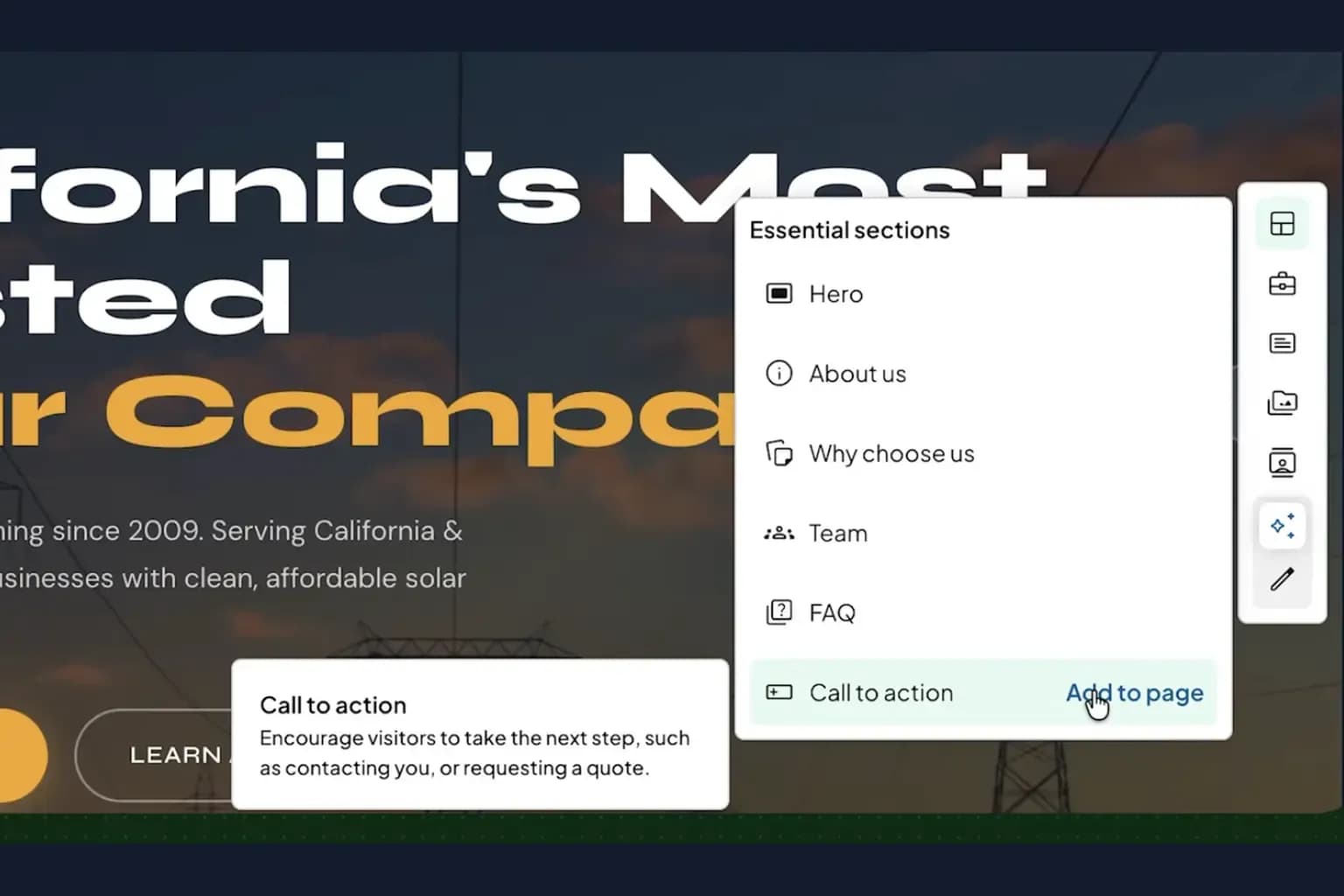
Here are some examples of pages and sections most business websites need:
- About page: Builds trust by highlighting your team, mission, values, and expertise.
- Contact page: Enables visitors to reach you easily. Include email, phone number, address, business hours, and a contact form.
- Products/services page: Details your offerings using images, brief descriptions, key benefits, and clear pricing.
- Blog: Boosts SEO visibility and allows you to share updates or industry knowledge.
- FAQ: Answers common queries to reduce customer support enquiries and support search rankings.
- Testimonials: Provides social proof through reviews and quotes to build customer credibility.
4. Time to publish your redesigned website
When you're happy with the result, you can go ahead and publish your new website. You can connect it to an existing domain or choose a new domain, depending on what works best for your business.
Not sure what to optimise? Ask Aida for advice
If you suddenly find that you're stuck and unsure about what to add or optimise on your page, you can always ask Aida for advice.
Here are a few examples of questions you can ask:
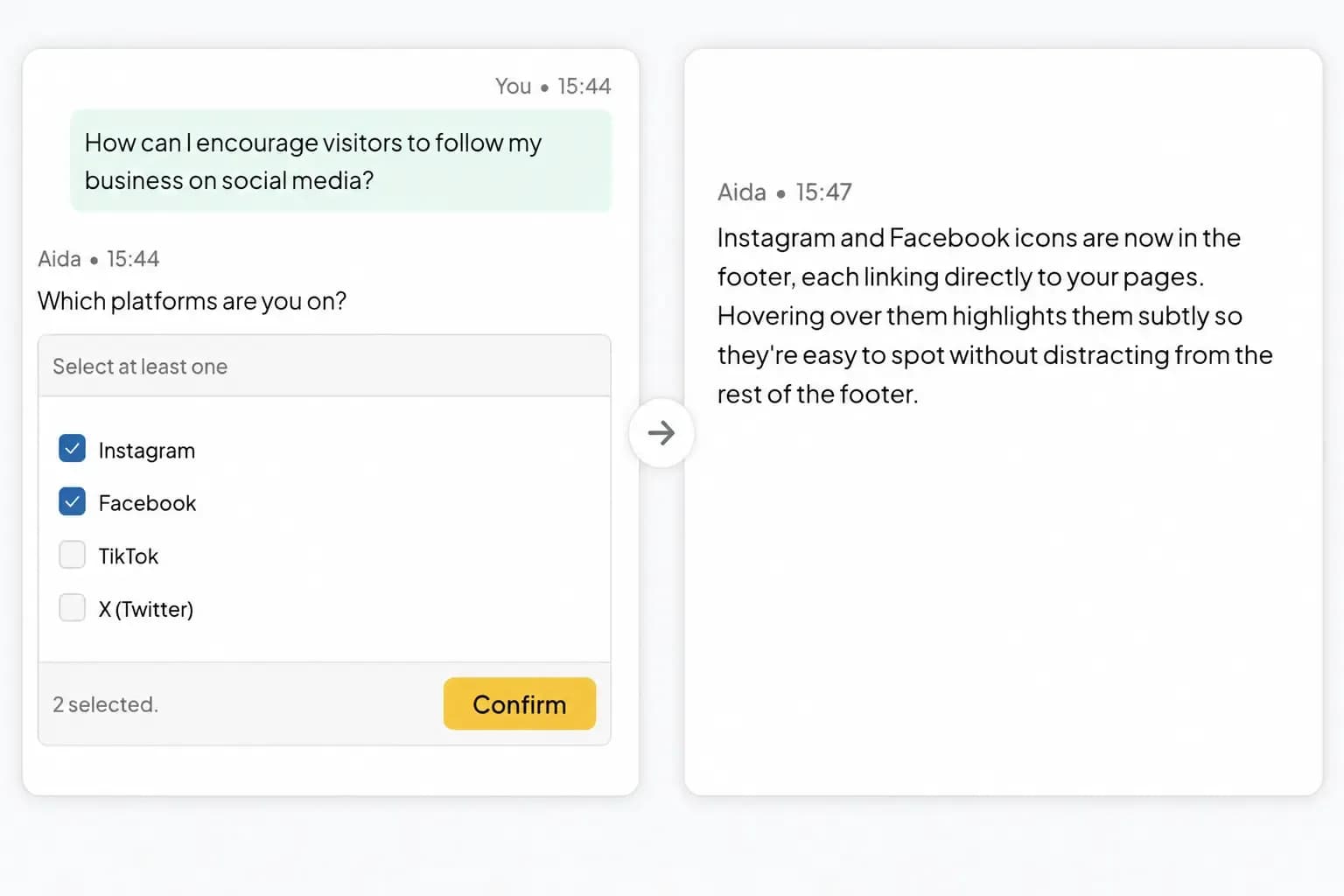
- "How can I encourage visitors to follow my business on social media?"
- "Which colours are best for CTA buttons on a restaurant website?"
- "Which other pages and sections would you recommend I add to my site?"
- "How do I make my online shop's checkout flow more intuitive?"
Basically, you can ask Aida anything related to web design. Aida will then either ask follow-up questions or provide tailored advice based on best practices. Aida will also help you implement the suggestions, but you're always in control, so if there are any suggestions you don't like, you can simply ignore them and move on to something else.
Want better results when writing prompts for Aida? Learn how to write effective prompts for an AI Website Builder and get even sharper results from Aida.
How much does it cost to redesign a website?
The cost of a website redesign depends on how you do it. Hiring a professional web designer or agency can involve a budget-shaking upfront cost. A DIY redesign can cost less, but it requires you to spend your own time learning design tools and rebuilding the site.
Aida AI Website Builder offers another approach. Instead of paying for a traditional redesign project or spending weeks rebuilding your website yourself, you can use AI to create a modernised version of your existing site. Aida's redesign tool is designed to make the process affordable and accessible without requiring design or technical skills.
The exact cost depends on the Aida AI Website Builder plan you choose and the features your website needs. If your business needs online booking or an online shop, you can select a plan that includes these features from the start. All plans include a free domain on selected TLD's, and EU hosting, so you've got that covered from day one.
It's also worth considering the time you save. Aida can create a complete redesign in minutes, although the exact time depends on the size and complexity of your website.
For a small business or freelancer, that can make a website redesign much more manageable: you can modernise your existing website, keep the content and images you already have (or not, you decide!) and make further improvements yourself without starting an entirely new project.
Why redesign your business website? 5 reasons
Your website is often the first place potential customers encounter your business. If it looks outdated, is difficult to navigate, or no longer reflects what you offer, a redesign can help you make a stronger first impression and deliver a better user experience.
Here are five key signs that it may be time for an update:
Your website looks outdated
Design trends change, and a website that looked professional five years ago might make your business look dated. A modern design will make your business feel more established and trustworthy. For example, if you're a photographer, architect or consultant, an outdated layout may not reflect the quality of the work you're offering.
Your website is difficult to use on mobile
More customers are browsing websites from their phones. If visitors have to zoom in, scroll sideways, or struggle to find your contact details, you could be losing potential customers.
A redesign can give your website responsive layout that works smoothly across phones, tablets and desktops.
Your business has changed
Your website should reflect what your business offers today, not what it offered when it was first created.
Perhaps you're running a cleaning business that now offers commercial services, your cafe has introduced catering, or your consultancy has expanded into new markets. A redesign gives you an opportunity to update your pages, navigation and messaging to match your business today.
Customers can't find what they need
If important information is buried in long pages or your navigation is confusing, visitors may head over to your competitor before taking the next step.
A redesign can help you create a clearer structure, making it easier for customers to find your opening hours, prices, services, portfolio, booking page or contact information.
You want to add new features
Sometimes your website needs more than a visual refresh. You may want to add online bookings, a blog, an online shop, customer testimonials or other features that weren't available when you built your original site.
A redesign can be a good opportunity to bring these features into your website and make them part of a better user experience that helps bring you more conversions.
Who is Aida AI redesign best for?
Aida works best for small to medium-sized businesses, freelancers, and local service providers looking to modernise without starting over. If your site relies on heavy custom functionality, check if Aida's redesign tool is right for you. You can easily add features such as online bookings and an online shop, while Aida stays by your side throughout the process, helping you create, edit, and improve your website as your business grows.
If your website has highly specialised requirements, a traditional web development solution or WordPress may be a better fit.
Ready to redesign your website?
A website redesign doesn't have to mean starting from scratch. With Aida AI Website Builder, you can turn your existing dinosaur of a website into a modern, professional site while keeping the content, images and features that already work for your business.
Simply add your website URL, let Aida create the redesign, and then make it your own with AI-powered help and easy editing tools. Whether you need a fresh look, better navigation or new features, Aida can help you take your website to the next level.
Time to give your website a fresh start?
Try Aida AI Website Builder for freeRecommended reading
 Website Builder19 Oct 2026
How to get your website ready for Black Friday (with checklist)
Get your website ready for Black Friday with this practical guide and checklist. Website Builder11 Aug 2026
How to prompt an AI website builder
Learn how to prompt an AI website builder to create a professional website for your business. Get examples for shops, salons, clinics, and more. Website Builder5 Aug 2026
How to start a nail business
Discover how to start a nail business step by step, from choosing your business setup to creating a website and attracting your first clients.