
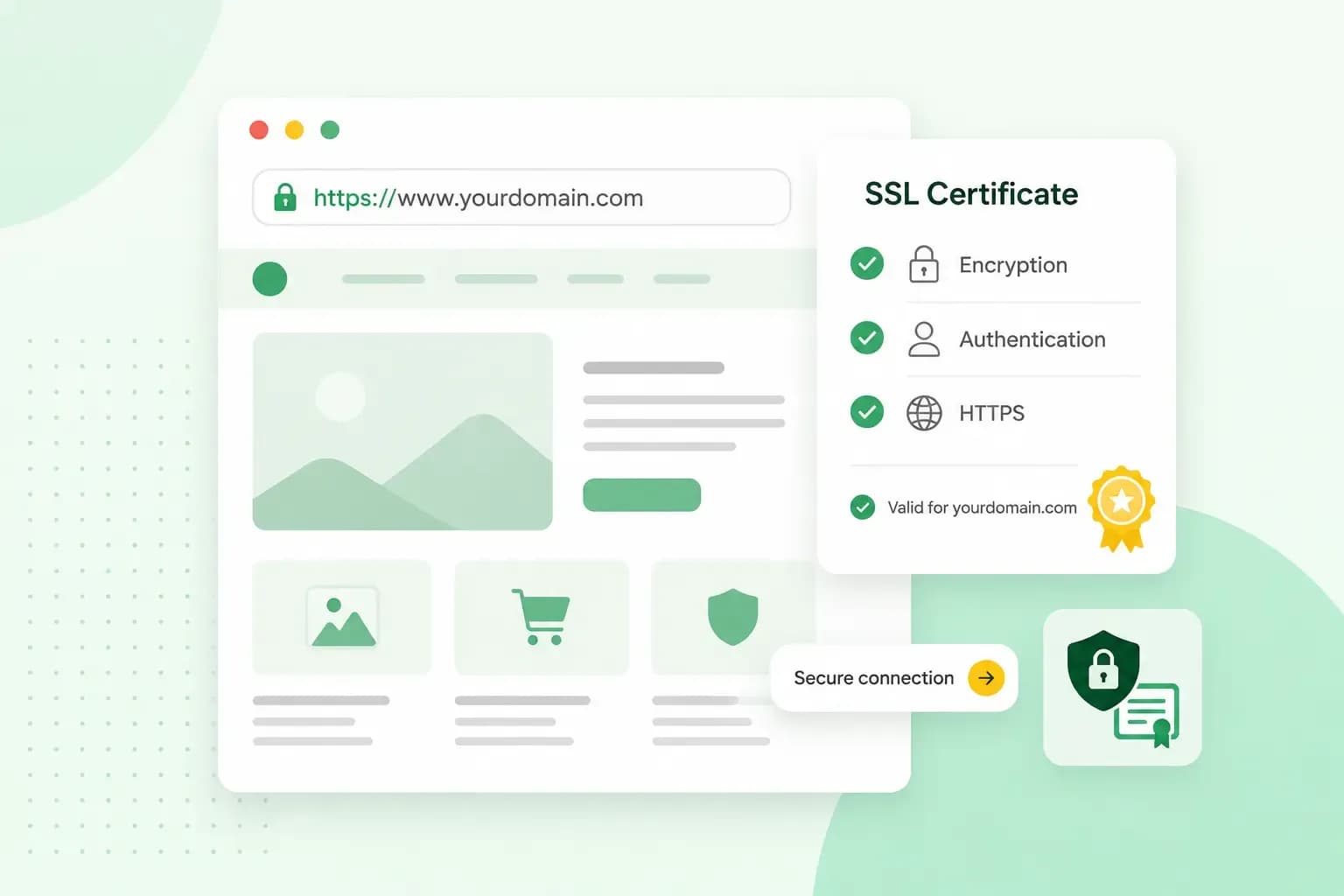
An SSL certificate is a small data file on your web server that proves your website is the real one. It also lets browsers set up an encrypted connection to your site, so information your visitors send, such as passwords and card details, can't be read by anyone in between. You can see it at work in the address bar: the address starts with https, and the browser shows that the connection is secure.
SSL stands for Secure Sockets Layer. The certificate is what changes the HTTP at the start of your address to HTTPS. HTTPS is the secure version of the protocol your browser uses to talk to websites.
How does an SSL certificate work?
An SSL certificate works with a pair of keys. The certificate holds a public key that anyone can use. Your server keeps the matching private key secret: it decrypts what a browser encrypts with the public key, and it never leaves the server.
Every valid certificate is issued by a certificate authority, or CA. That's an outside organisation that checks who is asking for a certificate before it issues one. When someone opens your website, your server sends the browser its certificate. The browser then checks the certificate authority's digital signature on the certificate. Once the check passes, the browser and the server agree on an encrypted connection. From then on, nobody else can read what they send each other.
What information does an SSL certificate contain?
Every SSL certificate holds the same set of details about your domain, and your browser reads them whenever it connects:
- The domain name the certificate covers.
- The person, organisation or device that holds it.
- The certificate authority that issued it.
- The certificate authority's digital signature.
- Any subdomains it also covers.
- The issue date and the expiry date.
- The public key, which pairs with the private key kept on your server.
SSL and TLS: the same thing under two names
SSL itself is out of date, and most modern browsers no longer support it. Its last version came out in 1996. In 1999 the Internet Engineering Task Force updated it and renamed it TLS, short for Transport Layer Security. TLS is what browsers and servers use today, but the old name stuck, so most people still say SSL certificate. A certificate sold as SSL, TLS or SSL/TLS is the same kind of certificate, and you only need one.
Why does your website need an SSL certificate?
Every website needs one, not only online shops. A certificate is one part of what it takes to keep your website secure, and it protects your visitors and your business in several ways:
- It keeps data private. Without encryption, anyone who intercepts the traffic can read it, but with a certificate they only see a scrambled mix of characters.
- It proves your site is the real one. Visitors' browsers can tell they're talking to the server that really belongs to your domain, which makes fake copies of your website harder to pass off.
- It keeps the warning away. Some browsers warn visitors when a site doesn't use HTTPS, and Chrome, for example, shows Info or Not secure to the left of the web address.
- It's what the Information Commissioner's Office (ICO), the UK's data protection regulator, expects. Its guidance on encryption tells anyone who runs a website to put every page on HTTPS, especially pages where people share login details or payment information.
- It counts towards page experience on Google, but on its own it doesn't directly help your pages rank higher, so it's no shortcut to the top. Google's ranking systems look to reward a good page experience, and pages served securely over HTTPS are one of the things Google asks you to check.
Types of SSL certificates
Every type of certificate encrypts the connection just as strongly. The types differ in how much the certificate authority checks before it issues the certificate, and in which addresses one certificate covers.
Validation levels
| Domain Validation (DV) | Organisation Validation (OV) | Extended Validation (EV) | |
|---|---|---|---|
| What the CA checks | That you control the domain | The organisation behind the domain, with a manual check | A full background check of the business, its registration and its address |
| How it's issued | Often automatically | After the CA contacts the organisation | Takes the longest |
| Good for | Blogs, portfolios and small business sites | Organisations that want their name and address in the certificate | Organisations that want the most thorough check |
Domain Validation is the cheapest level, and you can get it for free. Extended Validation costs the most. For an OV or EV certificate, it's worth comparing a few certificate authorities before you buy.
Single domain, wildcard and multi-domain certificates
Take your garden design business, with its website at brackenfoldgardens.co.uk, a shop at shop.brackenfoldgardens.co.uk and a blog at blog.brackenfoldgardens.co.uk. Each type of certificate covers a different set of those addresses:
- Single domain: one domain and every page on it, such as
brackenfoldgardens.co.uk/services. It doesn't cover the shop or the blog on their subdomains. - Wildcard: one domain and all its subdomains, so one certificate covers the main site, the shop and the blog.
- Multi-domain: several different domains on one certificate, for example
brackenfoldgardens.co.ukandbrackenfoldgardens.com.
Which SSL certificate should you choose?
Choose a Domain Validation certificate for most small business websites: it's all you need, and visitors see the same secure connection as with the other levels. If you run more than one part of your website on its own subdomain, like the shop and the blog of your garden design business, a wildcard SSL certificate is the one to pick.
Our advice: start with a free wildcard certificate at Domain Validation level. Our web hosting plans include one at no extra cost. Only pay for an OV or EV certificate if you want a certificate authority to check your organisation and put its name in the certificate.
Are SSL certificates free?
Yes. Let's Encrypt, a certificate authority run by a non-profit, gives out free SSL certificates, and the whole process is automated. It only offers Domain Validation certificates, so for OV or EV you'll need to buy an SSL certificate from another certificate authority.
You can get a certificate straight from a certificate authority or through your hosting provider, who can usually install and activate it for you. With us, SSL comes with every web hosting plan: we give you a free wildcard certificate from Let's Encrypt.
How to get an SSL certificate for your website
If your website is hosted with another provider, ask them whether your plan includes SSL. With our hosting, we issue and activate the certificate for you. Your part is to get your domain onto our name servers and send every visitor to HTTPS:
- Choose a web hosting plan with SSL included.
- In your account at the company where your domain is registered, point your domain's name servers to ours. If your domain is registered with us, it already uses our name servers by default, so you can skip this step. Name servers decide where your domain's DNS settings are managed, and we issue and activate the certificate once your domain uses our name servers.
- Give it up to 24 hours to work. If HTTPS still does not work after that, contact our support.
- Redirect HTTP to HTTPS, so every visitor uses the secure address. Our guide to managing SSL certificates shows how.
- Open your site with https in front of the address to check that it loads securely.
All our web hosting plans include an SSL certificate, and we set it up for you once your domain uses our name servers, so your visitors get a secure connection.
See hosting plansHow to check a website's SSL certificate
You can check any website's certificate in your browser. Open the site first: for your own website, type its address with https in front, such as https://brackenfoldgardens.co.uk. Then look at the address: it should start with https. In Chrome, the symbol to the left of the web address shows the security status.
Select that symbol for a summary of the site's privacy and settings, its cookies and site data, and information about the page. To check the SSL certificate itself, use Chrome's developer tools. Open them by right-clicking the page and selecting Inspect, then select More tools and Privacy and security in the menu at the top right of the developer tools. In the panel's Security section, the View certificate button shows the certificate and the details it holds.
Frequently asked questions
What happens when an SSL certificate expires?
When an SSL certificate expires, browsers warn your visitors that the connection isn't secure, and many will turn back rather than carry on to your site. Every certificate has an expiry date, so you or your hosting provider need to renew it before then. Let's Encrypt certificates are valid for 90 days by default. With our hosting, if HTTPS ever stops working, contact our support so we can fix it.
Does HTTPS slow down my website?
Not noticeably. HTTPS used to slow websites down, especially on mobile sites, but with today's technology that's no longer an issue.
Get a website that's secure from day one
Your visitors should get a secure connection from the first time they open your site. When you host your website with us, the SSL certificate is included in every plan.
Recommended reading
 Website Security6 Nov 2026
"Your connection is not private": what it means and how to fix it
"Your connection is not private" means your browser couldn't trust a site's certificate. See when it's safe to continue and how visitors and site owners fix it. Website Security11 Aug 2026
Does your website need a cookie banner?
Find out when a cookie banner is required, the legal requirements that apply, and how you can easily make your website GDPR-compliant.- Website Security13 Jul 2026
What is domain theft and how do you protect your domain?
Learn what domain theft and domain hijacking means and how to protect your domain from external threats.