
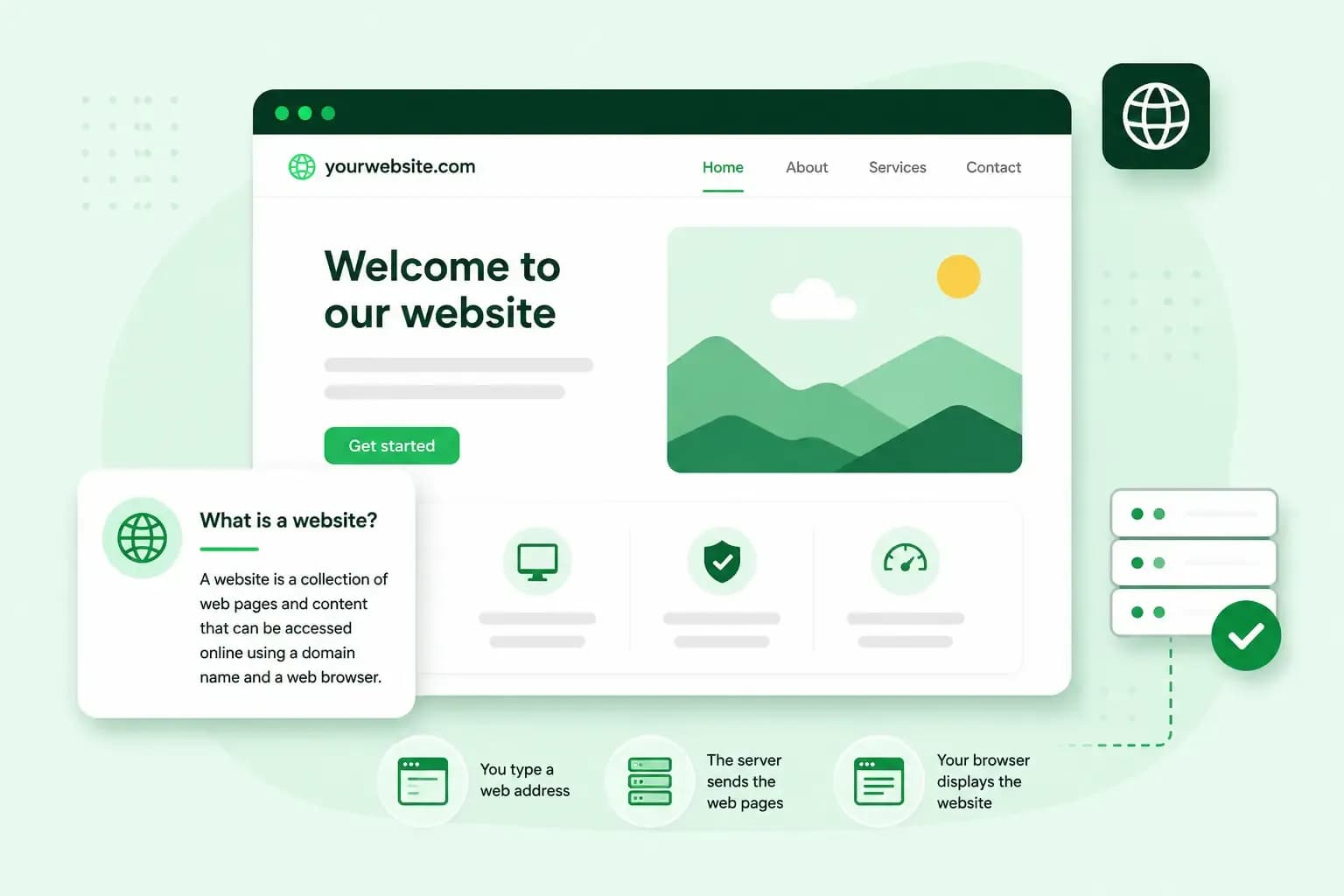
A website is a collection of web pages under one domain name that anyone can open in a web browser on a computer, tablet or phone. People use websites to share information, sell products and services, and take bookings. If your dog grooming salon has a website at yourdoggrooming.co.uk, every page a visitor opens under that address, from your prices to your booking page, is part of that one website.
How does a website work?
Every visit to a website is a quick exchange between your browser and a server, a computer that holds the website's files. When you type a web address such as yourdoggrooming.co.uk, your browser asks that server for the page, the server sends back the page with its images and other files, and your browser puts them together on your screen. How quickly that happens depends on the server and on how large the page is.
Three parts make that exchange work.
- A domain name is the address people type to reach your website, such as
yourdoggrooming.co.uk, where .co.uk is the domain extension. You can use your domain name for as long as you renew it. - Web hosting is space on a server that's connected to the internet day and night. Web hosting keeps your website's files available, so anyone can open your site whenever they type your address.
- The website's files are the text, images and code that make up your pages. Your browser reads them and turns them into the page you see.
A website should also work on every screen. A responsive website adjusts its layout to the size of the screen, so it's just as easy to read and use on a phone as on a computer.
The differences between a website, a web page and a homepage
A website is the whole, and its web pages are the parts. Each web page has its own address under the website's domain, and the homepage is the page at the domain itself. On your salon's website, yourdoggrooming.co.uk opens the homepage and yourdoggrooming.co.uk/prices opens your prices page, two web pages of the same website.
What is a web page?
A web page is a single page of a website, with its own content. Your contact page, your booking page and each blog post are separate web pages, and the page you're reading now is one too. When a visitor follows a link from one page to another on your site, they open a different web page but stay on the same website.
What is a homepage?
A homepage is the top-level page of a website, the one that opens when someone types just your domain name. It's usually the first page visitors see, so it gives an overview of what you offer and links to your other pages. That makes your homepage the first place to apply what makes a good website: say plainly what your salon does and lead visitors on to what they came for, such as your prices or your booking page.
Different types of websites
Websites differ by what they're for, and these are some of the most common types.
- A business website tells customers what you offer and how to reach you, such as your salon's services, where to find it and how to contact you. For a small business website like yours, that can include a way for customers to book appointments online, such as a grooming slot for their dog.
- An online shop, also called an e-commerce website, lets customers choose products, put them in a basket and pay online. Your salon could sell shampoos and brushes in an online shop of its own.
- A blog is a website, or part of one, where you publish new articles regularly. Many businesses add a blog to share news and advice, like grooming tips for long-haired breeds.
- A portfolio shows your work, such as photos, designs or finished projects, to people who might hire you. Photographers, designers and other freelancers often use one to win new clients.
- A one-page website keeps the information about one product, service or idea short and direct, on a single web page. It suits a very small business, the launch of one new service, or a single event, where visitors only need the key details.
Different types of web pages
Besides the homepage, a business website usually has a few pages that each do one job.
- An about us page tells the story behind the business, who runs it and what it stands for.
- A contact page lists the ways to reach you, such as your phone number, email address, a contact form or a map.
- A product or service page presents one thing you sell, such as a full groom for a large dog, with images, a description of the product, the price and a way to buy or book it.
- A landing page is a standalone page that people reach when they click through from an advert or an email. It's built around a single goal, such as signing up for a newsletter.
What do you need for a website of your own?
To get a website of your own online the way most businesses do, you use the three parts above: a domain name, web hosting and a way to build the pages. A website builder plan can include all three, so you don't have to put them together yourself.
With a website builder, you create and edit your pages in a visual editor, without writing code. The builder takes care of the code and the hosting, and you decide what your pages say and show.
A content management system (CMS) such as WordPress runs on your web hosting and lets you manage pages and posts yourself. You don't need much technical experience to run a WordPress website.
With a design service, professionals design and build the website for you, and you give them your content and feedback.
For a first business website, start with a website builder. With our Aida AI Website Builder, you don't need coding or design experience, and you can update your pages whenever your business changes. WordPress is the better choice if you want more room to customise your site and you're happy to spend time on the technical side.
Start with the domain name, because the address you want may already be registered by someone else. After you order, your domain and web space are usually ready within minutes, though in some cases it takes up to 24 hours. Once you have the domain and the hosting, you build your pages, starting with the homepage. When the pages are ready, you publish your website in a few clicks with our Aida AI Website Builder, and from then on anyone who types your address can open it.
Check whether the address you want for your salon is still free, then decide who builds the pages. To hand the building to our team, get your website designed, starting with a free call of 15 minutes about what your salon needs.
Recommended reading
 Website Builder19 Oct 2026
How to get your website ready for Black Friday (with checklist)
Get your website ready for Black Friday with this practical guide and checklist. Website Builder31 Aug 2026
Website redesign: How to modernise your website with AI
Discover how Aida AI can redesign your existing site in minutes, add new features, and help you create a site that's ready for business. Website Builder11 Aug 2026
How to prompt an AI Website Builder
Learn how to prompt an AI website builder to create a professional website for your business. Get examples for shops, salons, clinics, and more.