
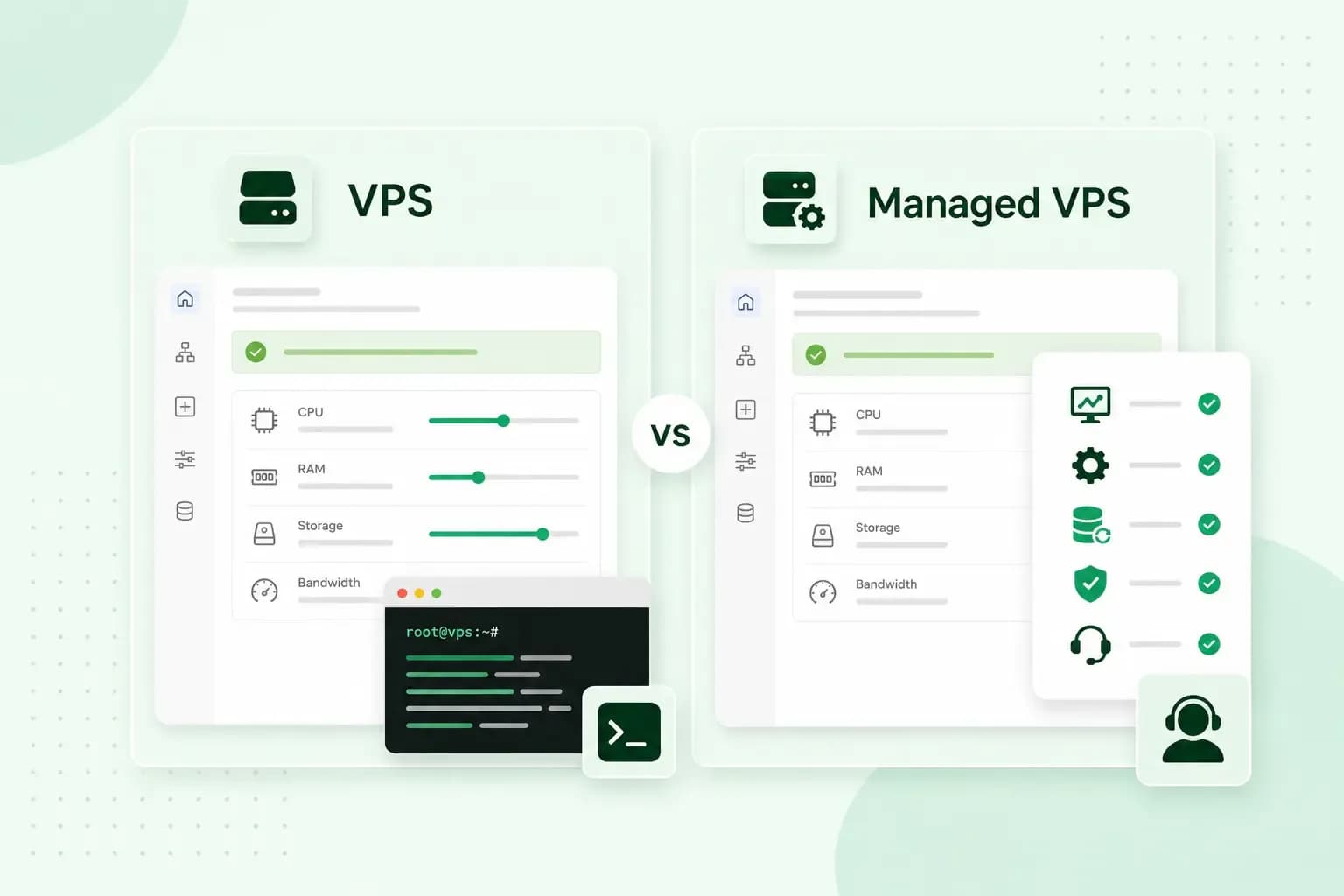
The difference is who looks after the server. With an unmanaged VPS, you set up the operating system and software, install updates, keep the server secure and make your own backups. With a managed VPS, the host takes care of that server work, and you look after your websites and applications. Both give you the same kind of virtual server. Choosing a managed or unmanaged VPS comes down to how much of the upkeep you want to do yourself.
What is a VPS?
A VPS, or virtual private server, is a virtual server with its own reserved share of a physical machine's processor power (CPU), memory (RAM) and storage. The machine is shared, but other customers on it can't use the resources reserved for you. You also get your own IP address and full control over the server's setup.
That puts a VPS between two other options. With web hosting, many websites share the resources of one server. With a dedicated server, a whole physical machine is yours, while a VPS gives you much of the same control for the price of a share of one.
What a VPS is used for ranges from websites and online shops to email servers, file storage and game servers.
Unmanaged VPS: you run the server
An unmanaged VPS, also called a self-managed VPS, gives you the server and root access, which means full administrator rights over it. The host keeps the hardware and the network connection running. Everything that happens on the server itself is up to you:
- Setup: you choose the operating system and install the software your project needs, from the web server to the database.
- Updates and patches: you install updates for the operating system and your software, including the security fixes.
- Security: you set up the firewall, SSH access and the other measures that secure your VPS against attacks.
- Monitoring: you keep an eye on the load, the disk space and the services, and you fix what stops working.
- Backups: you arrange the backups and snapshots yourself and decide how often they run.
Our VPS is unmanaged. You can set it up as a Linux VPS with a distribution such as Ubuntu, Debian or AlmaLinux, or as a Windows VPS. Our support team can't configure or manage the software on it for you. We can still point you in the right direction when you need help.
Managed VPS: the host runs the server
A managed VPS is the same kind of server, with the server work included. The host sets it up, keeps the software up to date and watches over it, so you don't have to be a server administrator. Some hosts sell it as a fully managed VPS, but VPS management doesn't cover the same things everywhere. Check what a plan includes before you choose it.
What the host takes care of
On our Managed VPS, we do that server work for you. The server comes with the operating system and the software stack your websites run on, installed by us. That's Ubuntu, with Apache as the web server, Nginx as a reverse proxy, MariaDB for databases and PHP. We apply security patches to the server software automatically and monitor the hardware, services and disk space. Every day, we also make a backup and keep it for 7 days in a separate data centre. If something goes wrong, you can restore an earlier version.
What you still look after
A managed VPS doesn't take everything off your hands. Your websites, applications and their content are still yours to manage. On our Managed VPS, you set up and look after them in the Plesk control panel. That takes some technical know-how, but no server administration.
Managed vs unmanaged VPS: who does what
In both options the host looks after the hardware and the network. The setup, updates, security and monitoring of the server are yours on an unmanaged VPS and the host's on a managed one.
| Unmanaged VPS | Managed VPS | |
|---|---|---|
| Setup and configuration | You | The host |
| Software stack | You install and maintain it | The host installs and maintains it |
| Updates and security patches | You | The host |
| Monitoring and server problems | You | The host |
| Backups | You set them up | The host, if the plan includes them (ours makes a daily backup) |
| Websites and applications | You | You |
| Skills you need | Server administration | Managing websites and apps in a control panel |
| Good for | Developers and technical teams | Business owners, agencies and teams without a server administrator |
Pros and cons of each
Both options give you the advantages of a VPS: resources reserved for you and a server of your own.
Unmanaged VPS pros and cons
The big advantage is full control. With root access, you can install any software, change any setting and build the exact setup your project needs. It also comes at a lower price, because you pay for the server, not for someone else's time to look after it.
The downside is that all the work is yours. The server is only as secure as you keep it. You also need the skills for it, since administering a server means working at the command line and solving problems yourself.
Managed VPS pros and cons
The main advantage is less admin. The host patches, monitors and backs up the server, so you can spend your time on your websites and your business. When something goes wrong on the server itself, the host deals with it, within what the plan covers.
On the other side, you pay a higher price, because the host's work is part of what you pay for. You also get less freedom. Ask the host whether it also manages software you add beyond its standard stack. Root access varies between hosts too. If your project needs it, check whether the plan includes it, and for our Managed VPS, ask our support team before you choose.
Which one should you choose?
Our advice: choose an unmanaged VPS if you, or someone on your team, are comfortable administering a Linux or Windows server and want full control over it. Choose a managed VPS if you'd rather spend your time on your websites than on updates, security and backups. Ours comes with Ubuntu Linux, so if you need a Windows server, choose our VPS. If you run a small business without a server administrator, managed is the better fit, because the host then applies the updates and security patches for you.
Whether the extra cost of a managed VPS pays off comes down to your time. Compare the current price of each plan, along with its resources, the security measures of its data centre and how much of the server work the host takes on. Ask the host too whether you can switch to the other option later and whether your websites move with you. Then weigh the difference in price against the hours you'd spend on server work each month, and against what downtime would cost your business.
If you only run one simple website, check whether web hosting is enough before you choose a VPS.
With our VPS, you get full root access, resources reserved for you and a choice of Linux or Windows, so you can set the server up your way.
Choose a VPSWith our Managed VPS, we set up the server, apply the security patches and make a daily backup, while you look after your websites in Plesk.
Choose Managed VPSGet started with a VPS
If you're comfortable running the server yourself, get started with a VPS and pick the operating system you want. If you'd rather leave the server work to us, choose Managed VPS.
Recommended reading
 VPSNov 6, 2026
What is a VPS server and how to choose the best one
A VPS server is a virtual server with its own reserved CPU, RAM and storage. See how it compares with shared hosting and how to choose the right one. VPSOct 20, 2025
What is n8n, and how do you run it on your own VPS?
Work more efficiently with n8n automation on your own VPS. Learn how to use n8n in combination with AI. VPSOct 3, 2025
What is a server?
Servers ensure that websites, online shops, and other online services run smoothly. Learn more about what a server is and how it works.