
Microsoft 365, your way

Take full control with professional email and productivity tools — configure and manage your Microsoft 365 environment on your own terms.

Microsoft365

Pick your Microsoft 365 plan

Microsoft 365 Business BasicEmail + Microsoft 365 online apps
.../mo.
  • 50 GB Mail, 1 TB OneDrive
  • Exchange Online email
  • Professional calendar
  • Online and mobile apps
  • Microsoft Teams
Microsoft 365 Business Basic benefits
  • Outlook, Word, Excel, PowerPoint online & mobile apps
  • SharePoint for team collaboration
  • Video meetings and chat
Most popular
Microsoft 365 Business StandardEmail + online + desktop Microsoft 365 apps
.../mo.
  • 50 GB Mail, 1 TB OneDrive
  • Exchange Online email
  • Professional calendar
  • Microsoft Teams
  • Desktop apps – Install and use in up to 5 devices
Everything in Microsoft 365 Business Basic, plus:
  • Full desktop apps: Word, Excel, PowerPoint, OneNote, etc.
  • Outlook desktop
Microsoft 365 Apps for BusinessDesktop + mobile Office apps - No email
.../mo.
  • 1 TB OneDrive cloud storage
  • Desktop apps – Install and use in up to 5 devices
  • Full desktop apps: Word, Excel, PowerPoint, OneNote, etc.

Heads up: this is an advanced, self-service Microsoft product that requires technical know-how to configure domains and email routing. Looking for something simpler? Check out our Business email plans.
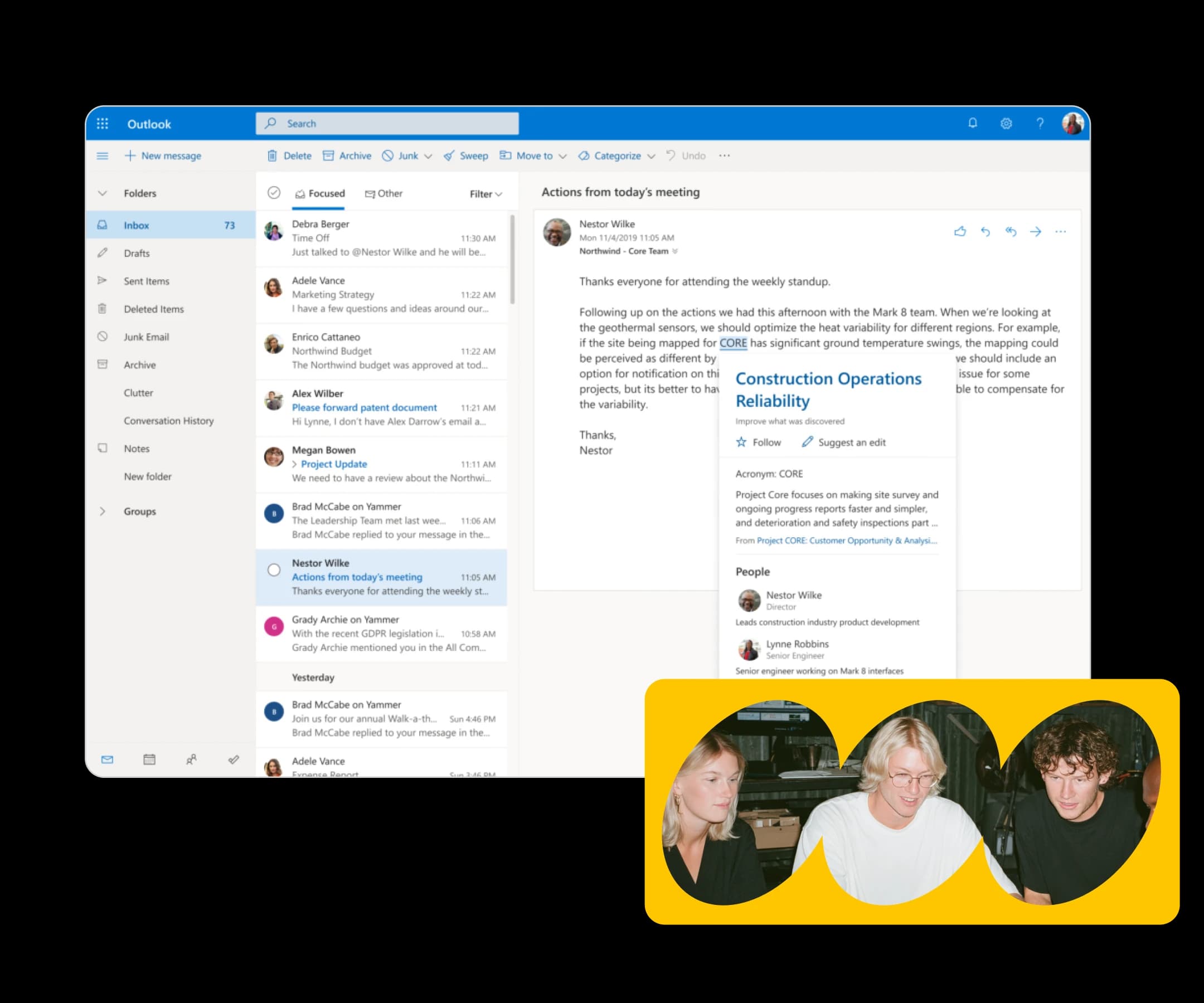

Everything your business runs on

Business email on your own domain

Start sending and receiving as @yourbusiness.com from day one. Outlook keeps your team looking credible and staying on top of things.

Access your work from any device, anywhere

Files, apps, and email move with you. At your desk or on the road, everything stays perfectly synced across desktop, tablet, and mobile.

The complete Microsoft 365 suite, all included

Outlook, Teams, Word, Excel, PowerPoint, and OneDrive — every tool your team needs to communicate, collaborate, and get things done.

Rock-solid security. Real human support

Exchange backup keeps your data protected, and our 24/7 support team is always ready to help — so you're never stuck figuring things out on your own.

Up and running in a few easy steps

Getting Microsoft 365 set up for your business is simpler than you'd expect. From picking a plan to your team's first email, most customers are live the same day — and we're right there with you the whole way.

1.Pick your Microsoft 365 plan
Compare what's included at every tier — from email and OneDrive to the full suite with Teams and advanced security.
2.Finish your purchase
Enter your billing details and check out securely in just a couple of clicks.
3.Sign the Microsoft agreement
Accept Microsoft's standard terms right inside your control panel. It takes less than a minute.
4.Hook up your domain
Got a domain already? You'll need to update your DNS records. No domain yet? We've got you covered.
5.Set up your email delivery
Configure your email routing so Microsoft 365 can handle sending and receiving for your domain.
6.Add your users and hit the ground running
Bring your team on board, assign licenses, and start using Outlook, Teams, Word, and everything else in the Microsoft 365 suite.

Built your way, fully in your hands

Starting a new business or migrating an existing team to Microsoft 365 — either way, your setup begins exactly where you are right now.

Already own a domain? Bring it along. Starting from scratch? We'll help you register one and link it to your Microsoft 365 account during setup. Either way, you're good to go.

Once you're set up, the controls are all yours. Add users, assign licenses, tweak services, and manage your team's access directly inside the Microsoft admin center — no middleman, no support tickets needed.

Start with exactly the number of users you need today. When your team grows, adding licenses takes just minutes — no plan changes, no contract renegotiations, no starting over. It scales right along with you.

Your business needs will evolve. When they do, moving up to a higher plan or layering in new services is simple and seamless. Your team keeps working uninterrupted while you make changes behind the scenes.

Next level commnication

Built around what you need

No matter where your business stands today, there's a Microsoft 365 plan ready for it. Start lean, level up over time, or take the wheel from day one.

Freelancer using OpenClaw

Small businesses

Make a strong first impression right out of the gate. Business email on your own domain, access to core Microsoft 365 apps, and all the essentials to run your day-to-day — without the added complexity.

Know before you dive in

Here are a few key things to keep in mind before setting up Microsoft 365.

You're in charge of setting up and running your Microsoft 365 environment — including DNS configuration, user management, and services.

Connecting Microsoft 365 to your domain means updating your DNS records.

Microsoft 365 won't run alongside a Basic Mail account. If you're currently on Basic Mail, you'll need to migrate off it before activating Microsoft 365 on the same domain.

If your domain already has Basic Mail or a standalone Exchange setup, switching to Microsoft 365 may require adjustments to your email configuration. Review your current setup before buying to avoid any disruption to inbound or outbound mail.

Automatic backup and restore are not part of the standard Microsoft 365 subscription.

If your Microsoft 365 subscription is canceled or suspended, Microsoft may permanently delete your data after a grace period. Keep your billing up to date, and export or back up any critical data before canceling.

Built for teams and businesses with up to 300 employees.

Microsoft365

Frequently Asked Questions

You need a domain to use Microsoft 365 with professional email. Plans like Microsoft 365 Business Basic and Business Standard include Exchange Online email, and your email address is built on your domain — so you@yourbusiness.com instead of a generic address. If you only want the Office 365 apps, Microsoft 365 Apps for Business includes Word, Excel, PowerPoint, and 1 TB of OneDrive storage without email, so no domain is required. Already have a domain with one.com? You can connect it to your Microsoft 365 plan. Starting from scratch? Register a domain first, and you're ready to set up email that matches your business name.


Yes, you can use your existing domain with Microsoft 365. When you set up a plan with email — Microsoft 365 Business Basic or Business Standard — you connect your domain to Exchange Online so your email, calendar, and Microsoft Teams all run under your own business name. If your domain is registered with one.com, you can manage it directly in your control panel. Once connected, every email you send carries your brand.


No — this is a self-managed solution. Configuring your Microsoft 365 environment, including domain connection and user setup, is your responsibility.


It means you handle the setup and ongoing management of your Microsoft 365 environment — DNS configuration, user management, and services included. The upside is total control and flexibility.


Yes, you can upgrade your Microsoft 365 plan as your business grows. A common path is moving from Microsoft 365 Business Basic, which includes email and the online Office 365 apps, to Business Standard, which adds the full desktop apps — Word, Excel, PowerPoint, OneNote, and Outlook — installable on up to 5 devices. Your email, files in OneDrive, and settings carry over, so you pick up right where you left off. Start with what you need today, and step up when your team is ready for more.


Yes, Microsoft 365 works across multiple devices. With Microsoft 365 Business Standard or Apps for Business, you can install the desktop apps — Word, Excel, PowerPoint, and OneNote — on up to 5 devices, so you can work from your office computer, laptop, and tablet with one subscription. Business Basic gives you the online and mobile versions of the Office 365 apps, which run in any browser and on your phone. Your files live in OneDrive with 1 TB of cloud storage, so whatever device you pick up, your work is right there waiting.


If you cancel your Microsoft 365 subscription, you lose access to the included services — email through Exchange Online, Microsoft Teams, and the Office 365 apps — once your billing period ends. Files stored on your own computer stay yours, but documents in OneDrive and emails in your mailbox won't be accessible after the subscription closes. Before you cancel, download your OneDrive files and back up your email to keep everything safe. Your domain is separate from your subscription, and you can connect it to another email solution, like a one.com Mail plan, whenever you're ready.