
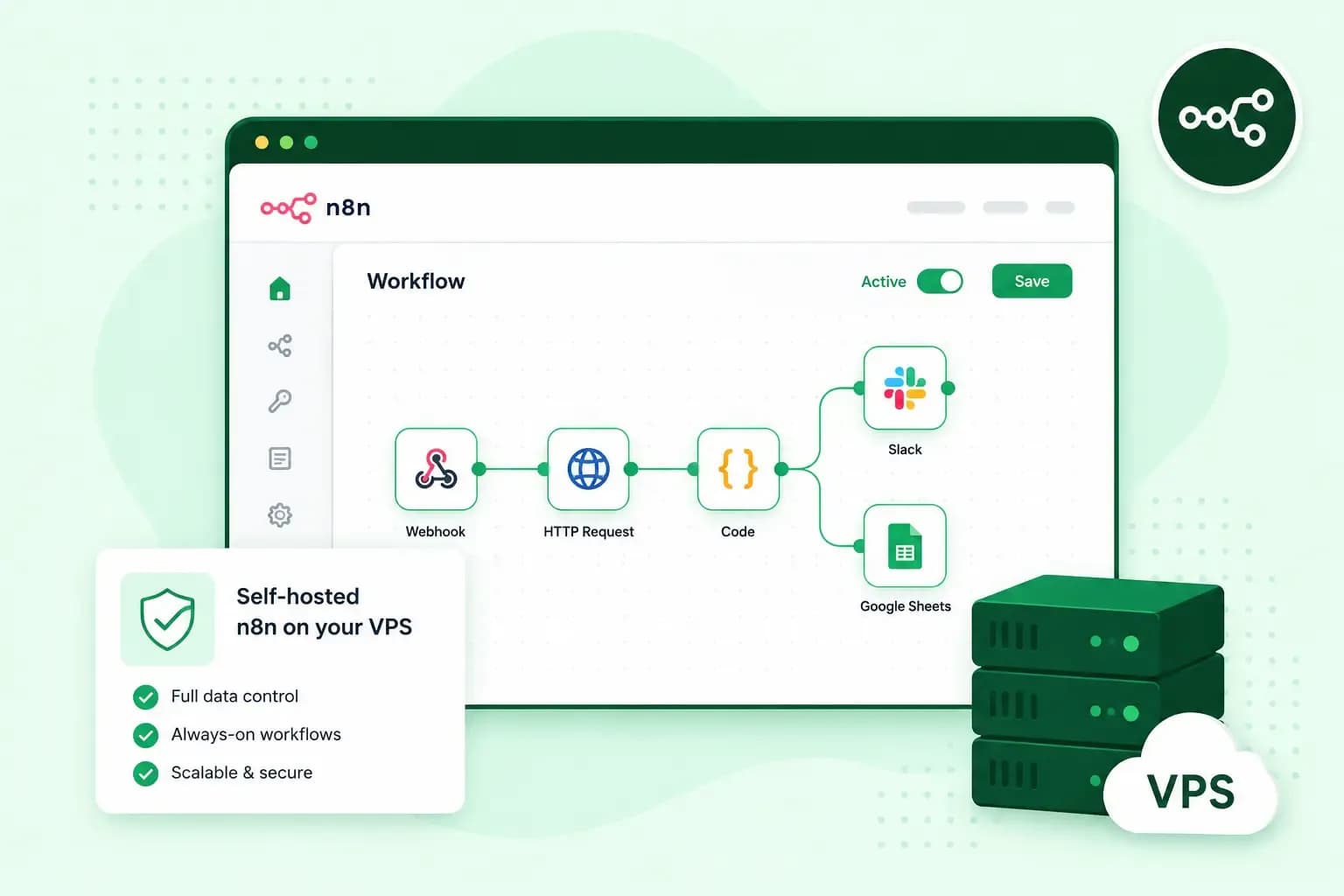
n8n is a workflow automation tool: you connect apps and services in a visual editor, and n8n moves data between them for you. A new enquiry from your contact form, for example, can go straight into Google Sheets and reach your sales team in Slack. You can run n8n on your own VPS, where you pay a monthly price for the server rather than for each workflow run. Your workflows and their data then stay on that server, and you look after its updates and security yourself.
What is n8n, and is it free?
n8n's self-hosted Community edition is free, so you can build automated workflows on your own server without paying for a licence. The name is short for "nodemation", from node and automation, and it's pronounced n-eight-n.
Each workflow is a chain of nodes, and each node does one job. The first is a trigger node, which starts the workflow when something happens, such as a form submission, or at a set time. The nodes after it fetch, change or send data, for example by adding a row to a spreadsheet or posting a message. You connect these nodes on a canvas, so a simple workflow needs no code. When you want more control, you can still add steps in JavaScript or Python.
n8n calls its model fair-code and publishes n8n under its own Sustainable Use License and the n8n Enterprise License. For you, that means the source code is always visible and you can host n8n yourself. The Community edition has almost the full feature set. If you register it with your email address, you also get folders for your workflows, debugging in the editor and custom execution data, still for free. The features it leaves out come with n8n's paid Business and Enterprise plans, such as single sign-on, environments and log streaming.
An n8n example: from web form to sales team
Take the contact form on your website. The form submission is the trigger node, so every new enquiry starts one run of the workflow. The next node adds the name, email address and message as a row in Google Sheets, which gives you a record of every lead. A third node posts the same enquiry in your sales team's Slack channel, so someone can pick it up straight away.
Google Sheets and Slack both have ready-made nodes among n8n's integrations. If a tool you use has no node of its own but offers a REST API, n8n's HTTP Request node can still connect to it. A form or another outside service can only start the workflow when n8n is reachable from the web. So n8n belongs on a server that's always on, rather than on your laptop.
n8n Cloud or your own server: which should you choose?
Choose n8n Cloud if you'd rather use n8n without running a server. Choose your own VPS if you want a fixed monthly cost, your data on your own server and room for other software.
| n8n Cloud | n8n on your own VPS | |
|---|---|---|
| Who runs the server | n8n handles hosting, updates and scaling | You do, with full root access |
| How you pay | A plan based on how many workflow executions you run each month | One monthly price for our server, however many executions you run |
| Where your data is stored | With n8n, which handles the hosting | In the PostgreSQL database on your own server |
| Getting started | Sign up, no installation | A one-click installation, or your own setup with Docker |
n8n Cloud gets you started fastest, and n8n itself suggests it for anyone who isn't experienced at managing servers. Its pricing follows your use, though: every plan counts the workflow executions you run each month. An execution is one run of a workflow, from its trigger to its last node. So a contact form that brings in 300 enquiries a month uses 300 executions. On your own VPS, the server's monthly price stays the same however often your workflows run. Self-hosting means you do the upkeep, and n8n warns that mistakes in self-hosting can lead to data loss, security issues and downtime.
Our advice: if you're comfortable managing a server, or someone on your team is, run your workflows on your own VPS. Your costs stay predictable as your workflows grow, because you're not paying for each execution. If nobody wants to look after a server, start with n8n Cloud and move later if your usage grows.
What you need to run n8n on a VPS
You need enough processing power and memory for the workflows you plan to run, and a way to run n8n, such as Docker. On a VPS, that power and memory are the CPU cores and RAM your plan comes with. Docker runs n8n in a container, a packaged copy of the software with everything it needs. The container keeps n8n in an isolated environment, separate from the rest of the server. In its Docker Compose form, it's also the installation method n8n recommends. As a rule of thumb for our plans:
- Light workflows: a few simple workflows, such as the contact form example above. Our Cloud Server S, with 2 vCPU (virtual CPU cores) and 4 GB RAM, is enough.
- Moderate workflows: more workflows, or workflows that run many times a day. Our Cloud Server M, with 4 vCPU and 8 GB RAM, is the one to pick.
- Heavy workflows in production: many workflows that your business relies on, or large amounts of data. Choose our Cloud Server L, with 8 vCPU and 16 GB RAM, or a larger plan.
If your workflows outgrow your plan, you can upgrade at any time. The upgrade takes effect within minutes, with no migration or reinstall of the server. Our VPS runs on a monthly contract with no charge per workflow run, and you can cancel at any time. Services your workflows connect to, such as an AI provider, bill you separately.
n8n's quick setup needs Docker on Linux or macOS, or WSL on Windows, so a Linux server is the simplest choice. With our n8n VPS, n8n comes pre-installed with Docker and PostgreSQL, the database that stores your workflows, at no extra cost on top of the plan.
How to install n8n on a VPS
The quickest way is our one-click installation, where we set up n8n and everything it needs on the server for you.
- Choose a VPS plan that fits your workload. You can upgrade later when you need more capacity.
- Choose n8n as the application to install on your VPS. We set up Docker and PostgreSQL for you.
- When the installation has finished, open n8n through the link in your control panel.
- Log in with your admin details and build your first workflow, from scratch or from a template.
Our n8n VPS gives you n8n on a server of your own, with full root access and one flat monthly price.
Choose a VPSTo set n8n up yourself on a plain Linux server, install Docker on your VPS first. For production use, the official guide names Docker Compose as the best fit. It starts n8n and the services it needs from one configuration file. The commands change between versions, so take the current ones from n8n's official installation guide.
Keep your n8n server secure and up to date
Our VPS is unmanaged, so you install n8n's updates and patch the operating system yourself. The n8n team advises updating at least once a month, so you never have to jump several versions at once. Before each update, read the release notes for breaking changes. With Docker, you back up first, then download the new n8n image and restart n8n with it. n8n's installation guide gives the current commands.
The backup lets you go back if something breaks. A complete n8n backup has two parts: the PostgreSQL database with your workflows, and the .n8n folder. That folder holds the key that encrypts your saved credentials. Backups and snapshots of the whole VPS give you a second way back if an update goes wrong. A snapshot is kept for 24 hours unless you delete it before then, so it suits the moment just before an update.
Your n8n instance holds the logins for every app it connects to, so protect the server well. Start with its address. Point a domain or subdomain you've registered, such as n8n.tealbrookjoinery.co.uk, at your VPS with an A record in the domain's DNS settings. Then set the same domain in n8n's own configuration, as n8n's installation guide explains, so your forms and apps reach n8n at a fixed address. A DNS change often takes a few hours, though, and can take up to 72 hours to reach everyone. Next, set up SSL for that address, so the connection to n8n is encrypted. n8n's installation guide covers this for a Docker Compose setup. For the rest of the server, follow our guide on how to secure your VPS.
Using AI in your n8n workflows
n8n can use AI models as steps in a workflow. It connects to providers such as OpenAI, Anthropic and Google, and one workflow can combine several models. In the contact form example, an AI step could read each enquiry and sort it as a quote request or a support question. Another step could use generative AI to draft a reply for someone on your team to check.
To use a provider's model in an AI step, you need an account and an API key with that provider, which bills you for what you use. The text you send to an AI step goes to that provider, so that part of your data doesn't stay only on your server. Running n8n on your own server still lets you connect models from several providers, or local models through Ollama. To switch provider later, you change the AI step rather than build the workflow again.
Your VPS isn't limited to n8n
You have full root access, so n8n doesn't have to be the only software on the server. If your workflows leave capacity spare, you can use the same VPS as a business server for your company's own software. It can also run a game server. Websites and test environments are two more of the things you can use a VPS for.
Start automating on your own VPS
Start with the one workflow that saves you the most manual work, such as sending your contact form enquiries to your sales team. Pick a plan for its size, and deploy n8n in one click with our n8n VPS hosting. Once that workflow runs, you can add the next one to the same server.
Recommended reading
 VPSNov 6, 2026
What is a VPS server and how to choose the best one
A VPS server is a virtual server with its own reserved CPU, RAM and storage. See how it compares with shared hosting and how to choose the right one. VPSOct 3, 2025
What is a server?
Servers ensure that websites, online shops, and other online services run smoothly. Learn more about what a server is and how it works. VPSOct 3, 2025
Docker on a VPS: everything you need to get started
Develop and launch your next project more effectively with Docker on a VPS. Get started with these tips!