
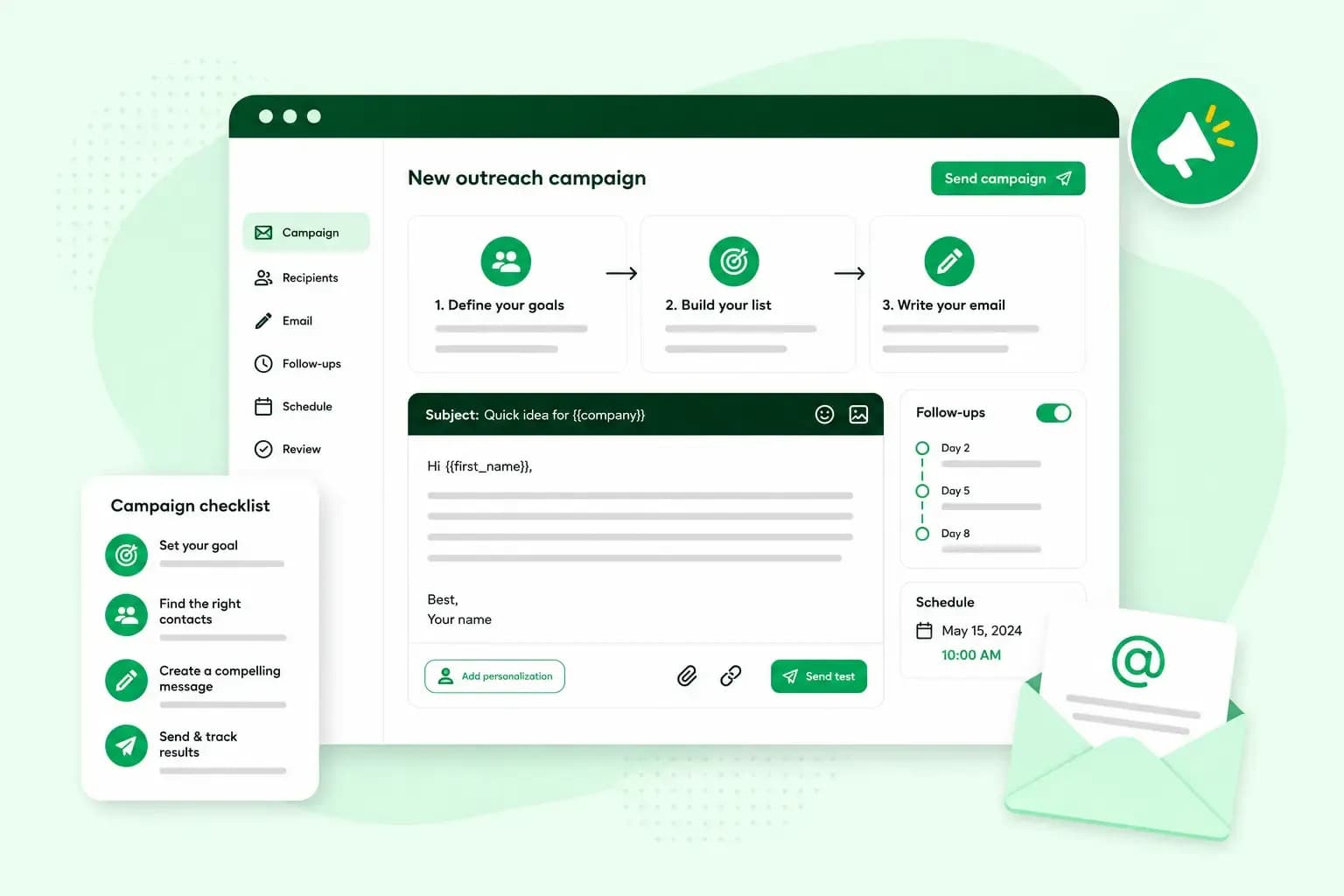
Email marketing means sending emails to people to promote your business. That means newsletters, offers and news for customers who asked to hear from you, and sometimes a one-to-one pitch to a new contact. For a small business, it's a direct way to stay in touch with customers and win new ones.
The core of email marketing is a list of subscribers: people who signed up on your website or bought from you. Writing to people who don't know you yet, such as a journalist, a blogger or a possible partner, is called email outreach.
The main types of marketing email
Start with the kinds of email that suit your business, and add others as your list grows:
- Newsletters are regular emails with news, tips or new products, sent to the subscribers on your list. They keep your business in mind between purchases.
- Offers and other email advertising announce a sale, a discount or a launch. Send them to the group of subscribers most likely to buy.
- Automated emails go out on their own when something happens, such as a welcome email when someone subscribes. You set them up once with email automation.
- Outreach emails go to someone who doesn't know you yet, to suggest a partnership, a feature or a link. You write each one for one person.
Why email marketing works for small businesses
For a small business, the advantages of email marketing are practical:
- You build your own audience. Your list grows on your own website, so you don't depend on a social network to reach customers.
- It costs little, so you can start without a big budget.
- You can see what works. Your tool shows how many people opened and clicked, so you learn what your readers care about and send more of it.
Is email marketing inbound or outbound?
Email marketing can be both. It's inbound when you write to people who opted in, like subscribers and customers. It's outbound when you write to people you have no contact with yet, which is usually called email outreach or cold email and is a form of outbound marketing.
For example, you offer a trial of your product on your website, and someone signs up for it. Just before the trial ends, you send them an email with a discount on the full product. They chose to try your product, and the email gives them a reason to stay.
An outbound email might go to a blogger who reviews products like yours. You explain why your product suits their readers and ask whether they'd like to try it. An outbound email reaches a stranger and has to give them a reason to reply.
How to start email marketing
To start, you need a tool and a list of people who agreed to get your emails. An email marketing tool such as Ubivox lets you design emails, manage your contacts and see your statistics in one place. Then follow these steps:
- Build your list: import the contacts who agreed to hear from you, or add a sign-up form to your website so visitors can opt in.
- Split your list into groups, for example existing customers and people who haven't bought yet, so each email is relevant to the people who get it.
- Design your email from a template, then edit it to match your brand.
- Create, schedule and send your email to your subscribers.
- Check the statistics to see how many people opened your email and clicked its links.
Once your first email is out, plan your email marketing campaigns. Pick a pace you can keep, such as one newsletter a month, so your subscribers know when to expect you.
What a good marketing email includes
A newsletter and a cold pitch look different, but when you write marketing emails, each one needs the same few parts:
- Subject line: keep the subject line short and clear, and make it interesting without sounding like clickbait.
- Opening line: make the first line personal, so the recipient can see the email was written for them.
- Value for your reader: show what the reader gets from the email, not only what you get.
- Call to action: end with one clear call to action, for example a button to your offer. In a pitch, ask a simple question such as "Would you be open to a quick call?" or "Could we work together on this?"
- Signature: give your name, your company name and your contact details in your signature.
Keep the wording plain and stick to one idea per email. Our email copywriting guide has more tips on tone and length.
The rules for marketing emails in the UK
In the UK, you usually need someone's permission before you send them a marketing email. The rules are in the Privacy and Electronic Communications Regulations (PECR). UK GDPR covers how you handle people's personal data on top of that. For your emails, PECR means:
- You may only send marketing emails to individual people who have agreed to receive them, apart from the existing customers below. Sole traders count as individuals too.
- If someone bought from you, or asked about buying, and you got their details then, you can email them about similar products of yours. You must have offered them a simple way to refuse when you collected their details, and again in every email.
- The permission rule is written for individual subscribers, so it doesn't cover email marketing to a limited company's address. You can send a cold email there without asking first, but the rules below on saying who it's sent for and giving a way to stop still apply.
- Every marketing email, to a company or a person, must say clearly who it's sent for and never hide it.
- Every marketing email also needs a valid address where people can ask you to stop, and an easy way out, such as an unsubscribe link, so they can stop further emails.
A bought or rented mailing list is a risk, so check with whoever sold it that you're allowed to email those people. Misusing people's details can lead to complaints, fines or compensation claims. Before your first send, it's worth reading the guidance from the Information Commissioner's Office (ICO), which oversees data protection in the UK.
Email outreach: how to write cold emails that get replies
Use email outreach to find new customers, set up partnerships with influencers or other businesses, or get featured by journalists. It can also earn you more backlinks from other websites. Whatever the goal, a cold email is more likely to get a reply when it's written for one person and offers them something:
- Find the right person: research your prospects and write to someone who can actually say yes, whether that's a journalist, a blogger or a marketing director you found on LinkedIn. A great pitch to the wrong person is wasted.
- Show what's in it for them: before you write, ask yourself, "How can this benefit us both?" If you're pitching for a backlink, for example, show how your product or page adds to an article they've written.
- Write it for them: mention something specific they've written, shared or achieved recently. A copy-and-paste template could go to anyone.
- Get to the point: in a few lines, say who you are, what you offer and what you'd like them to do.
- Follow up, then move on: send one polite reminder if you hear nothing. If there's still no reply, leave it there, so your emails don't start to feel like spam to them.
A spam filter decides whether your email lands in the inbox or the junk folder. You give your email a better chance when you write only to people who have a reason to hear from you, keep your subject line honest and offer a way to stop further emails. Our guide explains how a spam filter works.
How to measure your email marketing
Your tool's statistics tell you what works, so you can change one thing at a time and compare the results:
- Open rate is the share of delivered emails your tool recorded as opened. It hints at how well your subject line works.
- Click rate works the same way for the links in your email. It can show whether your content and call to action interest readers.
- Conversions are the readers who went on to buy, book or sign up, and they show whether your emails pay off. Here's how to boost your conversions.
- Replies are what to track for outreach, rather than opens.
- Bounces are emails that couldn't be delivered. Remove addresses that keep bouncing.
- Unsubscribes tell you when something's off. If more people unsubscribe than usual, check whether you're sending too often or the wrong things.
Treat open rates as a rough guide. Open tracking relies on images, so it isn't fully accurate, and Apple's Mail Privacy Protection can make opens and clicks look higher than they are.
What does email marketing cost?
The main costs are a tool and the time it takes to write your emails. Tools usually charge a monthly subscription. With Ubivox, for example, the price depends on the number of contacts in your database. There's no cap on how many newsletters you send with Ubivox during your subscription. It makes sense to start on a small plan and upgrade as your list grows.
Which email marketing tool should you choose?
For a small business, look for email marketing tools with a sign-up form for your website, ready-made templates, contact groups and clear statistics.
Our advice: for your first newsletter, choose a tool you can use without coding. Your time then goes into what you say rather than into building the layout. Ubivox, which we offer as an add-on, is such a tool: it has a drag-and-drop editor and templates that work on mobile.
Once you've chosen your tool, you're ready to write your first newsletter. If Ubivox suits you, you can set up Ubivox and start from one of its templates.
Recommended reading
 Online MarketingOct 19, 2026
15 ideas for Black Friday marketing
Make the most of Black Friday with 15 marketing ideas to attract customers and boost sales. Discover ways to promote your offers, reach more shoppers and make your campaign stand out. Online MarketingDec 30, 2025
AI SEO: how to use AI for search engine optimisation
A basic guide to AI in SEO – let's look at how artificial intelligence can help you speed up your SEO tasks. Online MarketingDec 30, 2025
AI search optimisation: how to get your website into AI answers
A basic guide to AI in SEO – let's look at how artificial intelligence can help you speed up your SEO tasks.