
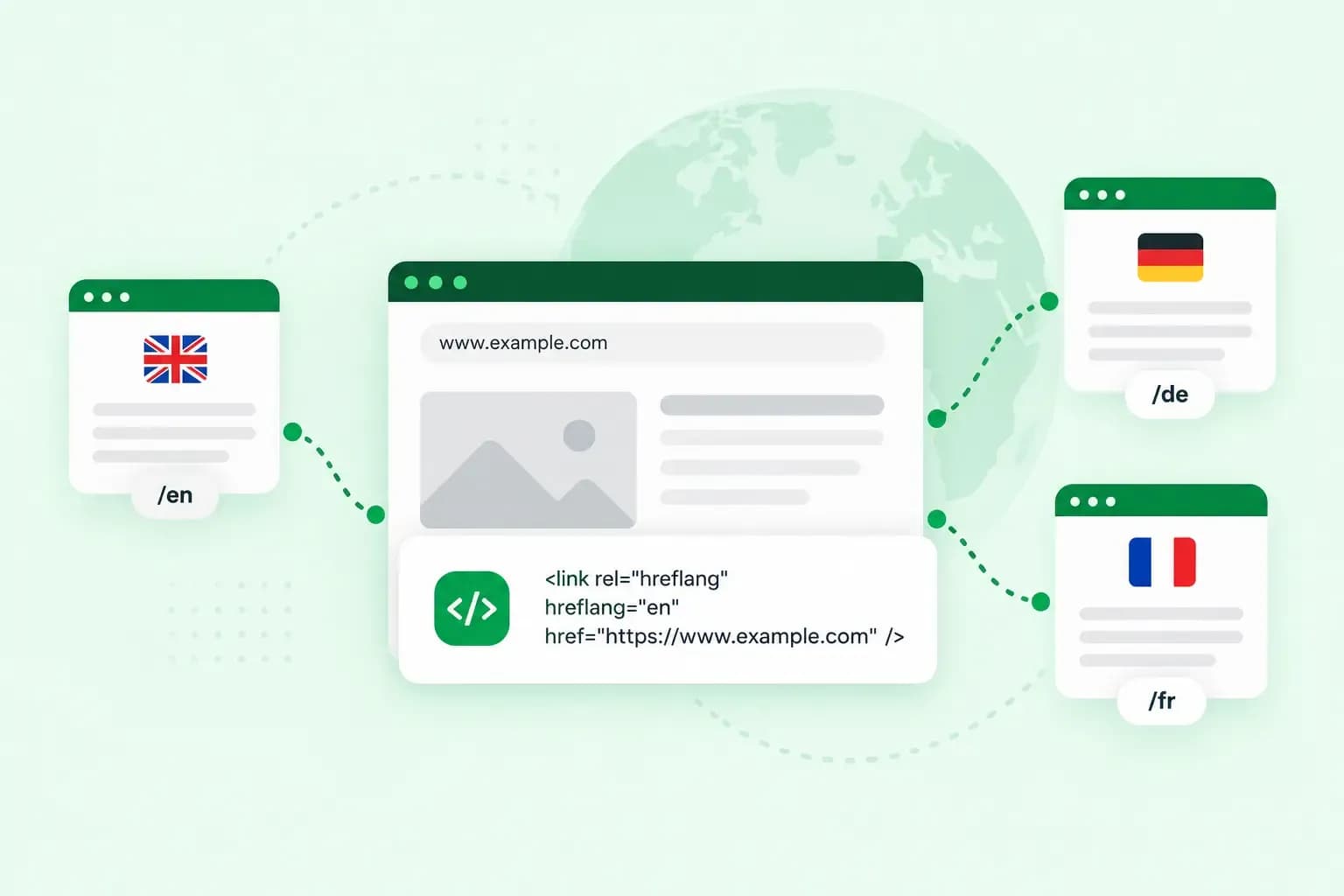
Hreflang is a small piece of code that links the language versions of a page to each other. It tells search engines who each version is for, such as English speakers in the UK or German speakers anywhere. With hreflang tags in place, Google can show each searcher the version of your page that suits them.
Picture the online shop where you sell your handmade ceramics, at pennycressceramics.co.uk. Your English shop sits at https://pennycressceramics.co.uk/ and your German shop at https://pennycressceramics.co.uk/de/. You want UK visitors to find the English shop and German visitors the German one.
What does hreflang do for SEO?
Hreflang helps your SEO by telling Google which of your pages belong together. Google might find your German shop without it, but it recommends pointing out your language versions yourself. As soon as your site has a second version of a page, hreflang belongs in your search engine optimisation.
You don't need hreflang to stop translated pages counting as duplicate content, though. Google only treats localised versions as duplicates when the main content stays untranslated. A product description you've had translated into German is a page of its own, not a copy of your English one.
Hreflang also matters for versions in the same language. Google gives the example of English pages for the US, the UK and Ireland, with small regional differences in otherwise similar content. Hreflang tells Google which version is meant for which country.
Does your website need hreflang?
Only if your website has the same page in more than one language, or in versions of one language for different countries. If your whole website is in English and written for one audience, you can leave it out.
Add hreflang as soon as you publish a second language version of a page. If you're planning one, check before you build your website that your tool lets you add language versions and their hreflang tags.
With our Aida AI Website Builder, you build and manage a new website without coding or design experience, and make changes whenever your business needs them.
Build my websiteWhat do hreflang tags look like?
An hreflang tag is a link element in the code of a page. The simplest hreflang example is one tag on your English shop that points to your German shop:
<link rel="alternate" hreflang="de" href="https://pennycressceramics.co.uk/de/" />It has three parts:
rel="alternate"says that the linked page is another version of this page.hreflang="de"names the language the linked version is for, here German. It can also name a region, as the codes below show.href="https://pennycressceramics.co.uk/de/"gives the full address of that version.
Each version lists every version, itself included, so both pages of your shop carry the same pair:
<link rel="alternate" hreflang="en-GB" href="https://pennycressceramics.co.uk/" />
<link rel="alternate" hreflang="de" href="https://pennycressceramics.co.uk/de/" />
The German version could also sit on a subdomain such as de.pennycressceramics.co.uk, or on another domain altogether. Google doesn't use a language name in a subdomain, such as that de, to determine the target audience of a page. Instead, you must explicitly map the target audience with the tag.
Language and region codes
The value of hreflang is a language code, which you can follow with a hyphen and a region code. The language code comes from the ISO 639-1 standard and the region code from ISO 3166-1 Alpha 2. Some examples:
en: English, wherever the searcher is.en-GB: English for the UK. Your English shop uses it, because it's written for customers in the UK.de: German, wherever the searcher is. Your German shop uses it, because it's for German speakers in any country.de-CH: German for Switzerland.
The region code for the UK is GB, so English for UK users is en-GB. Google ignores UK as a region code, which means en-UK doesn't tell Google the page is for the UK. The first code is also always the language, never the country. be is Belarusian, not Belgium, and Dutch for users in Belgium is nl-BE. Capitals don't matter to Google, but the standard writes the region in capitals, as in en-GB.
The x-default value
The hreflang value x-default names a page for everyone else, such as a visitor whose browser language is French when your shop has no French version. Google recommends it as a fallback and says it works best on a language selector page. Without a selector, your main language version is the usual choice:
<link rel="alternate" hreflang="x-default" href="https://pennycressceramics.co.uk/" />Rules for a working set of hreflang tags
Whichever way you add them, Google's guidelines ask every group of tags to follow these rules:
- Each version lists itself. Your English shop names itself as well as your German shop, and Google asks for this self-referencing hreflang tag on every version.
- Links go both ways. If your English shop points to your German shop but the German shop doesn't point back, Google ignores the tags.
- Complete addresses. Each tag gives the full URL, starting with
https://, never a short path like/de/. - Every version carries the same set. When you add a third language, its tag goes on every version, the new page included.
Three ways to add hreflang tags
You can put hreflang tags in the HTML of each page, in the HTTP header or in your XML sitemap. The HTTP header is the information your server sends along with each file. Google treats the three methods as equal, so the choice comes down to what your site lets you do. Using more than one brings no benefit in Search and can make the tags harder to keep in step.
For most small sites, the easiest is the HTML head. Google calls it useful when you have no sitemap and can't set the HTTP header for your site. If a website builder or a content management system runs your site, check its language settings or help pages before you write any code. Look for whether it adds the tags for you or where you enter them.
| HTML head | HTTP header | XML sitemap | |
|---|---|---|---|
| Where the tags go | In the head of every page | In the header the server sends with each file | In one sitemap file |
| Good for | Sites where you can edit the page code | Files that aren't HTML, such as PDFs | Keeping every tag in one place |
In the HTML head
Add the link elements inside the <head> section of every version, the part of the page that holds its metadata. For your shop, the head of both pages holds the same three lines:
<head>
  <title>Handmade ceramics</title>
  <link rel="alternate" hreflang="en-GB" href="https://pennycressceramics.co.uk/" />
  <link rel="alternate" hreflang="de" href="https://pennycressceramics.co.uk/de/" />
  <link rel="alternate" hreflang="x-default" href="https://pennycressceramics.co.uk/" />
</head>
The tags only count inside a head section that's written correctly, with nothing broken in its code. If you're not sure yours is, Google suggests pasting the code of the finished page, as the browser builds it, into an HTML validator.
In the HTTP header
A PDF has no head section, so for files that aren't HTML the tags go in the HTTP header instead. If your care guide for stoneware exists as a PDF in English and in German, the server sends the same header with both files:
Link: <https://pennycressceramics.co.uk/care-guide.pdf>; rel="alternate"; hreflang="en-GB",
      <https://pennycressceramics.co.uk/de/care-guide.pdf>; rel="alternate"; hreflang="de"
In your XML sitemap
An XML sitemap lists the pages of your website for search engines, and it can hold your hreflang tags too. With your tags in one file, adding a language means editing that one file.
Each page gets its own <url> entry with a <loc> element for its address. Under it, <xhtml:link> elements list every version, the page itself included. For your shop, that looks like this:
<url>
  <loc>https://pennycressceramics.co.uk/</loc>
  <xhtml:link rel="alternate" hreflang="en-GB" href="https://pennycressceramics.co.uk/"/>
  <xhtml:link rel="alternate" hreflang="de" href="https://pennycressceramics.co.uk/de/"/>
</url>
<url>
  <loc>https://pennycressceramics.co.uk/de/</loc>
  <xhtml:link rel="alternate" hreflang="en-GB" href="https://pennycressceramics.co.uk/"/>
  <xhtml:link rel="alternate" hreflang="de" href="https://pennycressceramics.co.uk/de/"/>
</url>
Google's sitemap instructions cover the rest, such as the namespace line the sitemap needs at the top. That line declares the <xhtml:link> tags the sitemap uses.
Hreflang and canonical tags
A canonical tag tells Google which address you prefer when the same or very similar content exists at several addresses. With hreflang, each language version names a canonical page in its own language. Your German shop names itself as canonical, not your English shop, and lists both versions in links of their own:
<link rel="canonical" href="https://pennycressceramics.co.uk/de/" />
<link rel="alternate" hreflang="en-GB" href="https://pennycressceramics.co.uk/" />
<link rel="alternate" hreflang="de" href="https://pennycressceramics.co.uk/de/" />
Keep hreflang out of the canonical tag itself. Google doesn't use a canonical link that carries an hreflang attribute to choose your preferred address, so each language version gets its own rel="alternate" link instead.
HTML lang vs hreflang
The lang attribute says what language a page, or a part of it, is written in, as in <html lang="en-GB">. Hreflang points to the other language versions of the page. Google doesn't use either of them to work out what language a page is in. It reads the visible content instead.
The lang attribute still matters. Screen readers and other assistive technology use it to pick the right pronunciation. If your site has more than one language, give every page a language attribute for its own language and hreflang tags for its other versions.
Common hreflang mistakes and how to check for them
Google lists the mistakes that come up most often:
- A missing return link: one version points to another that doesn't point back, which breaks the rule that links go both ways.
- A language code that isn't from ISO 639-1. Swedish, for example, is
sv, notse, and a region code on its own isn't valid. - A region code that's reserved for something else, such as
UKorEU, which has no effect on Google Search.
An hreflang checker reads a live page and tells you whether its tags are valid and point back. Google's guide, the same page as the sitemap instructions above, points to two third-party tools, which it doesn't maintain or check. Aleyda Solis's hreflang tags generator is for writing or changing tags. Merkle's hreflang tag testing tool is for checking a single live page. You reach both through the links on that page. It's worth running a check each time you add a language.
Plan your site's language versions
Hreflang is easiest to get right before a new language goes live, so choose your codes and your method first. If you're starting a new site, start your website in your main language with our Aida AI Website Builder. When you add a second language, check with an hreflang checker that every page carries the full set of tags.
Recommended reading
 Online MarketingOct 19, 2026
15 ideas for Black Friday marketing
Make the most of Black Friday with 15 marketing ideas to attract customers and boost sales. Discover ways to promote your offers, reach more shoppers and make your campaign stand out. Online MarketingDec 30, 2025
AI SEO: how to use AI for search engine optimisation
A basic guide to AI in SEO – let's look at how artificial intelligence can help you speed up your SEO tasks. Online MarketingDec 30, 2025
AI search optimisation: how to get your website into AI answers
A basic guide to AI in SEO – let's look at how artificial intelligence can help you speed up your SEO tasks.