
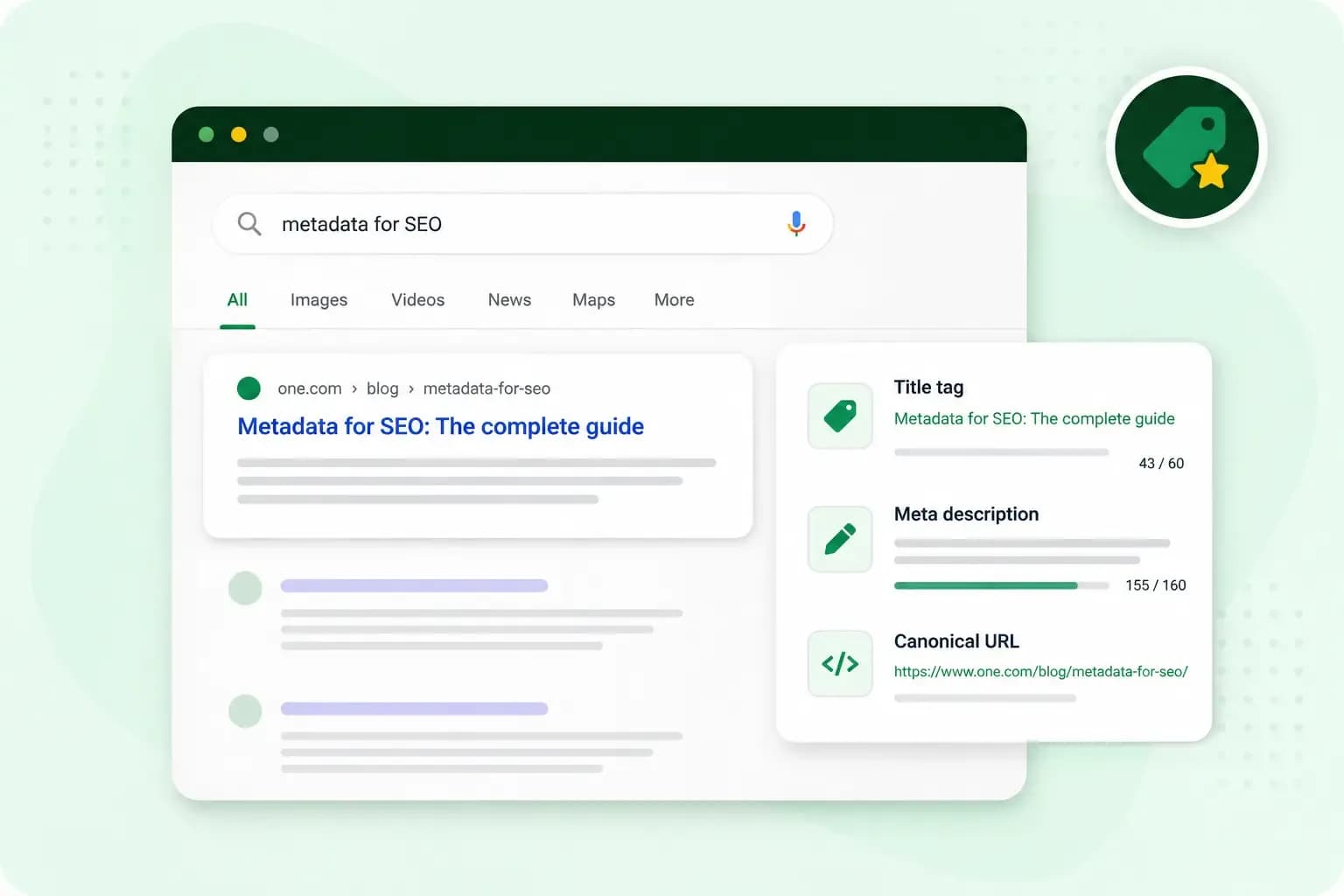
Metadata for SEO is the information in your page's code that tells search engines, browsers and social networks what the page is about. It sits in meta tags, and it shapes how your page looks in Google. Take the classes page of your pottery studio at mossandkilnpottery.co.uk/classes. Its title tag can become the headline of the search result, and its meta description the short text under it. Written well, the title and description give searchers a reason to click.
What is metadata in SEO?
Metadata in SEO is the part of your page that search engines read but visitors don't see on the page itself. Most of it sits in the head of the page, the code above the visible content. Each tag holds one piece of information about your page. A meta description, for example, looks like this in the code: <meta name="description" content="Pottery classes for beginners in small groups.">
Search engines read these tags to understand the page and to decide what to show in their results. Browsers use some of them too, for the text on a tab or the way a page fits a phone screen. Social networks read others when someone shares your link. Some tags also tell Google what to do with a page, such as leaving it out of the results.
Metadata helps a page mostly through the way it appears in the results. Google says the title of a result is often what people use to decide which result to click. So a clear title and description can win you more clicks, but on their own they rarely lift a weak page. In search engine optimisation, Google says useful content on the page will likely do more for your results than any of its other tips.
The metadata that matters for SEO
Title tag
The title tag, often called the meta title, names the page. Google uses it, among other sources, for the title link: the clickable headline of your result. Browsers show it on the tab as well. Every page on your website needs its own title tag, with text that describes that page.
Meta description
The meta description is a short summary of the page. Think of it as a pitch: what the visitor finds on the page and why it's the right result for them. Google builds the snippet under your title mainly from the page's own content, and it can show different text for different searches. When your meta description describes the page better, Google sometimes uses that instead.
Robots meta tag, sitemaps and robots.txt
The robots meta tag tells search engines what they may do with a page. With noindex, Google drops the page from its results. That suits pages you don't want people to land on from a search, such as the thank-you page after someone books a class with you. Google only sees the tag if it can crawl the page, which means visiting and reading it. So don't block the same page in robots.txt, or Google never gets to read the noindex.
A sitemap and a robots.txt file work alongside these tags, but they're files of their own. A sitemap lists the pages on your website, so search engines can crawl it more efficiently. A robots.txt file is for crawlers, the programs search engines send out to read pages. It tells them which parts of your website they may visit, mainly so they don't overload it. Blocking a page there doesn't keep it out of Google: use noindex or a password for that.
Canonical tag
Many websites have pages with the same or almost the same content. Your beginners' class might appear both under /classes and under /gift-ideas, for example. A canonical tag tells Google which address you'd like it to show in the results. It also helps Google bring the signals of the copies, such as the links to each one, together on that one page. Without a canonical tag, Google chooses the address itself.
Hreflang
If your website has the same page in several languages or for several countries, hreflang tells Google which version is meant for which audience. Google then understands that the pages are localised versions of the same content. If your site has only one version of each page, such as an English site for UK customers, you can leave hreflang out.
Alt text
Alt text describes an image in words. Screen readers read it aloud to people who can't see the image. That makes alt text a big part of website accessibility. Google uses it to understand what the image shows. Describe the picture as you would to someone on the phone, for example a hand-thrown blue bowl on a potter's wheel. Keep it to what the picture shows, without stuffing in keywords.
Structured data
Structured data describes the content of a page in a fixed format that search engines read. For your classes page, that could be the date and place of each class. Google can use it to show a richer version of your page in its results, which Google calls a rich result. Most structured data for Google Search is written as schema markup, with the shared schema.org vocabulary. Google's introduction to structured data explains how Google Search uses it.
Open Graph tags
Open Graph tags decide how your page looks when someone shares it on social media. With tags such as og:title and og:image, you choose the title and picture of the preview, which can differ from your title tag. Choose the image with care. A photo of a finished bowl tells people what your classes page is about before they read a word.
Viewport and other meta tags
The viewport tag tells a phone how wide to draw your page. Without it, some phones draw the page wider than the screen and then shrink it down, so the text gets tiny. If you use a website builder or a ready-made theme, check that it adds the tag for you.
One tag you can skip is the keywords meta tag, because Google doesn't use it to rank pages.
How to write a title tag and meta description
A good title and description tell the searcher what the page offers, in the words they search with.
- The searcher's words. A good title is built around the term people type into Google, not your own name for the page. Google Trends lets you compare how popular different phrases are in searches.
- One page at a time. If every page has the same title, nobody can tell them apart in the results.
- A promise the page keeps. The title and description should match what the page delivers. A visitor who clicks and finds something else goes straight back.
- The important words first. There's no limit on how long a title or description can be, but Google cuts long ones to fit the screen. As a rough guide, we keep titles to about 60 characters and descriptions to about 155, so a shortened version still makes sense.
- People, not keywords. Repeating the same keyword several times doesn't help the reader, and it can make your result look spammy to Google.
For your pottery studio's classes page at mossandkilnpottery.co.uk/classes, the two tags could look like this:
<title>Pottery classes for beginners | Moss and Kiln Pottery</title>
<meta name="description" content="Throw your first pot in a two-hour class for beginners. Small groups, all materials provided. See the dates and book your place.">
The title names what the page offers and who it's for. The description adds what a beginner wants to know before booking and ends with what they can do on the page.
When Google shows a different title or description
Well-written metadata is a request, not an order. Google may show a different title link when your title tag doesn't reflect the page. It may also do so when the title is half empty, out of date or repeats the same text across a group of pages. Your description can be swapped too, for text from the page that suits the search.
If Google rewrites your title, check whether your page has one of these problems, then change the title or the page until the two match. Don't expect metadata to rescue a page that doesn't answer the question.
Which metadata should you write yourself?
Write the title tag and meta description yourself, at least for your homepage and the pages that bring in customers. They're what people read before they decide to click. Google also suggests starting with your most important pages if you can't write a description for every one.
For the rest of your website metadata, we recommend keeping the settings of your content management system (CMS) or website builder. Change a tag only when a page needs it, as in the checklist below. A tag set by mistake can cost you more than it brings, because a stray noindex drops the page from Google's results once Google crawls it.
A CMS or website builder might have a search engine settings page where you fill in the title and description, without touching the code. If you can't find one, check your system's help pages for where to add them. On a WordPress site, an SEO plugin such as Rank Math gives you suggestions as you write. Rank Math PRO adds more options for structured data.
To see the title and description a page has now, open the page in your browser and use the browser's option to view the page source. Then look for the <title> tag and <meta name="description">. Once your pages are live, check the result in Google Search Console. Its Performance report shows which search queries bring traffic to your pages and how often people click, so you can see which titles need work.
Our SEO team works on your website's content, links and technical issues for you.
Get help with your SEOMetadata checklist for your website
Run through this list for each important page, and again when you change a page:
- Give each page its own title tag, with the words people search for near the start.
- Write a meta description for each important page: a summary that gives people a reason to visit.
- Add alt text to the images that carry information, describing what they show.
- Make sure pages that shouldn't appear in Google, such as a thank-you page, carry
noindexand aren't blocked in robots.txt. - Point pages with the same or similar content to one address with a canonical tag.
- Give the pages you share on social media an Open Graph title and image.
- Set hreflang for each version of a page you publish in more than one language.
- Make sure your sitemap is up to date and your robots.txt file doesn't block pages you want in Google.
Start with the titles and descriptions of your most important pages, then see in Search Console whether more people click on them. For the rest of your search visibility, you can get help from our SEO services.
Recommended reading
 Online MarketingOct 19, 2026
15 ideas for Black Friday marketing
Make the most of Black Friday with 15 marketing ideas to attract customers and boost sales. Discover ways to promote your offers, reach more shoppers and make your campaign stand out. Online MarketingDec 30, 2025
AI SEO: how to use AI for search engine optimisation
A basic guide to AI in SEO – let's look at how artificial intelligence can help you speed up your SEO tasks. Online MarketingDec 30, 2025
AI search optimisation: how to get your website into AI answers
A basic guide to AI in SEO – let's look at how artificial intelligence can help you speed up your SEO tasks.