
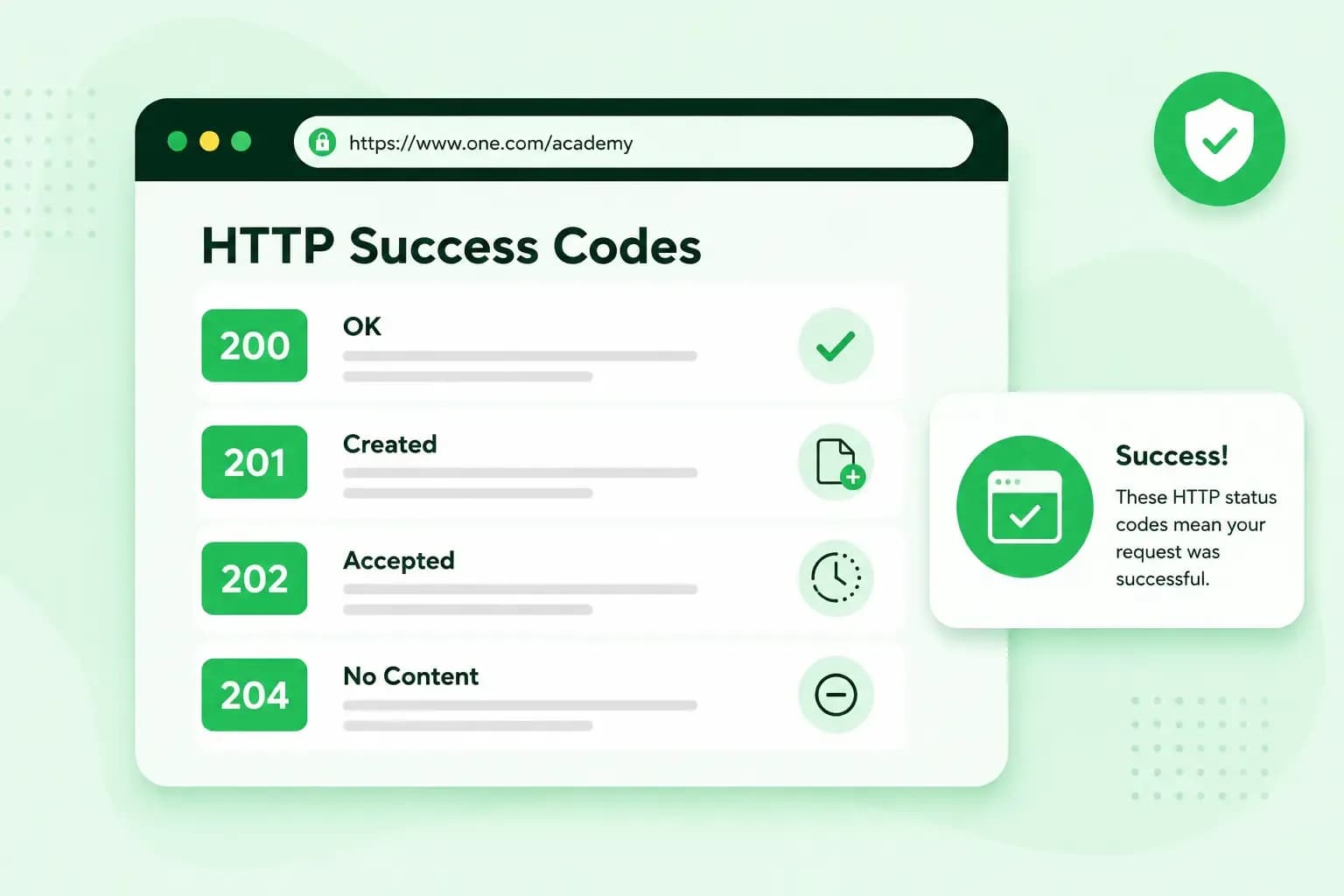
HTTP 200, 201, 202 and 204 all tell you that your request worked, but each says something different about what happened. When everything worked, you get the standard answer, HTTP 200 (OK). If your request made something new, the server answers HTTP 201 (Created), and if it has taken your request on but hasn't finished it yet, HTTP 202 (Accepted). If your request worked and there's nothing to send back, you get HTTP 204 (No Content).
What is a 2xx status code?
A 2xx status code, one that starts with 2, means the server received your request and handled it successfully. Every time your browser or an app asks a server for something, the server answers with a three-digit status code, and the first digit tells you which of five classes the answer belongs to:
- 1xx: informational HTTP codes, sent while a request is still under way.
- 2xx: your request was successful.
- 3xx: the browser has to take a further step to complete the request, such as following a 301 redirect to a new address.
- 4xx: the request contains an error or can't be fulfilled, such as a request for a page the server can't find.
- 5xx: the server failed to handle a request that looked fine.
Your browser gets a 2xx code every time a page loads successfully, so these codes rarely attract attention. The codes your visitors notice are errors such as HTTP 404 or HTTP 503. A 404 appears when a page is not found, and a 503 when the web server is overloaded or down for maintenance.
But if you run your own website, set up a VPS (a virtual private server) or build websites for a living, the exact code tells you what happened to each request.
What does HTTP 200 mean?
HTTP 200, or "OK", tells you the request succeeded. When you visit a website and everything works as it should, your browser gets a 200 back. What the code means, and what the server sends back with it, depends on the request method: the kind of request your browser or app made.
- A GET request asks for something. The 200 means the server found it and sends it in the response body, the part of the answer that holds the content, such as the HTML of a web page.
- A POST request sends something to the server. The 200 means the action worked, and the body describes the result.
- A HEAD request gets the same answer as a GET, without the body.
- A TRACE request gets a body that holds your request exactly as the server received it.
Two other methods often get a different success code. A PUT request uploads or replaces something and a DELETE request removes it: a PUT that creates something new gets a 201, and a DELETE that has finished often gets a 204 instead of a 200.
A 200 response can also be cached by default. A browser or proxy can then store a copy and reuse it without asking the server again, so you may see an older version of a page you've just changed until the stored copy expires.
What does HTTP 201 mean?
HTTP 201, "Created", means your request led to something new on the server, such as a user account or an order. It's usually the answer to a POST request, for example when you fill in a sign-up form and the details you send are stored as a new account. A form that creates nothing, such as a search, gets a 200 instead.
The new item already exists when the server sends its answer, so the client, the browser or app that sent the request, can open it directly. Its address is either the address of the original request or the URL in the Location header, a line the server adds to its response.
What does a 202 status code mean?
A 202 status code tells you the server has accepted your request, but the actual work happens later, often in another process or in a batch that runs at set times. It's the server's way of saying "I've got your request, give me a moment." The server answers straight away, so your browser or app doesn't have to keep the connection open while a large file is converted or a long task runs in the background.
A 202 promises nothing about the outcome. The task can still fail or be refused when the server gets to it, and HTTP has no way to send a second status code later with the result. Instead, a 202 response should describe the current status of your request and point to a place where you can check on it and wait for the final result.
What does HTTP 204 mean?
HTTP 204, "No Content", confirms that your request succeeded, but the server sends no content at all and your browser or app doesn't need to leave the page it's on. It fits whenever you only need to know that everything went fine, not a page or data. A typical case is deleting something: once an image is deleted, there's nothing more to say. Another is "save and continue editing" in a wiki or an online editor, where the page is saved with a PUT request and the 204 tells the browser to leave the editor as it is.
HTTP 200 vs 201 vs 202 vs 204
All four codes mean success, but each says something different about what the server did and what you get back. Take HTTP 202 and 204: neither sends back a result, but a 204 means the work is done, and a 202 means it hasn't finished yet.
| 200 OK | 201 Created | 202 Accepted | 204 No Content | |
|---|---|---|---|---|
| What the server did | Handled the request and sent back the result | Created something new | Accepted the request, work still to do | Handled the request, with nothing to send back |
| What comes back | The result, such as a page or data | The new item or where to find it | The status of the request and where to check it | Nothing |
| Typical use | Loading a page, sending a form that creates nothing, such as a search | A new account, order or upload | Long tasks handled in the background | Deleting an item, saving without reloading |
If you build an API, return 201 when a request creates something, 202 when the work only finishes later, and 204 when the request succeeded and there's nothing to send back. For every other success with a result to return, use 200.
What do the other 2xx codes mean?
The remaining codes cover special cases, from proxies and forms to partial downloads. A proxy server sits between you and the website and can change a response on its way to you, and when it does, it can tell you so with a 203 instead of a 200. In the table, a resource is the file or item a request asks for. WebDAV (Web Distributed Authoring and Versioning) is an extension of HTTP for editing and managing files on a server.
| Code | Name | What it means | Where you might meet it |
|---|---|---|---|
| 203 | Non-Authoritative Information | The request succeeded, but a proxy changed the content of the original 200 response | Behind a proxy that filters or converts content |
| 205 | Reset Content | The request succeeded, and the client should reset what the user sees, such as a form | Forms you fill in again and again, where the page's own JavaScript clears the fields for the next entry |
| 206 | Partial Content | The server sends only the part of a file the client asked for in a range request | Media players that jump to any point in a file, and download managers that pause and resume |
| 207 | Multi-Status | One response holds a separate status code for each of several resources, such as 200 for a file that loaded and 404 for one that's missing | WebDAV only, never a browser loading web pages |
| 208 | Already Reported | Inside a 207 response, the resource has already been listed under another path, so it isn't listed again | WebDAV only |
| 226 | IM Used | The server uses delta encoding: it sends only the changes since a version the client already has, not the whole resource, so less data has to be transferred | Rarely seen: few systems support it |
What a 200 tells you about your website
If you run your own website, on a web hosting plan or a VPS, the status code helps you troubleshoot. When a page misbehaves but still returns 200, the server delivered its answer, so the problem is more likely in the page itself than in the connection between the server and your visitor's browser. A 5xx code points the other way, to the server.
A 200 doesn't prove the page is right, though. If a page tells visitors it doesn't exist, or shows no content, but the server still sends 200, Google calls it a soft 404 and reports it in Search Console. When you've removed a page and nothing replaces it, delete or unpublish it so the server returns a real 404 (not found). If the page has moved or a new page replaces it, send your visitors there with a 301 redirect instead.
A success code doesn't get your page into Google either: Google may consider the page for indexing, but a 2xx code doesn't guarantee that it gets indexed.
To see which code a page returns, open the developer tools in your browser, such as Chrome DevTools, and reload the page with the Network panel open. The Network panel's Status column shows the HTTP response code of every file the page loads.
If you'd rather spend your time on your pages than on the server behind them, host your website with us.
NVMe SSD storage, a firewall and DDoS protection, and daily backups for your website.
See hosting plansRecommended reading
 Hosting4 Aug 2026
What is cache?
What does cache mean? And how to clear your cache? Read the importance of cache and why it's necessary to clear your cache once in a while. Hosting4 Aug 2026
What is SSH?
How does SSH work & what does it do? Learn about the history of Secure Shell's predecessor Telnet and how SSH improved our internet security in this article. Hosting4 Aug 2026
What is a CMS (content management system)?
You can easily create and manage your website with a content management system (CMS). Want to know more? Learn all about CMS in this complete guide!