
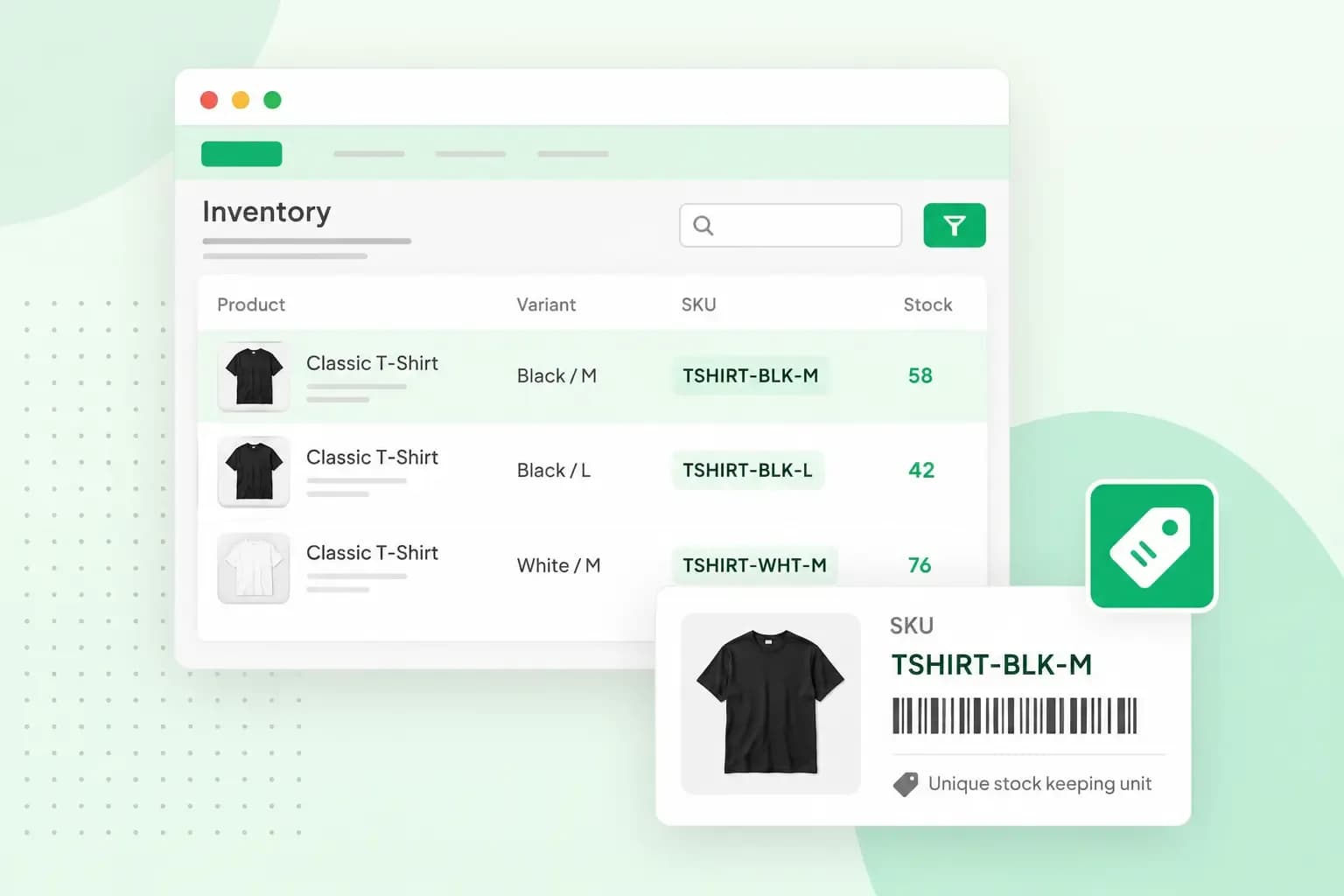
SKU stands for stock keeping unit. It's a short code you give each product you stock, down to its size and colour. With it, you keep track of which items you have in stock, which ones sell and which ones you need to restock. A backpack you sell in red and in green, for example, needs an SKU for each colour, because each colour is a separate item in your stock.
In a shop on the high street, you'll often find the SKU on the item label or price tag. In an online shop, it can appear in the product description. The codes are yours to design, as long as your system is consistent and easy to recognise, so each code means something to you and your team.
What an SKU looks like: one example taken apart
An SKU is usually a mix of letters and numbers. Each part stands for a detail of the product, such as its type, size or colour. Take the red backpack from Urban Explorer, a range your shop sells under its own brand. Its SKU could be BP-UE-1001-R:
BP: the product type, backpack, and the broadest detail. If you sell several brands, start with a short code for the brand instead.UE: the product line, Urban Explorer, for the backpacks that belong together.1001: the product model within that line, here the roll-top backpack. Give each model in the line a number of its own, such as1002for the next one.R: the colour, red. Each other colour of the same model gets its own letter, such asGfor green.
For the green version of the same backpack, change only the colour part: BP-UE-1001-G. Not counting the hyphens, each of these codes has 9 characters, within the usual length. This backpack comes in one size, so its code needs no size part. For a product you sell in several sizes, add a short size part before the colour, such as S, M or L.
SKU or barcode: what is the difference?
An SKU is a code your shop uses for its own stock, while a barcode number identifies the product the same way whoever sells it. If you and another shop sell the same backpack, you'll each have your own SKU for it. The backpack itself has one barcode number. That number, printed above or below the barcode, is often a GTIN, a Global Trade Item Number, such as an EAN or a UPC.
| SKU | Barcode number (GTIN) | |
|---|---|---|
| Who sets it | Your shop, in a format you choose | Normally the brand that owns the product |
| The same at every shop | No, each shop has its own | Yes, it stays with the product whoever sells it |
| What you use it for | Tracking your own stock, orders and sales | Identifying the product wherever it's priced, ordered or invoiced |
If a product you sell already has a barcode, it's still worth giving it an SKU of your own. Your code tells you the size and colour at a glance, and the barcode number doesn't. If you make your own products, like the own-brand backpack, and need barcodes for them, they come from GS1. It's the only official provider of GTINs and of EAN and UPC barcodes, and its local office registers your business and assigns your GS1 company prefix.
How to create SKUs: should you make your own?
Usually, yes. When you're starting out or sell products from more than one supplier, a simple format of your own works best. Keep it simple enough to read every code at a glance, and give new products the same pattern.
If you resell products, using your supplier's codes as your SKUs is tempting. But two suppliers can use the same code for different items, and the codes no longer fit once you change supplier.
You don't always have to type SKUs yourself. Some SKU management tools and point of sale systems can create them for you as you add products. A point of sale system is the software and till you take payments with. Letting the software create your codes is worth it once your range grows and typing every code by hand takes too long.
To create your own SKUs by hand:
- List every product you sell, with each of its sizes and colours.
- Choose the parts of your code, such as type, line, model, size and colour. Give each value a short code, like
Rfor red. - Build the code for every variant with that pattern, following the rules below.
- Save the list in a spreadsheet, and enter each SKU on its product in your shop system.
Rules for a good SKU format
- Keep it short. Most SKUs run to about eight to 12 characters, and a very long code may be cut off or display badly in some systems.
- Stick to letters, numbers and hyphens. Symbols such as @, # or / can cause errors when your products move between systems, so leave them out.
- Don't start with a zero. Excel removes leading zeros from codes it reads as numbers, so
0123becomes123and no longer matches your stock list. - Put the broadest detail first. Start with the product type or the brand, then narrow down to the model, size and colour.
- Give every variant its own SKU. A code shared by two sizes or colours can't tell you which one is running low.
- Never reuse an old code. When you stop selling a product, retire its SKU instead of giving it to a new one, because a reused code can cause conflicts and errors between your systems.
Why SKUs matter for an online shop
With an SKU on every item, you can track more accurately what you have and what's selling.
- You see your stock of each size and colour, so you know when it's time to reorder the red backpack, not the whole line.
- When you pack an order, the SKU shows exactly which variant the customer bought, which cuts down on errors.
- Sales per SKU show which products are your popular sellers, down to the colour and size. Those are the products to put first in your marketing strategies and to suggest when upselling.
Keeping your SKUs in order
- Use the same SKU everywhere you sell: on your own website, on a marketplace and in a physical shop. One code per item keeps your stock counts and sales reports right.
- Write your format down, with what each part stands for and the letters you use, such as
Rfor red. New staff then create codes the same way you do. - Go through your list now and then, and correct any code that breaks your format or appears twice.
Our online shop lets you add an SKU, a stock quantity and a price for each variant of a physical product.
Open my shopQuestions about SKUs
Is an SKU the same as a serial number?
No. An SKU identifies each product and variant you sell, such as the red and the green backpack. A serial number goes a step further and gives every single unit its own identity. Ten red backpacks share one SKU, but each would have its own serial number.
What does SKU mean in software?
In software and cloud services, an SKU is one of the products or services you can buy, each with its own price. Google Cloud, for example, lists a price for each of its SKUs.
Start selling with SKUs in place
With your format written down, every new product gets its code the day you add it. Build your online shop with us to keep track of your stock counts from your first sale and get a notice when it's time to restock.
Recommended reading
 Online ShopNov 6, 2026
What is a payment gateway and how does it work?
A payment gateway passes your customer's card details securely from your checkout to the banks. See how it works, what it costs and which payments to offer. Online ShopNov 20, 2025
Loyalty programme examples for small businesses
Learn how loyalty programmes can boost customer retention and loyalty. We also give examples of 4 loyalty programme structures. Online ShopNov 7, 2025
What should I sell online?
What can you sell online? Read along as we look at what people buy online and give you 15 tips for what you can sell in your online shop.