
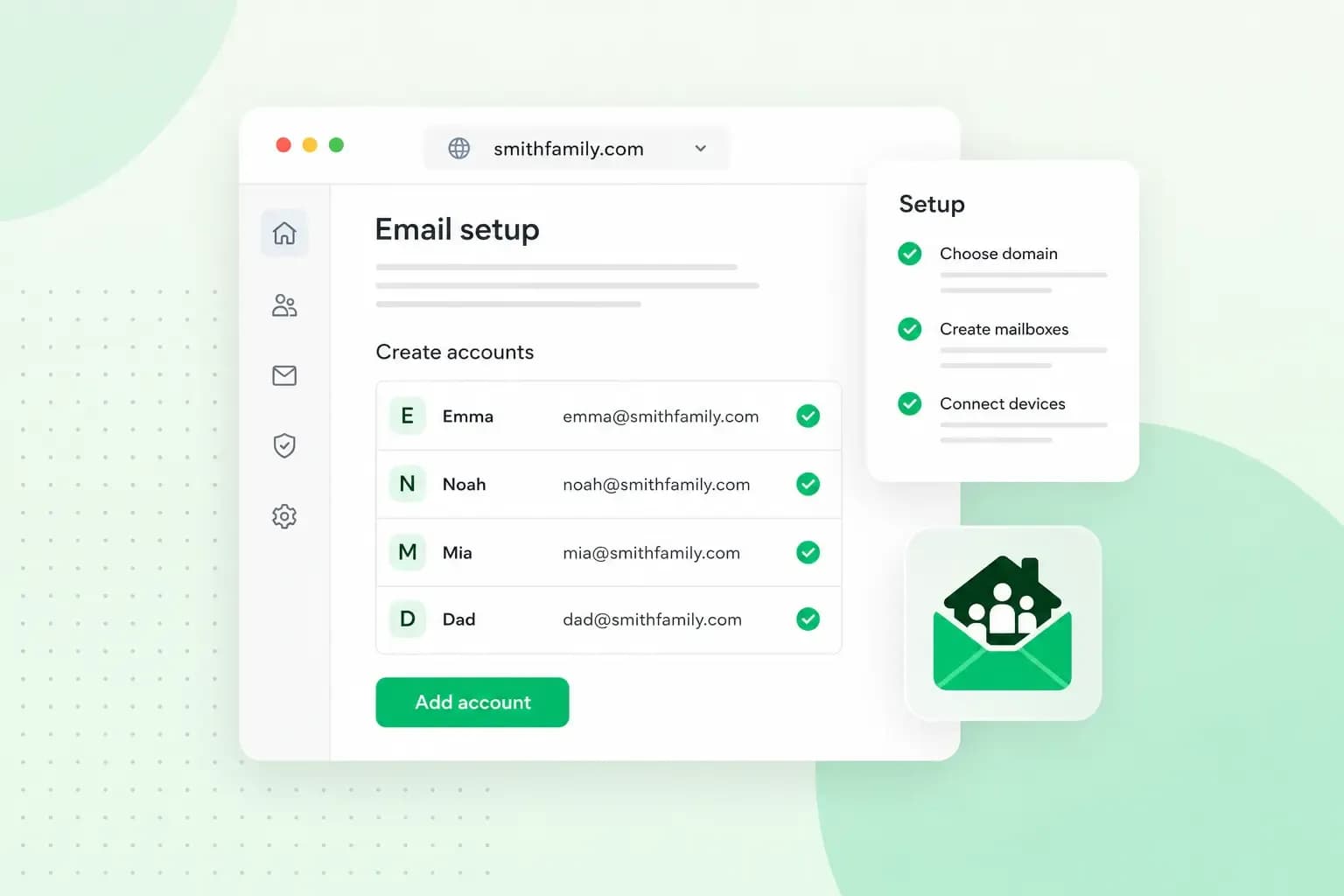
A family email domain is a domain registered on your family name, such as hughesfamily.co.uk, that gives everyone at home an address of their own: sarah@hughesfamily.co.uk for one parent, tom@hughesfamily.co.uk for the other and one for each child. To set it up with us, you need a domain and one of our email plans to hold the mailboxes.
Why a family email domain is worth having
With a free email service, the provider controls the part after the @, the email domain, so you only choose the name before it, as in myname1234@gmail.com. On your own domain, every address carries the family name instead, such as maya@hughesfamily.co.uk.
Your own domain also makes the family's email easier to run as the children grow up, and it leaves room for a family website later.
- You create, edit and delete the family's email accounts in our control panel, so you can add one when a child is old enough and delete one nobody uses any more.
- Our email plans are just for email, but if you decide to create a website for family news or photos, you can upgrade to a hosting plan later.
What you need for family email
Besides the domain, the family needs an email plan: it holds everyone's mailboxes, so each person can send and receive email on the family domain. With one of our plans as your family email hosting, you can read the email in our webmail in a browser or connect each account to the email app on your phone. Our two plans differ mainly in how many accounts you get and how much storage comes with them.
Our email plans compared
| Our plans | Email Essential | Email Unlimited |
|---|---|---|
| Email accounts | 5 | Up to 500 |
| Storage | 3 GB per mailbox, 15 GB in total | Up to 200 GB per mailbox, subject to a fair use policy |
Count the people who need their own address before you choose, children included: our Email Essential plan has 5 accounts, and Email Unlimited is the one to choose if you need more room than that. With either of our plans the domain is free for the first year. After that you renew it with us once a year, and what it costs depends on its extension.
How to choose a family domain name
Start with your surname. If hughes.co.uk is taken, hughesfamily.co.uk or hugheshousehold.co.uk still says who you are. Choosing a domain name works the same way for a family as for a business: keep it short, easy to spell and easy to say out loud, and leave out numbers and extra hyphens. Think long term as well. A domain name you register with us cannot be changed later, so a new name means registering a new domain and moving the emails across.
When you've settled on a name, you can register your family domain with your email plan or on its own. Keep it renewed, because the family's addresses depend on it: we renew it for another year unless you cancel at least 30 days before the renewal date.
.co.uk, .com or .family?
For a family in the UK, the best first choice is one of the UK's own domain extensions. Under .uk sit .co.uk, the domain extension in hughesfamily.co.uk, and the shorter .uk on its own, which is designed for individuals as well as businesses. .com and .family are generic extensions that belong to no country.
Our advice: register a .co.uk domain if the family lives in the UK, because it's one of the most established of the UK's own extensions; if it's taken, look at .uk. A .com or a .family domain makes more sense when the family is spread across several countries, as neither belongs to one.
Family email address ideas
On hughesfamily.co.uk, each person gets an address on their first name, and the household shares a few for the things everyone deals with.
sarah@hughesfamily.co.ukandtom@hughesfamily.co.ukfor the parentsmaya@hughesfamily.co.ukandleo@hughesfamily.co.ukfor the childrenhome@hughesfamily.co.ukas the family's home email address for the bills, the bank and letters from schoolholidays@hughesfamily.co.ukfor holiday bookings
We suggest first names for the personal addresses, so each child can keep the same address as they grow up, and a name for each shared address that says what it's for.
How to create a family email address for each person
Each person's family email address is an account of its own on the family domain, up to the number your plan allows. Once you know which domain name you want, you set them up in four steps.
- Choose an email plan by the number of email accounts and the storage the family needs.
- Choose your family domain and check that it is available.
- Create an email account for each person in the control panel.
- Start using your email in webmail, or connect each account to the email app on a phone or computer.
To connect an account to an email app, you need its email address, its password and our mail servers: imap.one.com on port 993 with SSL for incoming email and send.one.com on port 587 with TLS for outgoing email. Once the order is complete and you can log in to the control panel, your new domain is activated within 24 hours, though depending on its extension you may need to take a step to activate it first, which a separate email then explains. Email is usually the last thing to start working, so if an account cannot send or receive at first, give it the rest of that time. If the family already has years of email in Gmail, Yahoo or Hotmail, our import tool copies the messages from the old account to the new one. It's worth keeping the old addresses while you give everyone the new ones, starting with the bank and the school.
For a shared address like holidays@hughesfamily.co.uk, you can set up an email alias instead of another account. An alias forwards everything sent to it to the accounts you choose, so the whole family gets the holiday bookings in their own inbox. It has no inbox or login of its own and cannot send email. Each address it forwards to has to be verified before the alias works.
Every inbox on our email plans is protected from spam, phishing and malware, and you can add mailboxes as the family grows.
Choose an email planKeeping the family's accounts safe
Make sure everyone in the family follows a few email security rules:
- A strong, unique password for each person. Never share a password or reuse one from another service, and use a password manager to keep track of them.
- Two-step verification on the control panel. With two-step verification, or 2FA, someone who finds out the password still can't log in without the phone, which matters because the control panel is where you manage all the family's accounts.
- The spam filter switched on for every account. It blocks unwanted messages and harmful content before they reach the inbox.
- A talk with the children about phishing. Make sure they know how to spot an email that asks for a password or pushes them to open a link, and that they ask you before opening an attachment from someone they don't know.
Our email plans also alert you when a login looks unusual, so if one of those alerts comes in, change that account's password straight away.
Once the family has agreed on a name and on these house rules, check that your family domain is available and register it with one of our email plans.
Recommended reading
 EmailNov 6, 2026
What is email spoofing? How to stop someone faking your business email address
Email spoofing is when someone forges an email's sender. See how to spot a spoofed email, what to do if it's your address and how to stop email spoofing.- EmailNov 6, 2026
SPF, DKIM and DMARC explained: how to keep your emails out of spam
DMARC tells mail servers what to do with emails that fail SPF and DKIM checks. See what each record does, how to set them up and how to check they work.  EmailNov 10, 2025
How to end an email in English
How you end an email impacts how it is perceived. We have collected the best ways to sign off emails in English.