
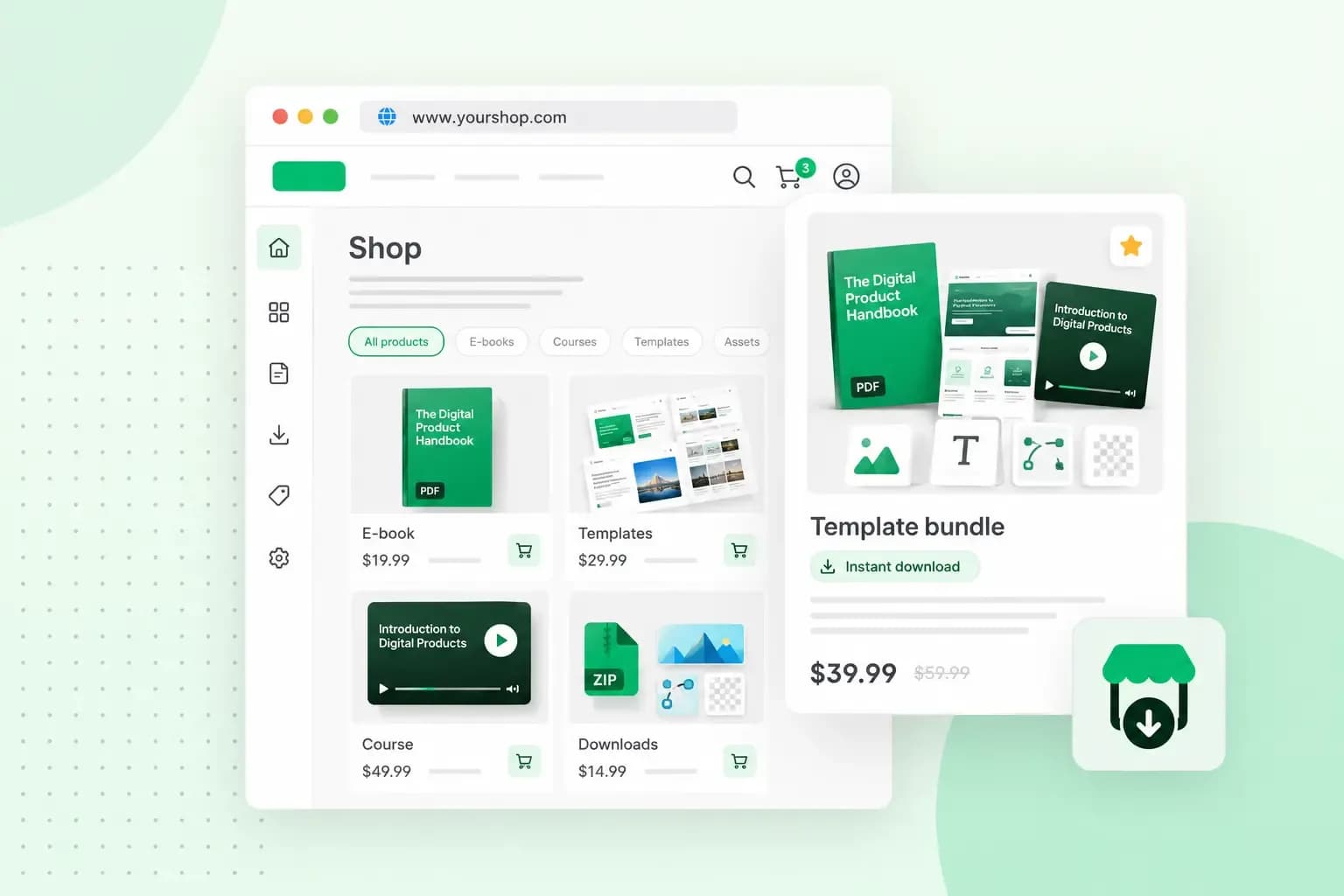
Selling digital products online takes the product as a file or online content and a place to sell it. You also need a way to take payment and deliver the file to the buyer. That place can be your own website or a marketplace that lists many sellers. Once you've set up your shop, put most of your effort into finding buyers, through a blog, videos or email.
What is a digital product?
A digital product is a product without a physical form. You can't hold an ebook or a WordPress plugin in your hands, but you can make it once and sell it again and again without producing anything new. These are some of the most popular kinds of digital products.
- Ebooks: guides, recipe books or workbooks that buyers download as a file.
- Online courses: video lessons and worksheets, delivered as downloads or as access to a members' area.
- Templates: CV, planner or spreadsheet templates that buyers download and fill in with their own details.
- Digital art and photos: illustrations and high-resolution photos. A portfolio site is a good base for selling your photos or selling illustrations.
- Music and audio: tracks, samples and sound effects that buyers download and play.
- Video: stock footage, tutorials and recorded workshops that buyers watch or use in their own projects.
- Software and apps: apps, website themes and WordPress plugins that buyers download and install.
- Membership sites: paid subscriptions that give buyers access to exclusive content.
Why sell digital products?
Selling digital products saves you much of the work of running a shop, because you sell a file instead of a physical item.
- You don't hold physical inventory, so there's no stock to store.
- You don't pay for postage, which keeps your running costs low.
- Orders can reach buyers as soon as they've paid for them, so nobody waits for the post.
Free alternatives make selling harder. If your product competes with them, your product page has to show clearly what yours offers, with a good description, sample pages or a short preview. Digital products are also open to piracy, so decide early how you'll protect your files. You can add a watermark or the buyer's name to PDFs and photos, and state in your terms what buyers may and may not do with the file.
Choosing where to sell digital products: your own shop or a marketplace
You can sell from your own website or through a marketplace that lists products from many sellers. Examples are a craft and design marketplace for templates and art, a stock site for photos and footage, or a course platform for lessons. On a marketplace you use its audience and follow its rules. In your own shop you set the rules, but you bring the buyers yourself.
| Your own online shop | A marketplace | |
|---|---|---|
| Who brings the buyers | You do, through search, social media and email | The marketplace's own visitors find your product |
| Costs | A plan for your shop and your payment provider's standard processing fees, with no commission from us on our Commerce plan | A commission or fee per sale, set by the marketplace, so check its fees before you list |
| Who accounts for VAT | You do, once you're VAT registered | The marketplace, on digital products it sells to consumers |
Our advice: if you want to build a brand and stay in touch with your buyers, create an online shop on your own website. A marketplace can still be a second place to be found.
How to sell digital products from your own website
You sell from your own website by adding an online shop to it, where buyers pay and get their file. With us, the shop is part of a website builder. Every Aida AI Website Builder plan includes hosting, email on your domain and a free domain for the first year on selected extensions. You can also register a domain name of your choice. You describe your products and how you want your shop to work, and Aida builds the website and shop for you. From there, you add your files, payment methods and shop details yourself, and you manage your products and payments in one place.
A course or membership with a members' area works differently from an ebook or a template. You sell access to it rather than a file, for example through a course platform you link to from your own website.
The steps below set up a shop for products buyers download as a file, when you sell from your own online shop built with our Aida AI Website Builder.
- Choose a Commerce plan, the plan that lets you set up an online shop with Aida AI Website Builder and publish it on your site.
- Tell Aida in the chat that you want to create an online shop, and answer its questions about the products you'll sell.
- Create a digital product, upload the file buyers get after paying, and add its name, description and price.
- Add at least one payment method so customers can pay at checkout.
- Fill in your shop information, which sets the details on your invoices.
- Set up VAT for your shop, and add terms and conditions and a privacy policy. Your shop can be published without them, but you may need them for legal reasons.
- Publish your shop on your website so customers can visit it and buy.
Buyers get their file as a download link by email. To take card and other online payments, you connect Shore Pay to your shop. The download link is then emailed to the buyer automatically after payment. If you accept a manual payment such as a bank transfer, you mark the order as paid once the money arrives, and that sends the link.
Sell digital downloads from your own shop on our Commerce plan. We don't take a commission on your sales. On each sale, only your payment provider's standard fees apply.
Open my shopDo you need to charge VAT on digital products?
It depends on whether you're VAT registered and where your buyers live. HMRC treats files that download automatically after purchase, such as ebooks and stock photos, as digital services. In the UK you must register for VAT once your taxable turnover over the last 12 months passes £90,000, the VAT threshold. You also have to register if you expect to go over it within the next 30 days.
Once you're registered, the digital products you sell to consumers in the UK carry UK VAT. Sales to consumers abroad are not liable to UK VAT. For digital services, the place of supply is where the consumer is located. That means a sale to a buyer abroad may be liable to VAT in the buyer's country, so check that country's rules before your first sale there. If you sell through a marketplace, the marketplace accounts for the VAT on those sales instead of you. The rules have exceptions, so check your own case in HMRC's guidance on digital services.
How to market digital products
You market a digital product by showing people what it does and where it helps, in the places your buyers already spend time. Buyers can't pick up a file and inspect it as they would in a shop, so your marketing has to do that job.
- Create a blog on the topic of your product, then link to the product from each post.
- Show your product in use in a video, such as a template being filled in or the first lesson of a course, and add YouTube videos to your product pages.
- Host a free live session online, where people can meet you and ask questions before they buy.
- Tell past buyers and interested readers about new products and offers with email marketing.
- Share your product in forums and social media groups on its topic, and on course platforms when you sell a course.
Start selling your digital products
Start with one product your buyers already ask for, such as a template or a short guide. Build your online shop, upload the file and publish it, then use the channels above to bring your first buyers to it.
Recommended reading
 Online Shop6 Nov 2026
What is a payment gateway and how does it work?
A payment gateway passes your customer's card details securely from your checkout to the banks. See how it works, what it costs and which payments to offer. Online Shop20 Nov 2025
Loyalty programme examples for small businesses
Learn how loyalty programmes can boost customer retention and loyalty. We also give examples of 4 loyalty programme structures. Online Shop7 Nov 2025
What should I sell online?
What can you sell online? Read along as we look at what people buy online and give you 15 tips for what you can sell in your online shop.