
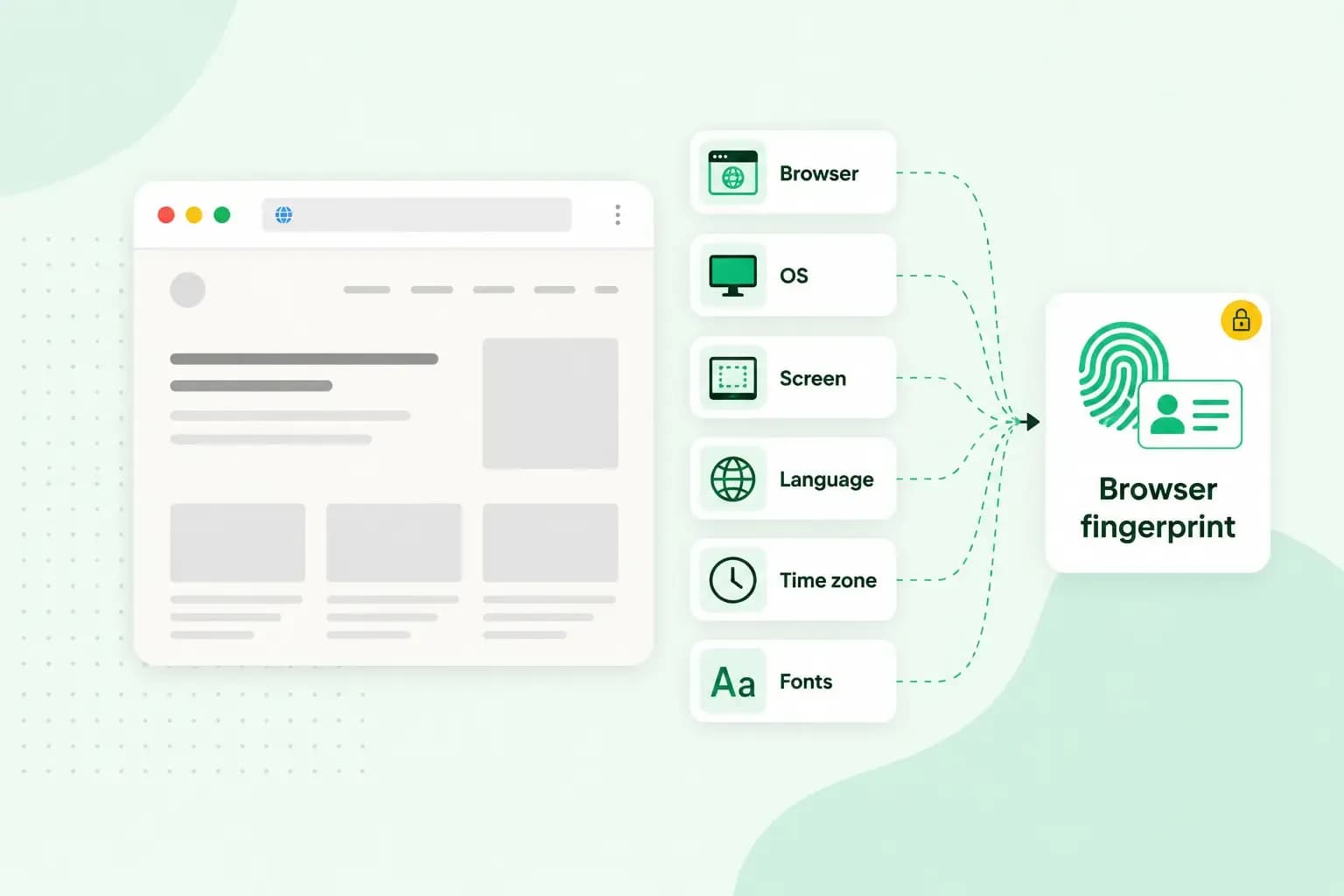
We’ve shared everything you need to know here!
Browser fingerprinting is a way for websites to track you by collecting information about your web browser and computer. By collecting this data, websites can create a unique “fingerprint” for your browser and use it to track your online activity.
Browser fingerprinting is a data collection method that hashes browser settings and builds a digital signature, a digital fingerprint. This basically means that websites use the browser fingerprinting method to track their visitors across the web by assigning each user a unique identifier or, in this case, a fingerprint.
Browser fingerprinting contains a lot of data. Browser fingerprinting allows websites to link behaviour patterns to specific users to understand how that user behaves. Additionally, the data of digital fingerprinting can be matched to the browser characteristics of specific users. It can be seen as an invasion of privacy.
The story behind the name
The process of browser fingerprinting is similar to how police officers work when collecting and analysing fingerprints – hence the name. A police officer would collect the fingerprint, analyse it and assign or match it to a person (who is perhaps a criminal) in their database. The significant difference here is that you’re the victim in this scenario and not a criminal. You’re just the result of massive data mining.
How does browser fingerprinting work?
Browser fingerprinting collects IP addresses even though it’s not needed to keep track of your behaviour. There are other ways, besides IP addresses, that you can be fingerprinted through. Such as browsing history, plugins you use, system fonts, if you have enabled cookies, colour depth, user agent, the size of your windows or how many screens you have open, even the time zone of your browser and session—basically everything.
Additionally, browser fingerprinting is extremely accurate, so the likelihood of you having the same fingerprint as someone else using a browser is very slim.
How do you get browser fingerprinted?
You get fingerprinted by your browser; your browser shares your data with a web server whenever you visit a website. Websites, per say, cannot assign data to a specific person; instead, they do it by giving you a fingerprinting code. The code will enable the website to recognise everyone you visit and associate specific behaviour and preferences with you.
Who uses browser fingerprints?
Browser fingerprinting is used to give you the accurate version of a website you’re visiting. If you visit a website through your smartphone, digital fingerprinting gives you a responsive website that is pleasing and that you can operate without any hassle.
Browser fingerprinting is also used for advertisement purposes – websites can target you with specific ads to make money. For example, the website you’re visiting can detect that your graphics card is outdated and send you targeted ads for a new graphic card or server. This is one example of how digital fingerprinting can be used as a form (a very specific and personal form) of targeted advertisement.
Recommended reading
 Website Security11 Aug 2026
Does your website need a cookie banner?
Find out when a cookie banner is required, the legal requirements that apply, and how you can easily make your website GDPR-compliant. Website Security13 Jul 2026
Domain Theft in 2026: What It Is, Why It’s Rising, and How to Protect Your Domain
Learn what domain theft and domain hijacking means and how to protect your domain from external threats. Website Security3 Nov 2025
What a EULA is and how to write one
Including an End User License Agreement is essential for your app, software, or digital service. We'll tell you everything you need to know.