
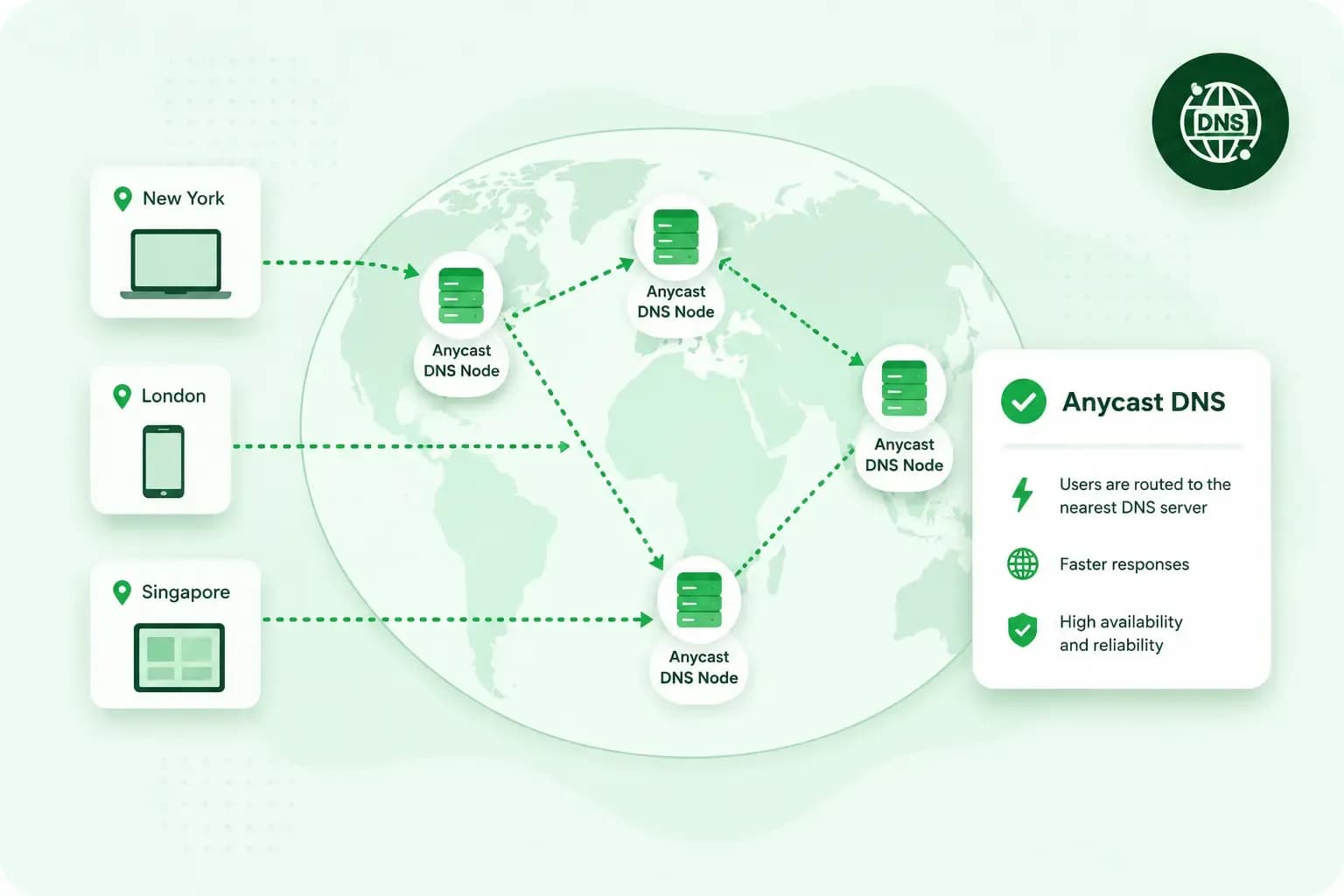
Anycast DNS is a way of running name servers so that one IP address is shared by servers in many locations. When someone looks up your domain, the request goes to whichever of those servers is closest on the network. For your website, that often means a quicker response to lookups, and your domain stays reachable if one server goes down.
How does Anycast DNS work?
Anycast DNS works by having several name servers tell the internet's routers that they can all be reached at the same IP address. This is called announcing the address. Routers then deliver each lookup to the server that is closest by their own routing measures. If one server stops working, it withdraws its route, which means it stops announcing the address, and the routers send lookups to the others.
The lookup itself is part of DNS. Each time someone types your domain into a browser, their device asks for the IP address of the server your website sits on. It's much like looking up a street address. The answer comes from your domain's name servers, which hold its DNS records.
Closest here means closest along the internet's routes, not on a map. How much quicker the answer comes depends on how the routers pick the server, and in some cases the response time doesn't improve at all.
Anycast has been part of DNS for years. Several operators of the root name servers, which sit at the top of DNS, have spread their servers widely around the internet. Commercial DNS providers use anycast too.
Anycast DNS vs unicast
The usual way of addressing is called unicast: one IP address belongs to one server in one place.
| Unicast DNS | Anycast DNS | |
|---|---|---|
| Servers behind one address | One server, in one location | A group of servers, spread over several locations |
| Which server answers a lookup | The same server, wherever the visitor is | The closest server by the routers' measures |
| When that server stops answering | Lookups sent to it go unanswered | Its route is withdrawn and lookups go to another server |
Why use Anycast DNS?
For your domain, anycast brings three benefits:
- Often faster lookups: a server close to your visitor in network terms answers the lookup, which shortens the distance the request travels.
- Better uptime: when one location stops working, the rest of the group takes over its lookups.
- Protection against DDoS attacks: attack traffic can end up at the servers nearest its sources. Servers elsewhere in the group carry on as usual, so an attack is less likely to make your domain unreachable everywhere at once.
Do you need Anycast DNS for your website?
For most websites, we'd recommend it. Anycast DNS comes from whoever runs your domain's name servers, so you get it by choosing a DNS host that uses it.
Our advice: before you pay for a separate DNS service, check whether your current DNS host already uses anycast. To find out, look up which name servers your domain uses where you manage your domain, such as your registrar's control panel. The company behind those name servers can tell you whether it uses anycast, so check its DNS pages or ask its support. If it does use anycast, keep your domain on its name servers.
With us, there's no setup needed. Our name servers use Anycast DNS, with several servers in several locations handling the requests. Every website we host with our web hosting gets it automatically, as long as its domain uses our name servers.
Anycast works on the DNS lookup, which comes before the page itself loads. It can make that lookup quicker, but finding the server's address is only the first step. Your site speed after that depends on your hosting and on the website itself.
Our web hosting plans include DDoS protection, and domains on our name servers use Anycast DNS.
See hosting plansIf you're registering a new domain, buy your domain with us along with our web hosting. It then uses our name servers by default.
Questions about Anycast DNS
Can you set up Anycast DNS yourself?
Not easily on your own. You'd need servers in several places and a network that announces the same address from all of them. Running an anycast network also means looking after every location, a job for a network team rather than a website owner.
Is Anycast DNS the same as a CDN?
No. A content delivery network (CDN) is a group of servers in many places that keeps copies of a website's files, such as images and stylesheets, close to visitors. Some CDNs use anycast routing too. Anycast DNS only tells a browser which address your domain has, while a CDN delivers the website's files themselves.
Recommended reading
 DomainNov 6, 2026
What is an FQDN? Fully qualified domain names explained
An FQDN is the complete name of one host, such as www.yourpotterystudio.co.uk. See its parts, how it differs from a domain name and URL, and how to find yours.- DomainNov 6, 2026
What is a .ai domain and how to choose a .ai domain name
A .ai domain is the internet domain of Anguilla, now used worldwide for AI. See why it costs more, when it's worth it and how to choose a good .ai name.  DomainOct 2, 2026
What is a .si domain?