
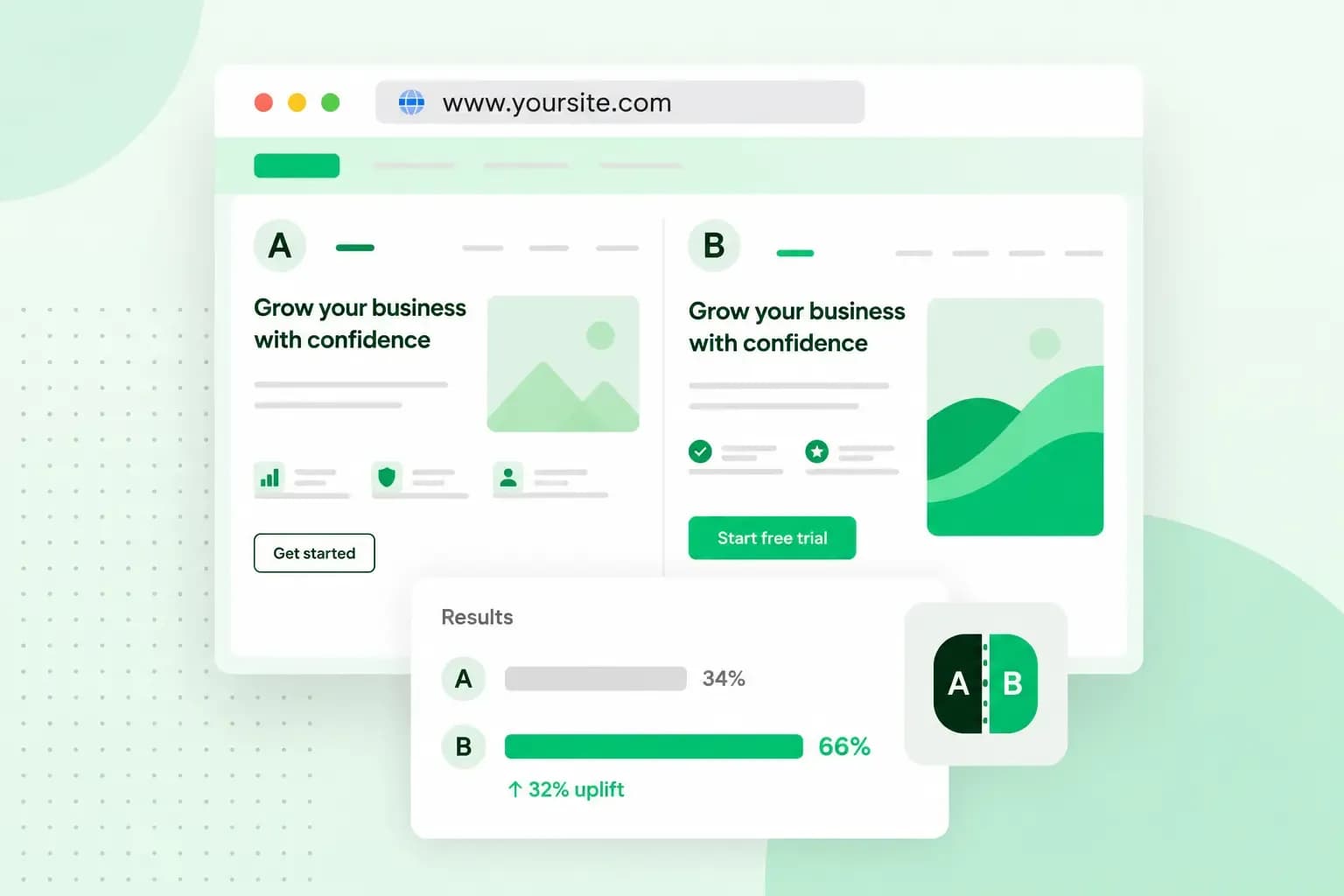
A/B testing is a way to find out which of two versions of a page, email or ad works better. You show version A to one half of your visitors and version B to the other half, at random and at the same time. Then you measure which version gets more people to do what you want, such as click a button or place an order. For example, a shop selling dog accessories can test whether "Buy now" or "Add to basket" gets more clicks.
How does A/B testing work?
A/B testing works by comparing the original with one changed copy. Such a test is also called a split test or bucket test. Version A is the control: the page as it is now. Version B is the variant, with the one change you want to try, such as a new headline or a different call to action.
A testing tool decides at random which version each visitor sees. Because the split is random, you can assume the two groups are alike in everything except the version they get. Any gap between their results is then down to your change, not to the visitors.
Before the test starts, you decide which number picks the winner. That could be the share of visitors who click a button, place an order or sign up. When enough visitors have taken part, look in your testing tool's results to see whether the difference is statistically significant. That tells you whether the result is reliable or could just be down to chance.
A multivariate test changes several elements at once, such as the headline and the button, and measures how each combination performs. That needs more visitors than an A/B test, or a longer test. If your website is small, start with an A/B test that changes one thing.
An A/B testing example
Your shop selling dog accessories runs at pawsandbowlsshop.co.uk, and its food bowls page has a blue "Buy now" button. Visitors look at the bowls, but few of them click the button.
Your hypothesis: "Add to basket" asks for less commitment than "Buy now", so more visitors will click it. Version A keeps the old button, version B gets the new text, and the rest of the page stays the same. Your testing tool then splits the visitors between the two versions at random, and you count the clicks on the button in each version. Keep an eye on the orders as well, because extra clicks only help if they turn into sales.
If version B gets clearly more clicks without fewer orders, switch to the new text. If version A wins or there's no clear winner, keep the old text and look for the cause elsewhere, for example in the product photos.
Why use A/B testing?
A/B testing lets you base changes on what your visitors actually do, not on what you or a colleague prefers. For a small business, that pays off in several ways:
- You make decisions based on data. You can show why a change works or doesn't, instead of relying on gut feeling.
- You give visitors a better experience. You learn which layout or wording helps them find what they came for, and that's how you improve your website user experience.
- You get more conversions. Small changes to a button, a form or a headline can change how many visitors buy or sign up, and testing tells you which change actually helps.
- You lose fewer abandoned baskets. When shoppers leave before they pay, you can use a test to compare product photos, descriptions or where you show the delivery costs.
What can you A/B test?
You can test almost anything a visitor sees or clicks. It's worth starting with the pages and messages that matter most for your sales, such as a product page or your newsletter. Things people often test:
- The subject line of an email, to see which one gets more people to open your newsletter.
- A landing page, from its headline and layout to the offer at the top.
- Blog post titles, measured by the clicks they get from your homepage or newsletter.
- Call-to-action buttons, with a different text, colour or position.
- Product photos and descriptions on the pages of your shop.
- The navigation menu, such as the order or the names of its items.
- Contact and sign-up forms, for example a short form against a longer one.
- The checkout process of your online shop, from the basket to the payment page.
- Ads on Facebook or Instagram, with different images or wording.
How many visitors do you need for an A/B test?
There's no fixed number. It depends mainly on two things: how often visitors already do what you want (your current conversion rate) and how small a difference you want to spot. The smaller the difference, the more visitors you need before the result means anything.
To work it out, enter your current conversion rate and the smallest change you'd want to detect in Optimizely’s A/B test sample size calculator. You'll find the conversion rate in your analytics. The calculator asks for the smallest change as a share of your current rate, not in percentage points. If your rate is 20% and you enter 10%, the test can spot a rate below 18% or above 22%. The calculator then shows how many visitors each version needs.
Plan for a test to run at least a full week, and longer if your customers take time to decide. Check now and then that neither version is broken or clearly hurting sales, but don't stop as soon as one takes the lead. A result that looks clear after two days can easily turn round once more visitors have taken part. Avoid running a test over a bank holiday or a big sale, because visitors behave differently then and the result may not hold in a normal week.
With little traffic, a test on a small change may never reach a clear result. In that case, test a bigger change, such as a completely different layout, or learn from other sources, like asking customers what puts them off. For the same reason, only test one group, such as new visitors or visitors from one region, when that group gets enough visitors on its own.
How to do A/B testing, step by step
When you have a page, email or ad you want to improve, enough visitors to test it and a testing tool to split them at random (the next section helps you choose one), work through these steps in order:
- Find a page worth testing. Start from your data in a tool such as Google Analytics and look for a page where many visitors leave or few buy, like your food bowls page.
- Write down a hypothesis: the change you'll make, the effect you expect and why you expect it.
- Choose the one number that decides the winner, and work out how many visitors and how much time the test needs.
- Build version B so it differs from version A in one thing only. Check both versions before the test goes live.
- Start the test and let it run for the time you worked out in step 3, a full business cycle that covers weekdays and the weekend.
- Analyse the result. Check that it's statistically significant and that each version got the share of visitors it should get.
- Roll out the winner to every visitor. If version B loses, note down what you tested and the result, so nobody runs the same test again.
Always run version A and version B at the same time, never one after the other. Visitors behave differently from one month to the next, so only a test that runs both together compares like with like.
Which A/B testing tool should you use?
If your website runs on WordPress, start with a plugin. On any other website, choose a testing platform. Either way, the tool splits your visitors, shows each group its version and measures the result.
Testing platforms are separate services that run tests on your website, often together with heatmaps and other analytics. Well-known ones are VWO, Optimizely, Crazy Egg, Kameleoon and Omniconvert. Before you sign up, check what each one would cost for the number of visitors your site gets.
A WordPress plugin such as Nelio A/B Testing adds A/B testing to the WordPress site itself. For a small WordPress site, a plugin is usually the simplest start, because you manage your tests where you already manage your pages. To add one, you need to be able to install plugins yourself, as you can with WordPress on our web hosting.
Put your WordPress site on our web hosting, add a testing plugin and run your first A/B test.
See hosting plansDoes A/B testing affect SEO?
It can, but following Google's rules for testing keeps the impact minimal. Google says small changes, such as the colour or text of a button, often have little or no impact on your page's search result or its ranking. Two of the rules below, the canonical link and the 302 redirect, only apply when version B has its own URL. If your testing tool changes the page in place, so both versions share one address, you can skip those two. To keep a test from harming your SEO, follow Google's guidance on testing:
- Don't cloak: never show Google one version and visitors another. Cloaking breaks Google's spam policies, test or no test, and can get your site demoted or removed from the search results.
- Point test pages to the original: if version B has its own URL, add a
rel="canonical"link to it that points to the original page. The link asks Google to group the test page with the original and treat the original as the main version. - Use a 302 redirect, not a 301: if the test sends visitors from the original URL to version B, use a temporary 302 redirect, which keeps the original URL in search engines' index. A 301 redirect would tell them the move is permanent.
- End the test once you have your answer: roll out the winner and remove the test URLs and scripts. Google may see a test that runs much longer than needed as an attempt to mislead it.
Start testing on your own website
Pick one page and one change for your first test. When it ends, plan the next one. Don't have a website to test on yet? Start with one of our web hosting plans.
Recommended reading
 Online MarketingOct 19, 2026
15 ideas for Black Friday marketing
Make the most of Black Friday with 15 marketing ideas to attract customers and boost sales. Discover ways to promote your offers, reach more shoppers and make your campaign stand out. Online MarketingDec 30, 2025
AI SEO: how to use AI for search engine optimisation
A basic guide to AI in SEO – let's look at how artificial intelligence can help you speed up your SEO tasks. Online MarketingDec 30, 2025
AI search optimisation: how to get your website into AI answers
A basic guide to AI in SEO – let's look at how artificial intelligence can help you speed up your SEO tasks.