
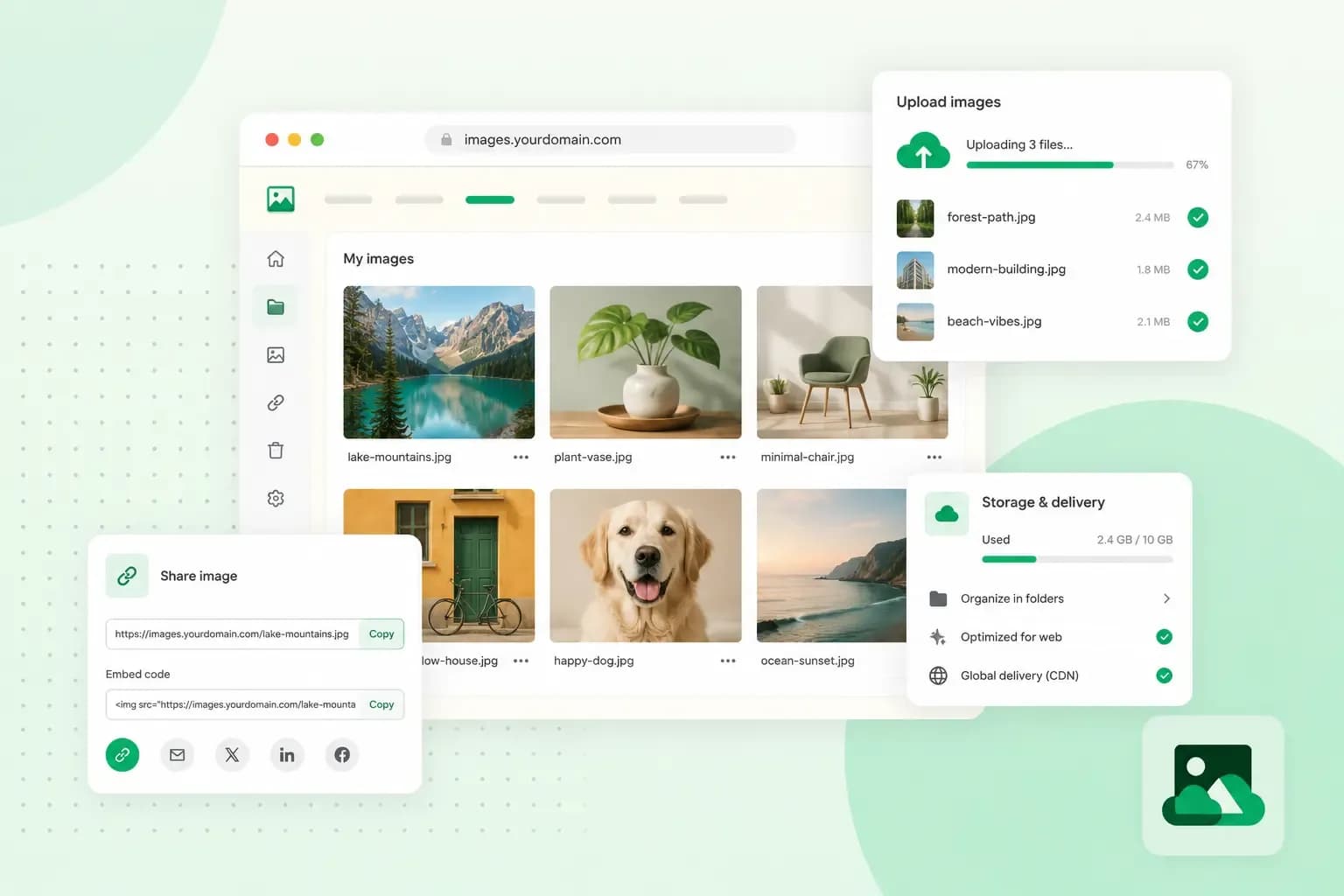
Image hosting is a service that stores your images on its server. It gives you a link or a short piece of code to show them somewhere else. You upload a photo once, paste that link into a forum post, an email or a web page, and the photo appears there. A free image host is fine for a quick share like that, but the images on your own website are better kept on your own web hosting.
What is image hosting?
Image hosting, also called photo hosting or picture hosting, keeps your image files on a server and gives you a link to each one. You then don't have to send or store the files yourself. It works like web hosting does for a whole website: the files sit on a server that's connected to the internet. Some image hosts also let you resize images and group them in albums.
Image hosting, photo sharing and cloud storage
Image hosting is often mixed up with photo sharing and cloud storage. All three keep your photos online, but they're made for different jobs and differ in how you share the images and who sees them.
| Image hosting | Photo sharing | Cloud storage | |
|---|---|---|---|
| What it's for | Showing an image on another site, in a forum or in an email | Showing your photos to a community, as on Flickr | Keeping and backing up your own photo library |
| How you share | A direct link or a piece of code | On the platform itself, where others can comment | A shared link or album |
| Who sees your images | People who have the link, unless the host lets you make them private | Your followers or the public, as you choose | You, and the people you share with |
How does image hosting work?
You upload an image from your computer or phone through the host's website, and the host stores it on its server. Some hosts also have an app, or take a batch of images as a zip file or through an FTP program.
Once the upload is done, the host gives you links and codes for the image. Copy the one that fits the place where the image should appear, and paste it there:
- A direct link is the web address (URL) of the image file itself. You can paste it anywhere, such as an email or a chat message.
- HTML code is a snippet for a web page, so the image shows in place.
- BBCode is the code for a forum post. It works on forums that have BBCode support switched on.
- A thumbnail is a small preview that opens the full image when someone clicks it.
Hosts set limits, such as a maximum file size per image or a monthly cap on traffic. Traffic is the data sent each time someone views your image, so a popular image uses up the cap faster than one only a few people open.
What image hosting is good for
- Sharing by link: you send a link to the image.
- Forum and blog posts: BBCode shows a photo in a forum post, and HTML code shows it on your own blog.
- Product photos: many sellers host the images of their products and services on an image host.
- Emails and newsletters: some hosts let you show an image inside a newsletter. Postimages keeps this for its paid Premium plan.
Is free image hosting safe?
Free image hosting is fine for images you wouldn't mind losing or other people seeing. For anything private, or anything you couldn't upload again, keep these risks in mind:
- Images can disappear. ImageShack can remove images in free accounts to free up resources. ImgBB's terms let it delete content at any time without notice.
- On some hosts, anyone with the link can see the image. Postimages has no password protection and says it's probably not suitable if you need real privacy. It also keeps the camera, date and location data in your photos, unless you upload with an account and choose to remove that data in your account settings.
- You depend on the host. If it closes or removes your images, the links to them stop working. ImageShack itself advises you to keep a backup of your uploads on your computer.
Keep the originals on your own computer or in cloud storage, so you can upload them again if a host loses them.
What to check before you choose an image host
- File size and formats: check the largest file you can upload and whether the host takes the image formats you use. Postimages, for example, limits free uploads to 32 MB and 10,000 by 10,000 pixels.
- How long images stay: find out whether images expire and what happens to them on a free account.
- Links and codes: make sure the plan you choose gives you the links you need, such as BBCode for a forum.
- Traffic: check how much traffic your images may use each month before the host can block them for a while.
- Privacy: check whether you can keep images private or protect an album with a password. If your images show people who can be identified, UK GDPR may apply, so read our article on GDPR first.
- The terms: read who may remove your images, and when.
- Ads and paid plans: free plans can come with ads. Postimages, for example, offers an ad-free experience only with its Premium accounts. If you'll need more later, see what the paid plan gives you over the free one.
If you only share the odd image, a free host whose images don't expire is enough. Go for a paid plan or a cloud storage service when you need private albums or a lot of uploads.
Image hosting sites and photo services
For the odd image in a forum post, Postimages is a good start in most cases, because it doesn't remove images for inactivity. For a whole photo library you want to keep and share, a storage service such as Google Photos or Dropbox suits you better.
Image hosts for links and embeds
- ImgBB: free uploads of up to 32 MB per image, with an optional timer that deletes them after a set time.
- Postimages: made for sharing images in forum posts, on blogs and websites and on social media. With Premium, you can replace an image and keep the same link.
- ImageShack: a free account with basic features and 10 GB of traffic a month, and paid plans with more. Direct links come with the paid plans and the free trial. You choose whether each image is public or private.
Photo storage and sharing services
- Microsoft 365: with our Microsoft 365 plans that include OneDrive, your files, photos included, stay in sync across your computer, tablet and phone. Our Microsoft 365 Apps for Business plan comes with 1 TB of OneDrive cloud storage.
- Google Photos: backs up the photos and videos from your phone once you turn on backup, and sorts them for you. Every Google Account comes with 15 GB of storage, shared with Gmail and Google Drive. You can share albums with people who don't use Google Photos.
- Dropbox: cloud storage for many kinds of files, photos included. You share them through links, and on Dropbox Professional, Essentials and the team plans, the link settings control who can open them. Showing Dropbox files on a website is a more technical job. Its Embedder adds a preview based on a shared link, and setting it up starts with creating a Dropbox app, as the documentation from Dropbox explains.
- Flickr: a photo sharing community where you store, organise and show your photos. Flickr Pro, the paid plan, adds more storage and ad-free browsing.
- SmugMug: a platform for photographers to store and share their photos, sell them and show them on a website of their own.
- Internxt: encrypted cloud storage. Internxt Photos backs up and syncs your photos across your devices and comes with its Ultimate plans.
Where to keep the images for your own website
Keep the images that belong to your own website on your own hosting, not on an external image host. That way they sit with the rest of your website, and no other company can delete them or show ads beside them. The links keep working as long as your website does. Every one of our hosting plans also includes a daily backup of your website, images included.
Keep your images with the rest of your website on our web hosting. Every plan runs on fast NVMe SSD storage and comes with an SSL certificate to secure your site.
See hosting plansSave each photo at about the size your page shows it. The more pixels an image has, the bigger its file, and a bigger file takes longer to load for your visitors.
Your images, your website
If you don't have a website for your photos yet, you can build your website with our Aida AI Website Builder. Aida builds your pages, text and images from a short chat, and you then swap its images for your own photos.
Recommended reading
 Hosting4 Aug 2026
What is cache?
What does cache mean? And how to clear your cache? Read the importance of cache and why it's necessary to clear your cache once in a while. Hosting4 Aug 2026
What is SSH?
How does SSH work & what does it do? Learn about the history of Secure Shell's predecessor Telnet and how SSH improved our internet security in this article. Hosting4 Aug 2026
What is a CMS (content management system)?
You can easily create and manage your website with a content management system (CMS). Want to know more? Learn all about CMS in this complete guide!