
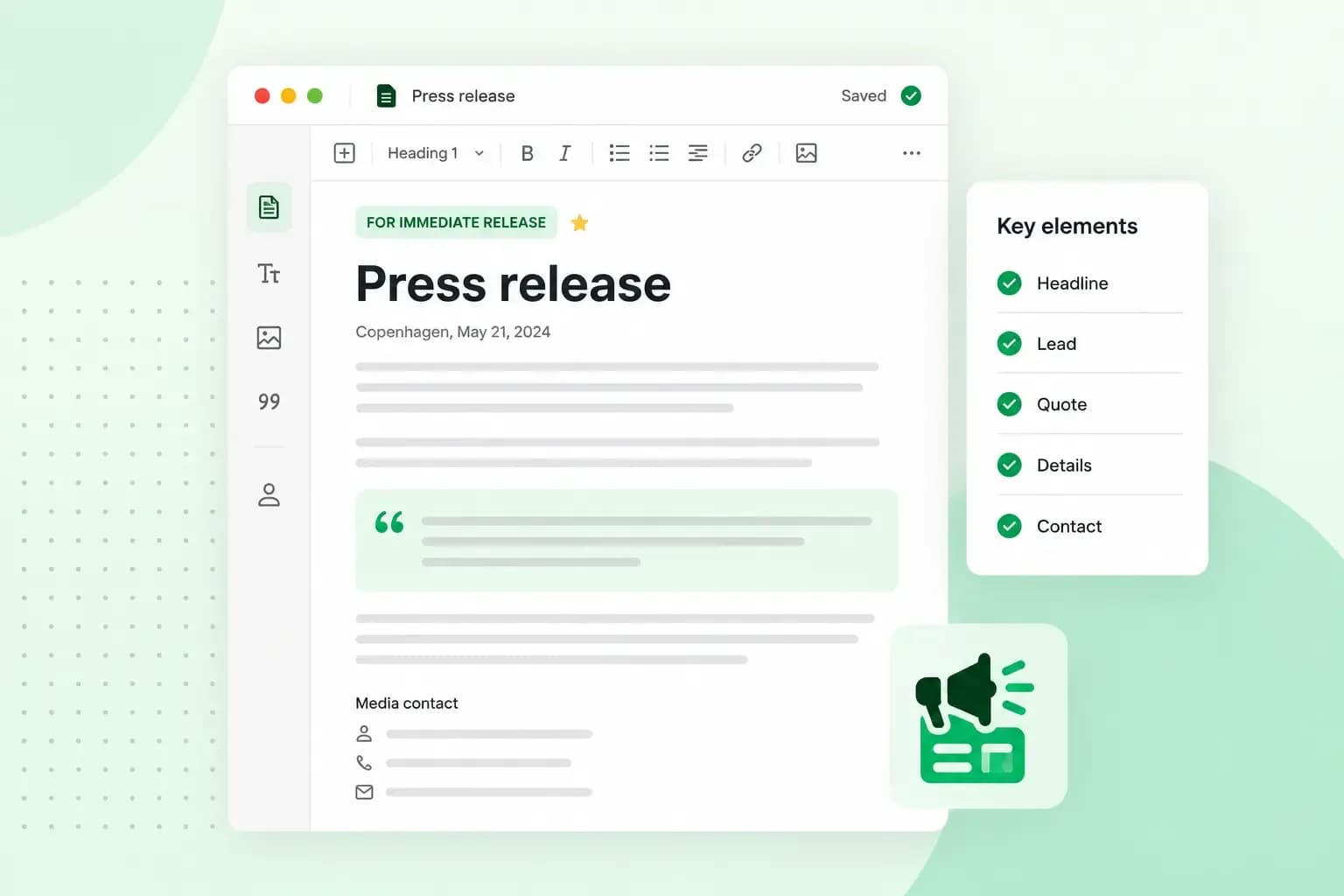
A press release is a short announcement you send to journalists so they can report on your news. When you work out how to write a press release, start with the news itself. Give it a clear headline and an opening paragraph that says who, what, when, where and why. Then add the details and a quote, and end with a short About section and your contact details.
What is a press release?
A press release is written first for the media, even if your customers may read it too. A journalist reads it and decides whether to turn it into an article, a radio item or a post.
You don't need to be a large company to send one. A small business has news worth sharing when it opens, launches a product, holds an event, wins an award or starts a partnership. The news has to interest the people who read or listen to the outlet you send it to.
Press release format: what to include
A clear, familiar format helps journalists find what they need quickly, so most releases use the same parts in the same order.
- Date line: the date you send the release, with "For immediate release" if journalists can publish it straight away.
- Headline: one short line that tells the news, specific rather than clever.
- Subheading: the detail the headline had no room for.
- Opening paragraph: the whole news in a few sentences, answering the five Ws: who, what, when, where and why. A journalist who reads only this paragraph should still have the story.
- Body text: the details, background and figures, with at least one quote from a named person. Keep the paragraphs short.
- Boilerplate: a short About section at the bottom that describes your business: what you do, since when and where.
- Contact details: the name, phone number and email address of the person journalists can contact, and a link to your website.
If the news must not be published yet, write "Embargoed until" at the top instead, with the date and time. Only send a release under embargo to a journalist who has agreed to it in advance.
The boilerplate is the part of a press release you usually write once and reuse, so update it now and then. Keep the whole release short: in most cases, one page is enough. Include the news and the details a journalist needs, and leave out what only matters to you.
Put the most important news first
The inverted pyramid is a traditional way of writing news, and it suits a press release too. Put the key facts at the top, then the supporting details, with the background last. Journalists look at the opening paragraph first, so a journalist who stops reading there still has the news. An editor who needs a shorter text can also simply cut from the bottom.
How to write a press release journalists want to use
A journalist uses a release that gives their readers real news, with quotes that hold up and a sender they can trust. Releases get ignored when the news means nothing to the outlet's readers or the sourcing behind its claims is thin. Sending it from a business email address rather than a free one also helps, because it makes you look more professional.
Find the news angle for the outlet's readers
Before you write, ask what is new and why it matters to the readers of the outlet you're sending it to. A local paper wants to know what changes for people in the area. A trade magazine wants to know what it means for others in the industry. Look at what the outlet has published before, to get a feel for the stories, tone and angle they like.
Use quotes you can stand behind
A good quote adds an opinion or a feeling, not facts you could have written in the body text. Quote a real person, such as the founder, a customer or a partner, and make sure they've approved their words. Check every fact before you send. Treat each release as part of building brand trust, with journalists as well as customers.
Add a photo that tells the story
A release with a good photo is easier for a journalist to use, because it gives them something to show with the story. Choose a photo that supports your story and looks real, such as the people behind the news, your shop or a customer using your product. Stock images can work too, but they often feel impersonal and say little about your business. Share your own photos at full size, through a link to a shared folder.
Press release template
Adapt this press release template to your own news. To show how each part works, we've filled it in for the opening of a fictional cat café in Manchester, Whiskers & Coffee Beans. Replace the text in square brackets with your own details. Here, the date line also names the town the news comes from.
Date line: For immediate release, [the date you send the release], Manchester

Headline: Manchester's first cat café, Whiskers & Coffee Beans, opens on [date]

Subheading: Cat lovers in Manchester can enjoy coffee and cake in the company of rescue cats when Whiskers & Coffee Beans opens its doors in the city centre.

Opening paragraph: Whiskers & Coffee Beans opens on [date] at [address], where guests can enjoy a cup of coffee and a piece of cake with the café's cats. Founded by animal welfare campaigner [founder's name], the café wants to be a calm place for both people and cats.

Body text: [Founder's name] has wanted to open a cat café for years, and the idea has had a warm welcome. The café works with local cat shelters, so guests can also adopt a cat. For safety and hygiene, visitors meet the cats in a special area under the supervision of trained staff.

Quote: "We want Whiskers & Coffee Beans to be a relaxing break from busy city life," says [founder's name], founder of Whiskers & Coffee Beans.

Second quote: "As a cat lover, I was delighted when [founder's name] told me about the café," says [name], a regular at the shelter.

More details: Whiskers & Coffee Beans invites everyone to an opening event on [date], with cat-friendly music and a chance to meet the café's residents.

Photos: a link to a shared folder with the photos.

About Whiskers & Coffee Beans: Whiskers & Coffee Beans is a cat café in Manchester, founded by [name] in [year]. It works with local shelters to find homes for cats and to raise awareness of responsible pet ownership.

Contact details: [name], [role], [phone number], press@whiskersandcoffeebeans.co.uk, whiskersandcoffeebeans.co.uk
Press release examples
Real releases show how others use the format. Each example below comes from a large organisation, but the same shape works just as well for a small business.
- Apple unveils Time to Walk, an audio walking experience for Apple Fitness+: a product launch that tells the news in the headline and explains what users get straight after.
- group.one expands the WordPress ecosystem with the SEO plugin Rank Math: an acquisition announcement with quotes from both companies.
- Nick Cave & The Bad Seeds announce release of upcoming album: a music release, shown here as the news story the media wrote from the announcement.
How to send a press release
Send your release to the journalist or desk that covers your kind of news, rather than to a long list of addresses. For local news, try local papers, radio and news sites first. Check the outlet's website for how they want to receive news and which email address to use.
Paste the release into the body of the email rather than attaching it, so the journalist can read it straight away. Use the headline as the subject line, and start with a short note on why the news fits their readers. Add a link to your photos rather than large attachments.
Keep a press list
Once you've made a list of the outlets and journalists you send to, save it for next time. Note who was interested, who said no and who never replied, so you quickly see who is worth contacting again. An outlet that ignored your first release may still pick up the next one, so keep it on the list.
Time it and follow up
If your news can wait, don't send it while a big story fills the news. For a launch or an event, send the release well before the date, so the journalist has time to plan the story. If you hear nothing, give the journalist a few days and then follow up once with a short email or call.
Send it from an email address on your own domain
Journalists get a lot of email from businesses every day, so make sure yours looks like it comes from a real one. Whiskers & Coffee Beans, for example, sends its release from press@whiskersandcoffeebeans.co.uk rather than whiskersandcoffeebeans@gmail.com. With professional email on your own domain, journalists can see at once who the release is from. Your address also stays the same if you ever change email provider.
Send your releases from an address on your own domain, and read the replies in webmail or your own email app.
Choose an email planQuestions about press releases
How much does a press release cost?
If you write and send it yourself, the main cost is your own time. If you'd rather have it written professionally, one UK price guide puts that at around £1,200 to £2,400 a release. Sending it out through a wire service, a paid service that sends your release to many newsrooms at once, adds £150 to £400. For local news, sending it yourself to the right journalists is in most cases enough, and if you do pay for help, ask what the price includes.
Can AI write a press release?
Yes, an AI tool can help you draft one from your notes and shorten it. If you use AI writing tools, check the facts, dates and names yourself, and don't let a tool make up a quote. Ask the person you quote to approve the words.
Is a press release the same as a news release?
In most cases, yes. Most people in PR use "press release" and "news release" for the same document, so the format and template above work for both.
Publish your press release on your own website
Put each release on a news page of your own website too, with your photos and contact details. Journalists who look you up then find it there, and so do your customers. If you don't have a website yet, you can build your website before you send your first release.
Recommended reading
 Marketing19 Oct 2026
15 ideas for Black Friday marketing
Make the most of Black Friday with 15 marketing ideas to attract customers and boost sales. Discover ways to promote your offers, reach more shoppers and make your campaign stand out. Marketing30 Dec 2025
AI SEO: a guide to search engine optimisation with artificial intelligence
A basic guide to AI in SEO – let's look at how artificial intelligence can help you speed up your SEO tasks. Marketing30 Dec 2025
Make your website visible in AI searches
A basic guide to AI in SEO – let's look at how artificial intelligence can help you speed up your SEO tasks.