
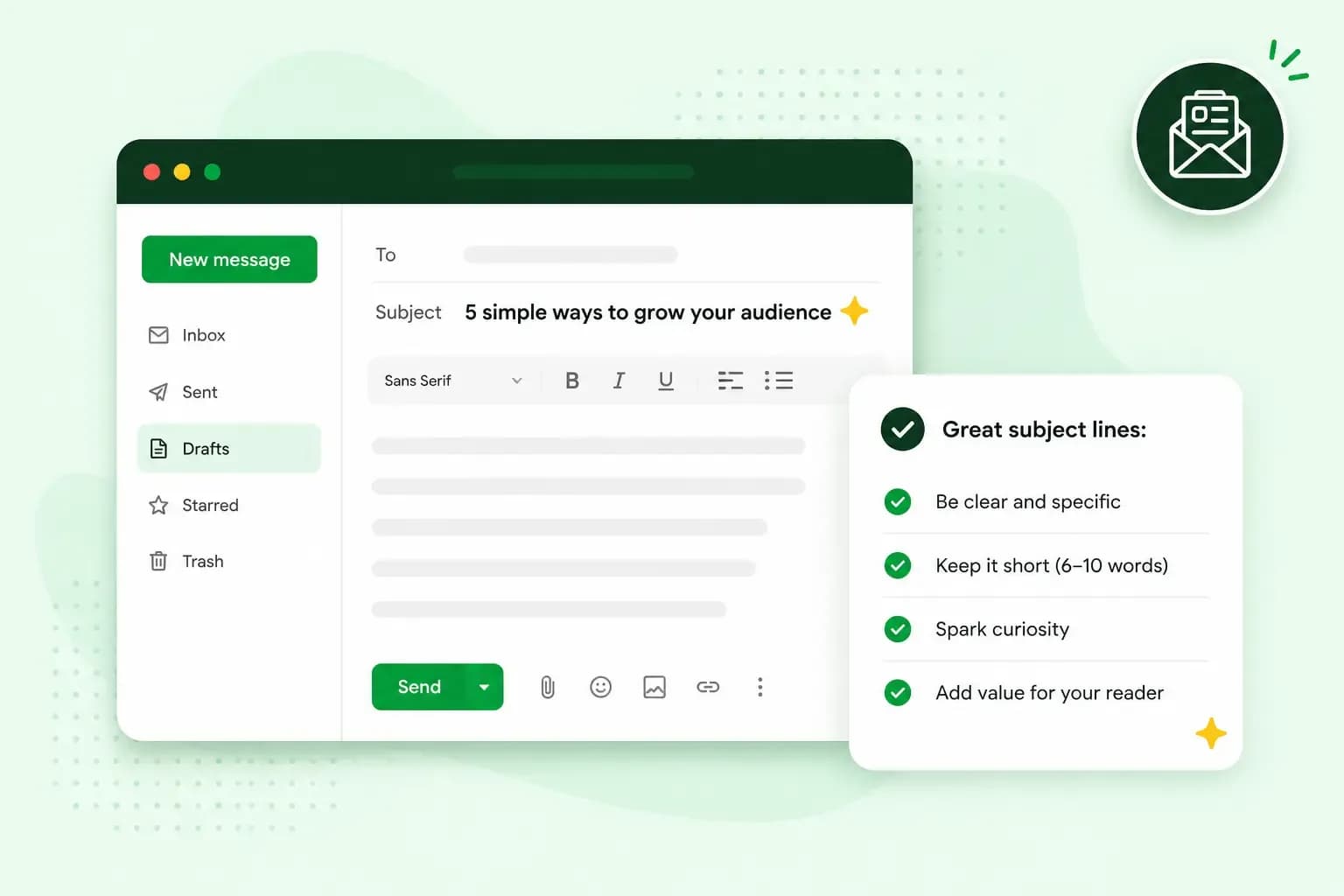
A good newsletter subject line tells subscribers what's inside and gives them a reason to open it now. Put the words that matter first, because the inbox often cuts the rest. For example, swap "March newsletter" for "Seed potatoes in stock, plus a planting workshop".
How the subject line affects your open rate
Subscribers decide from the inbox alone whether to open, delete or ignore your newsletter. Before they open it, they see three things: who sent it, the subject line and a short preview of the text. Nielsen Norman Group's research on email subject lines found that people judge emails mainly by the first two, the sender and the subject line. Marketers see it the same way. In a survey carried out by the marketing platform HubSpot, about 65% of marketers said the subject line has the greatest impact on open rates. So in that moment, your subject line has to tell subscribers what's inside and why it's worth opening.
The sender comes first, so make it one your subscribers recognise. For example, send from an address such as hello@brambleandferngardens.co.uk. A business email address with your shop's name makes every newsletter recognisable as yours, which a free webmail address can't.
What is a good open rate?
A good open rate is one that beats your own recent newsletters and the typical rate in your industry. In MailerLite's benchmark report for 2025, the median open rate across 3.6 million campaigns was 43.46%. By industry, it ranged from 30.10% to 55.71%. These six industries show the spread:
Open and click rates by industry, MailerLite benchmarks 2025
| Industry | Open rate | Click rate |
|---|---|---|
| E-commerce | 32.67% | 1.07% |
| Software and web apps | 39.31% | 1.15% |
| Authors | 43.14% | 2.75% |
| Consulting | 45.96% | 2.41% |
| Health and fitness | 47.81% | 1.45% |
| Non-profits | 52.38% | 2.90% |
Take these figures with a pinch of salt. Tools such as Mailchimp count an open when a tiny invisible image in the email loads. By default, Apple's Mail Privacy Protection loads the content of emails that arrive in Apple Mail in the background, whether or not anyone reads them, so they can count as opened. Real open rates are lower than the ones your dashboard shows.
So keep an eye on your click rate too. It's the share of delivered emails that get at least one click on a link or one of your CTA buttons. A CTA button, short for call to action, asks readers to take one clear step, such as "Book your workshop place". The click rate doesn't rely on tracking opens, which makes it the more accurate measure.
Your open rate also depends on when you send. The best time to send marketing emails depends on when your own subscribers read them.
How the subject line and preheader work together
A preheader, also called preview text, is the short text that appears next to or below the subject line in your subscribers’ inbox. If you don't write one, email programs typically show the first lines of your email instead, Litmus found. Litmus adds that a few show an image's alt text instead, the short description that stands in for a picture.
Use the preheader to add what the subject line leaves out. How much of it shows depends on the email program and the reader's settings. So keep it under about 90 characters and put the important part first.
For example, take the subject line "Seed potatoes in stock, plus a free planting workshop". The preheader "Six varieties in store and online, and workshop places to book before Friday" adds what the subject line can't fit: how much choice there is and when to book.
8 tips for good newsletter subject lines, with examples
Subject lines are a small part of email marketing, but they decide whether the rest gets read. Like the rest of your marketing strategy, they get better when you test them, and tip 8 shows how. Each tip shows a before and after for the same garden shop newsletter.
1. Say what is inside
Nielsen Norman Group says readers want to see at a glance, from the subject line and sender, what a newsletter is about. In its view, it's better to let readers decide from the subject line than make them open an email to find out it isn't for them. A name and a date give them nothing to decide on.
For example, swap "Bramble & Fern newsletter, April" for "Tomato plant tips for strong stems".
2. Put the important words at the start
Email programs only show the first part of a long subject line, and how much they show varies. Nielsen Norman Group recommends that no more than 40 characters of a subject line are shown, so put what matters in the first 40 characters. A longer line can still work, as long as the words that carry the message come first. In "Seed potatoes in stock, plus a free planting workshop", the first four words tell readers what's new, and the workshop is a bonus for those who see it.
To keep it short, draft several versions, keep the ones you like and cut the words that carry no meaning. An AI writing assistant can give you more versions to choose from, but the final choice is yours.
For example, swap "Exciting news about our new herb range this month" for "New herbs: 12 kinds for your windowsill".
3. Give a real reason to open now
A deadline gives people a reason to open now. In HubSpot's survey, 27.9% of marketers named urgency as one of the most effective ways to raise open rates. Use it only when the deadline is real, or your subscribers will learn to ignore the next one.
For example, swap "Don't miss out!!!" for "6 places left on Saturday's herb pot workshop".
4. Make it personal
Newsletter tools such as Brevo can add each subscriber's first name to the subject line for you, from the details you hold about them. A name alone is no promise of an open: in GetResponse's benchmark data, personalised subject lines had a lower open rate than those without, so pair the name with something worth reading. Check what your tool does when a name is missing from your list, though. Without a fallback, the subject line can open with a gap or a stray comma. Set a fallback word such as "Hello" in your newsletter tool, and send yourself a test before the real send.
For example, swap "Our spring offers" for "Sarah, your spring planting list".
5. Speak to how readers feel
People open emails with their hearts as much as their heads. A subject line that touches something they care about, like a garden they're proud of or a gift for someone they love, can work well. Keep it warm and honest, and don't lay it on too thick.
For example, swap "Gift vouchers available" for "A gift for the gardener who has everything".
6. Make readers curious, not confused
In HubSpot's survey, more than half of marketers said subject lines that spark curiosity work best for open rates. Give readers a glimpse of something useful, then let the newsletter deliver it. A riddle that hides the topic can get skipped, because readers can't tell whether the email is for them.
For example, swap "Guess what…" for "The one job for your garden this week".
7. Use emojis sparingly
An emoji catches the eye in the inbox, but it can also put readers off. In Nielsen Norman Group's study of emojis in email, emojis in subject lines made people feel more negative about an email. They did draw attention, though: when people chose an email to look at in a mixed inbox, they were more likely to turn to one with an emoji. Use an emoji only when it adds meaning, and never instead of words. No emoji saves a boring subject line.
Instead of "🌱🌱🌱 Spring is here 🌱🌱🌱", write "Six seed potato varieties to plant now". The words say it all, so the seedlings can go.
8. Test your subject lines with an A/B test
In the end, your subscribers decide which subject line works. With an A/B test, you send two subject lines to a small share of your list. When the testing period you set is over, the version that did best goes to the rest of your subscribers. In MailerLite, for example, you can have the winner chosen on click rate. That's the safer choice, because automatic opens from Apple Mail can make a weaker subject line look better. Change one thing at a time, such as the length or the first word, so you know what made the difference.
Over time, the results show you what your subscribers respond to. If you send with Ubivox, the newsletter tool we offer, its statistics show how many subscribers read and clicked each newsletter, so you can compare the subject lines of your sends. Give the clicks more weight, for the same reason.
Newsletter subject line ideas for spring and other seasons
Seasons give you a natural reason to write, and your subscribers expect it. These spring newsletter subject lines and ideas for the rest of the year are written for the garden shop. Swap in your own products and dates.
- Spring: "Your spring planting list, week by week" or "5 easy salad crops to sow now".
- Summer: "Holiday watering: keep your pots alive while you're away".
- Autumn: "Plant these bulbs now for colour in March".
- Christmas: "Gifts for gardeners, all under £20".
- New Year: "Your garden plan for the year, in 5 steps".
Subject lines that cost you opens
Vague subject lines can cost you opens: Nielsen Norman Group warns that people may simply delete an email rather than open it to find out what it's about. Litmus advises never tricking subscribers into opening an email, so leave these out:
- Don't put "Re:" or "Fwd:" on a newsletter, because it pretends to be a reply. Google's guidelines for email senders say to use them only on real replies and forwards.
- Don't repeat your name. The sender line already shows who you are, so repeating it wastes space you could use to say what's inside.
- Don't shout with whole words in capitals or rows of exclamation marks. Let a plain, specific line do the work.
A clear subject line gives subscribers a reason to open, and a sender they recognise tells them who's writing. Set up a business email address for your shop and send your next newsletter from it.
Recommended reading
 Email6 Nov 2026
What is email spoofing? How to stop someone faking your business email address
Email spoofing is when someone forges an email's sender. See how to spot a spoofed email, what to do if it's your address and how to stop email spoofing.- Email6 Nov 2026
SPF, DKIM and DMARC explained: how to keep your emails out of spam
DMARC tells mail servers what to do with emails that fail SPF and DKIM checks. See what each record does, how to set them up and how to check they work.  Email10 Nov 2025
How to end an email in English
How you end an email impacts how it is perceived. We have collected the best ways to sign off emails in English.