
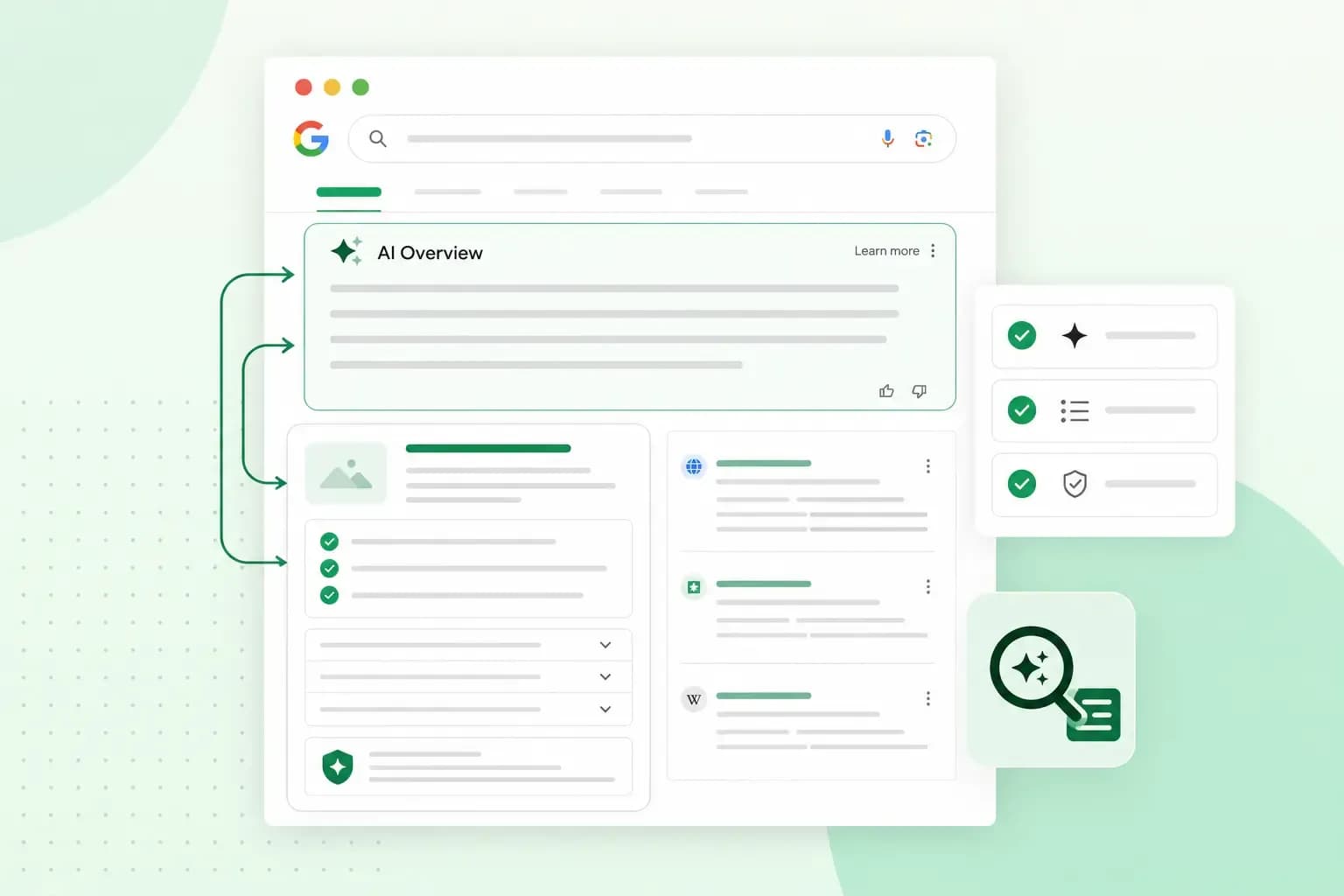
There's no separate trick for ranking in Google AI Overviews. Google says a page needs no extra requirements or special optimisation to appear there. It has to be indexed and eligible to show in Google Search with a snippet, the short text Google shows under a result. From there, it comes down to the SEO basics: pages that answer people's questions clearly and that Google can crawl easily.
What are Google AI Overviews?
Google AI Overviews are AI-generated summaries that Google shows in some of its search results. They give you a quick snapshot of a topic, with links to the pages behind it if you want to dig deeper. Google only shows one when its systems decide it adds something to the classic results, so you won't see one for every search. AI Overviews are available to all users in the United Kingdom.
A featured snippet quotes text from a single URL. An AI Overview draws on several pages and can link to more than one of them. Google says this lets it show a wider range of links than a classic search does. That gives more types of sites a chance to appear, yours included.
How Google picks the sources for an AI Overview
Google's guide says AI Overviews may use a technique called query fan-out. The system runs several related searches across subtopics and sources, then builds its answer from what it finds. While it writes the answer, it looks for more pages that support it.
So cover the related questions around your topic, not only the exact words someone typed. If you've written a guide to things to see in York, also cover the best time to visit, a three-day itinerary, where to eat on a budget and how to get around. Each of those answers one of the related searches that query fan-out may run.
How to appear in Google AI Overviews
Google's advice, in its guide to AI features, is to use the same SEO practices that help any page in search. As the Google Search team explains, its goal hasn't changed: it wants to show original, satisfying content that people find useful. If you're new to this, here's what SEO is and how it works.
Write helpful content that answers the question
Google asks site owners to focus on unique content that visitors find helpful and satisfying, rather than content anyone could copy. In AI search, people ask longer and more specific questions. A page that answers them well has more to offer. To make your content worth citing:
- Check your facts before you publish, and cite reliable sources where you use them.
- Add something of your own, such as your experience, original data or a survey of your customers.
- Keep your pages up to date.
Then make each page easy for your visitors to read and scan:
- Answer the main question at the start, in clear and short sentences.
- Give each section a descriptive subheading that says what it covers.
- Use bullet points or numbered lists for steps and processes.
- Explain a technical term briefly the first time you use it.
- Answer the questions people often ask about the topic, each with a short answer.
Make sure Google can crawl and index your pages
To appear as a link in an AI Overview, your page has to be crawled and indexed by Google first. Indexing means Google looks at the text, images and videos on your page and stores what it finds in its index. Google Search’s technical requirements come down to three things:
- Googlebot isn't blocked. Google's crawler can reach the page.
- The page works. When Google requests it, your server answers with HTTP 200, the success code that tells Google the page loaded as it should, rather than an error.
- The page has indexable content. The text is in a file type Google supports and doesn't break Google's spam policies.
A page behind a login, or one your robots.txt file blocks, is unlikely to show. To see whether your website has a robots.txt file, add /robots.txt to your domain, for example mapleandthornbakery.co.uk/robots.txt. A robots.txt file tells Google's crawlers which addresses on your site they may visit. These habits can also help Google find and understand your pages:
- Write a clear title tag for each page that says what the page is about.
- Put important content in text, not only in images.
- Keep your URLs short and readable.
- Submit an XML sitemap in Google Search Console, so Google knows which pages you want indexed.
- Request indexing for new or important pages with the URL Inspection tool in Search Console. This asks Google to crawl the page, but it doesn't guarantee that the page is indexed.
Give visitors a good page experience
A good answer loses its value if the page around it is hard to use. Google asks site owners to check that pages display well on any device and load quickly. It also asks them to make the main content easy to tell apart from everything else. That counts whether your visitors arrive from an AI Overview or from the classic results. If your pages are slow, here's how to improve your site speed.
Keep structured data in line with the page
Structured data, such as schema markup, describes your content in a format search engines can read, such as the price of a product or the date of an event. If you use it, Google's advice is to make sure everything in the markup is also visible on your page, and to validate the markup.
Support your text with images and videos
People can now search with a picture as well as words. You snap or upload a photo, ask about what's in it, and Google answers with links to pages that explain more. Google calls this multimodal search: a search that combines a picture with words. To be part of those answers, support your text with high-quality images and videos.
If you sell products, keep your product details up to date in Google Merchant Center, the tool that sends your products to Google. If you serve local customers, do the same in your Google Business Profile, the listing that shows your location and opening hours.
Check your snippet settings
The settings that limit how Google shows your page in search also apply to AI Overviews. Google lists four snippet controls:
nosnippetstops Google showing a text snippet or video preview for the page, in AI Overviews too.data-nosnippetkeeps a specific part of the page out of snippets.max-snippetsets the maximum number of characters Google may use in a text snippet.noindexkeeps the page out of Google's search results altogether.
A stricter setting leaves less of your content free to appear in AI Overviews. So check that an important page doesn't carry one by mistake. The page-wide settings sit in a robots meta tag, in the <head> section of the page's code. They can also come in an X-Robots-Tag HTTP header that your server sends with the page. If your site runs on a CMS such as WordPress, you might not be able to edit that code directly, so check whether your CMS has a search engine settings page instead. To check one page, enter its full address in the URL Inspection tool in Search Console, which tells you if indexing is blocked, for example by noindex. For a page that's on Google, View crawled page shows the page's HTML and HTTP headers, where you can look for nosnippet or max-snippet. If you do want to keep a page out of AI Overviews, these snippet settings are also the ones to use.
Google-Extended is a separate setting. It controls whether some of Google's other systems may use your content for AI training and grounding, which means backing up their answers with your pages. It doesn't decide what appears in Search: access for Search follows your robots.txt rules for Googlebot. So blocking Google-Extended doesn't keep your page out of AI Overviews.
What you don't need to do
According to Google, you don't need new machine-readable files, AI text files or special markup to appear in AI Overviews. There's no special schema.org structured data to add either. The work is the basics above, done well and kept up over time.
Our SEO experts refine your content, headings, internal links and images, so search engines and customers understand your business better.
Get help with your SEODo Google AI Overviews affect your SEO?
Yes, they can change how people reach your website. For some searches, the quick answer on the results page can mean fewer clicks to the websites behind it. Being cited, on the other hand, puts a link to your website right in the answer people read.
Google says that clicks from results pages with AI Overviews are higher quality, because the people who click through are more likely to spend more time on your website. So look beyond the number of clicks. Check what your visitors do once they arrive, such as buying, signing up, booking or getting in touch.
How to check if your site appears in AI Overviews
The most direct check is to search for the questions your page answers and look at which sites the AI Overview links to. Search Console doesn't give AI Overviews a report of their own. It shows their clicks as part of your website's search data, within your overall search traffic in the Performance report, under the Web search type. If you haven't set it up yet, here's what Google Search Console is and what it shows. To see what those visitors do next, such as how long they stay and whether they buy, use Google Analytics alongside it.
Frequently asked questions
Why isn't my site in an AI Overview when it ranks on page one?
Ranking well doesn't guarantee a place in an AI Overview. For many searches, Google shows no Overview at all. Even a page that meets every requirement isn't guaranteed to be crawled, indexed or shown.
How long does it take for a change to show?
Anything from several days to several months. It depends on how often Google decides your page needs a fresh crawl. You can ask Google to recrawl a page in Search Console, but the request doesn't guarantee that the change shows quickly, or at all.
Whatever you change first, start with the page your business relies on most. Check that it's indexed, that it answers its main question in the first lines and that no snippet setting holds it back. If you'd like someone to keep this up across your whole site, our SEO experts can do it for you.
Recommended reading
 Marketing19 Oct 2026
15 ideas for Black Friday marketing
Make the most of Black Friday with 15 marketing ideas to attract customers and boost sales. Discover ways to promote your offers, reach more shoppers and make your campaign stand out. Marketing30 Dec 2025
AI SEO: a guide to search engine optimisation with artificial intelligence
A basic guide to AI in SEO – let's look at how artificial intelligence can help you speed up your SEO tasks. Marketing30 Dec 2025
Make your website visible in AI searches
A basic guide to AI in SEO – let's look at how artificial intelligence can help you speed up your SEO tasks.