
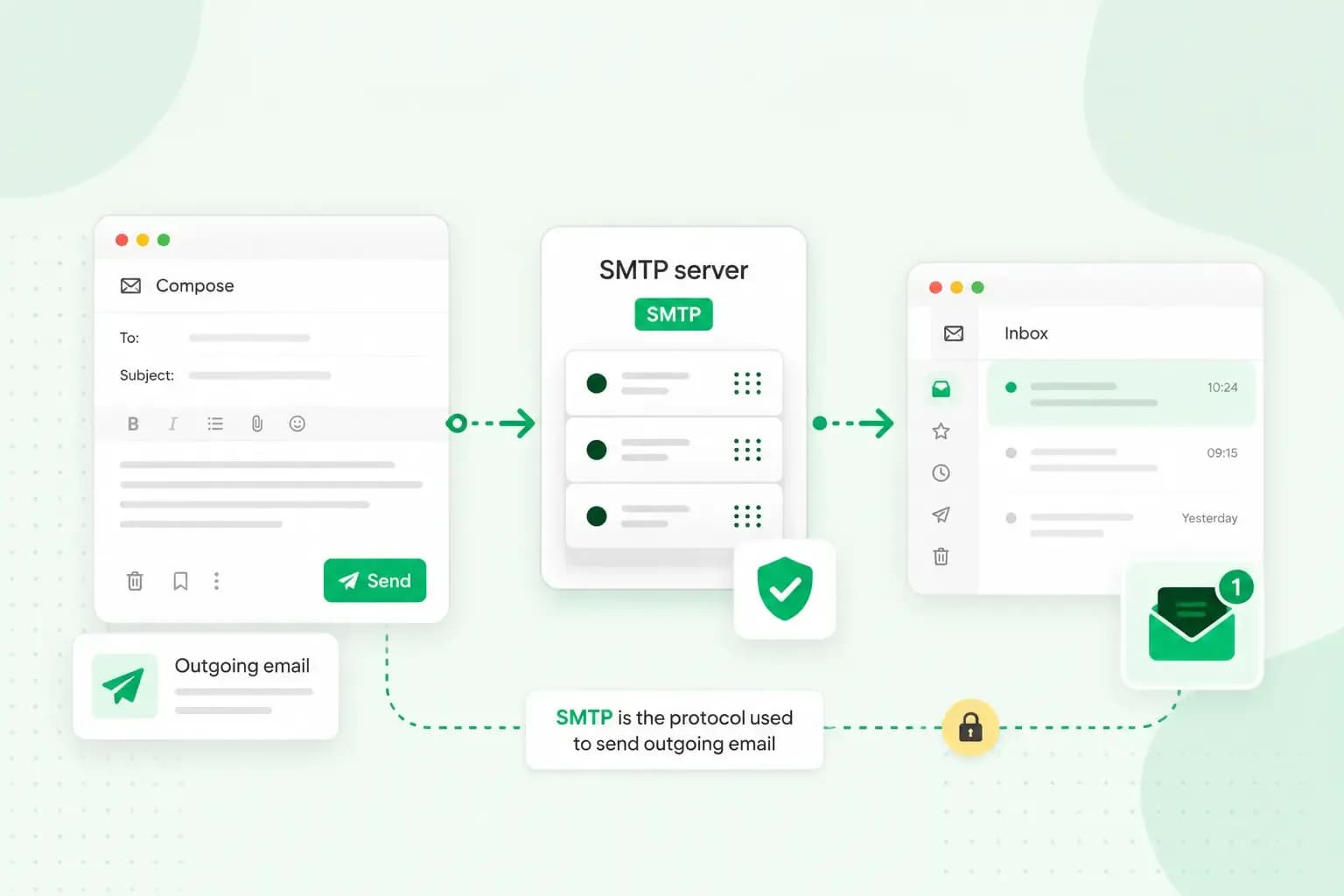
SMTP is the set of rules your email program and mail servers follow to send an email. They use it to pass your email on, server by server, until it reaches the recipient's mail server. The name stands for Simple Mail Transfer Protocol, and SMTP only handles sending. Two other protocols, IMAP and POP, collect the email from that server so the recipient can read it.
In the settings of your email program, also called an email client, the SMTP server is the one listed as the outgoing server.
How does SMTP email delivery work?
When you press send, your email program opens a connection to your outgoing mail server. It then sends a series of commands that say who the email is from and who it's for, followed by the email itself.
Your server now has to find out where the email goes. It looks at the part of the recipient's address after the @. Then it asks the Domain Name System (DNS) for that domain's MX record, which names the mail server that receives the domain's email. Your server opens its own SMTP connection to that mail server and passes the email on. Sometimes the email goes through more than one server on the way, each passing it on with SMTP in the same way.
SMTP delivery ends when the recipient's mail server accepts the email, and that server then puts it in their mailbox. The recipient reads the email later in their own email program, or in webmail, which opens their mailbox in a web browser.
What is an SMTP server?
An SMTP server is the mail server that sends your email. Its partner is the incoming server, which receives your email and keeps it until your email program collects it. Your email provider runs both email servers, so you don't set one up yourself. Your email program only needs to know how to reach the outgoing one: the server's address, the port with its type of encryption, and your login.
With an email plan from us, the outgoing server comes with your mailbox: send.one.com, on port 587 or 465. You can connect your address to Outlook, Gmail, Apple Mail and other email programs, or use our webmail.
Is SMTP the same as IMAP or POP?
No. The SMTP protocol sends email and pushes it from server to server. IMAP and POP do the other half of the job and fetch it from the recipient's server. IMAP keeps your email on the server and shows the same mailbox on every device. POP downloads your email to one device and removes it from the server, unless your email program is set up otherwise. Read more about the POP and IMAP protocols and when each one fits.
Is SMTP secure?
SMTP can be secure, as long as the connection is encrypted and your email program logs in. The encryption is called TLS, and with it nobody between your email program and the server can read your login or your email. The login protects the server itself. Your email program signs in to the outgoing server with your username and password, so the server can turn away senders who aren't allowed to use it.
You'll find both settings with the outgoing server in your email program. Check that encryption is switched on there and that the port goes with it.
Receiving servers add another layer of security. They check that an email really comes from the domain it claims, with records such as SPF, DKIM and DMARC.
Which port does SMTP use?
Port 25 carries email between mail servers. For sending from your email program, you use port 587 or 465.
The SMTP ports compared
| Port | What it's used for | Encryption |
|---|---|---|
| 25 | Passing email between mail servers | Optional, the servers agree on it |
| 587 | Sending email from your email program to your outgoing server | STARTTLS: the connection starts unencrypted and switches to TLS |
| 465 | Sending email from your email program to your outgoing server | TLS from the start of the connection |
In your email program, use the port and encryption your email provider gives you. If you get a choice, pick 587 or 465: both encrypt the connection, and when your email program and the server are set up correctly and both insist on encryption before sending, there's no real difference in how secure they are. Either works, so take the one your provider lists first and follow its instructions. Just make sure the encryption matches the port: STARTTLS for 587, TLS for 465. Port 25 isn't meant for sending from an email program, and some networks block it to keep spam out.
Does SMTP use TCP or UDP?
SMTP uses TCP. TCP is the internet protocol that sets up a connection and makes sure the data arrives complete and in the right order. That makes each hand-over, from your email program to the server or from one server to the next, reliable. It doesn't promise that your email reaches the recipient's inbox, though.
Does SMTP delivery mean your email has arrived?
Not always. SMTP delivery means a server accepted the email, not that it reached the recipient's inbox: a server can accept it and still find later that it can't deliver it. When that happens, you'll get a message back saying the email couldn't be delivered. This message, known as a bounce, usually gives the reason.
An email that arrives can also be marked as spam, for example when it fails the receiving server's checks on where it comes from. If that keeps happening, check your domain's email security settings, which those checks rely on.
Ad-free email with webmail, a calendar and a spam filter, ready to connect to your email program.
Choose an email planHow do you set up SMTP in your email program?
Your email provider gives you the SMTP settings, including the type of encryption that goes with the port. For an email address with us, our guide to setting up your email account in an email program lists the incoming and outgoing servers with their ports and encryption. Keep it open while you work through these steps.
- Create your email address in your control panel before you set up the email program.
- Add the account in your email program with your full email address and its password, and enter the incoming (IMAP) server.
- Enter the outgoing (SMTP) server, its port and the type of encryption, and use the same username and password as for the incoming server.
- Send a test email to check that the outgoing server works.
With an email address from us, your SMTP password is the same as your email password. With another provider, check the settings it gives you.
Once your email program has the right SMTP settings, you can send from an address with your business name in it: start with professional business email and connect it to the email program you already use.
Recommended reading
 Email6 Nov 2026
What is email spoofing? How to stop someone faking your business email address
Email spoofing is when someone forges an email's sender. See how to spot a spoofed email, what to do if it's your address and how to stop email spoofing.- Email6 Nov 2026
SPF, DKIM and DMARC explained: how to keep your emails out of spam
DMARC tells mail servers what to do with emails that fail SPF and DKIM checks. See what each record does, how to set them up and how to check they work. 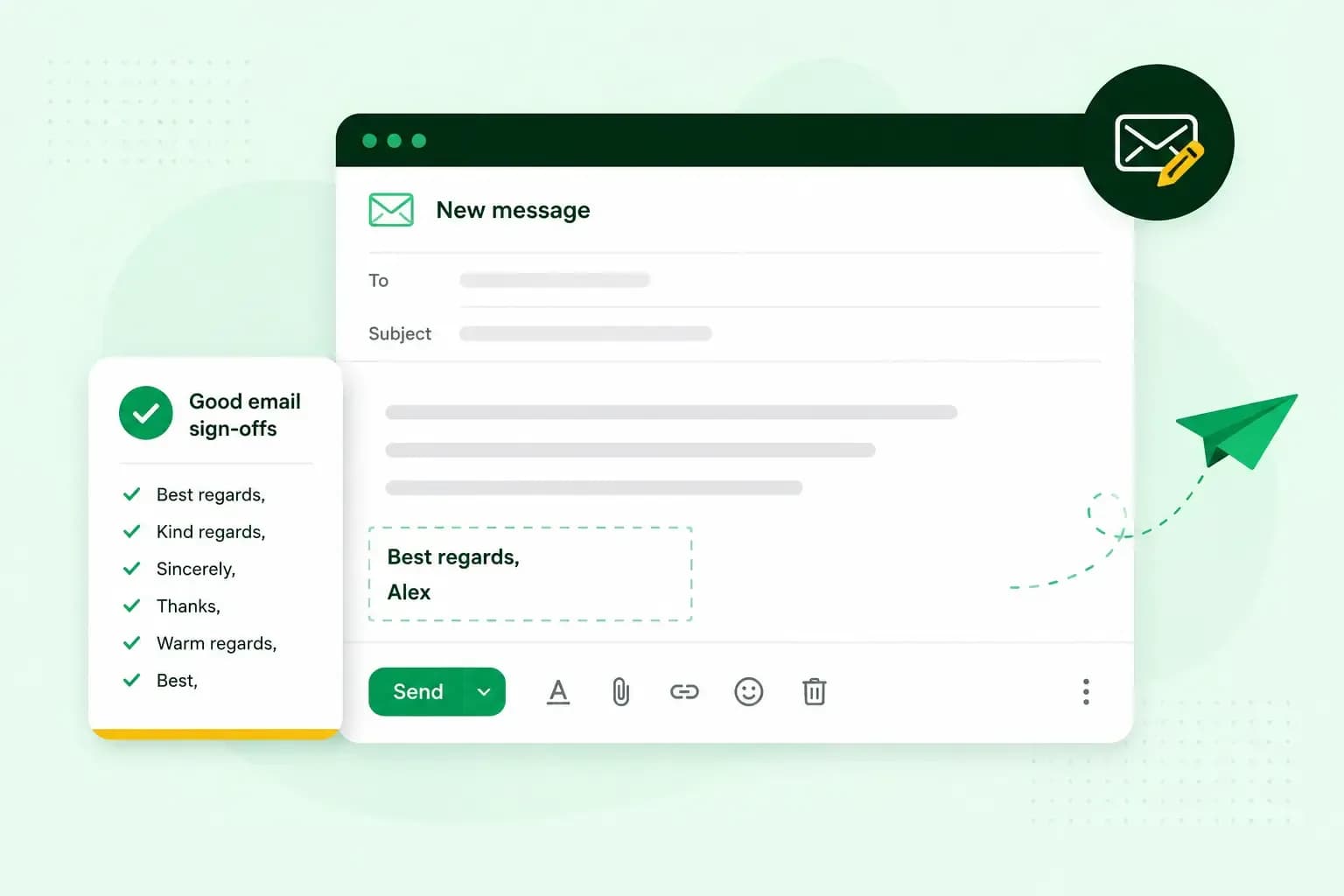 Email10 Nov 2025
How to end an email in English
How you end an email impacts how it is perceived. We have collected the best ways to sign off emails in English.